Troubleshooting
WorkCentre 7755/7765/7775 Multifunction Printer
User Guide
206
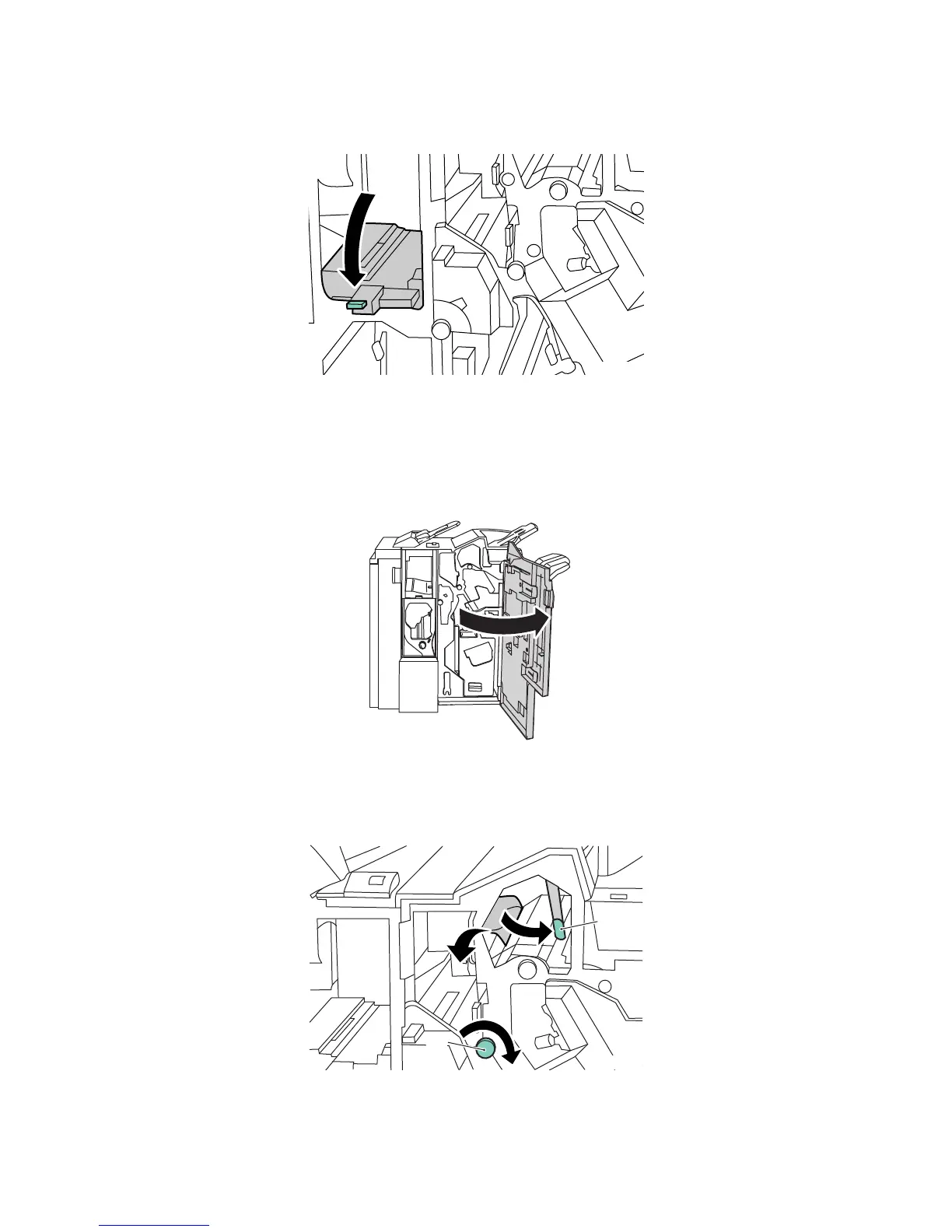
3. Return handle 2a to its original position.
4. Close the right finisher door.
Clearing Jams at 3e (using Knob 3c)
1. Open the right finisher door.
2. Move green handle 3e to the right. If necessary, turn green knob 3c in the direction shown to
release the paper. Remove the jammed paper. If the paper is torn, check inside the printer for torn
pieces of paper.







 To Next Page