Troubleshooting
WorkCentre 7755/7765/7775 Multifunction Printer
User Guide
209
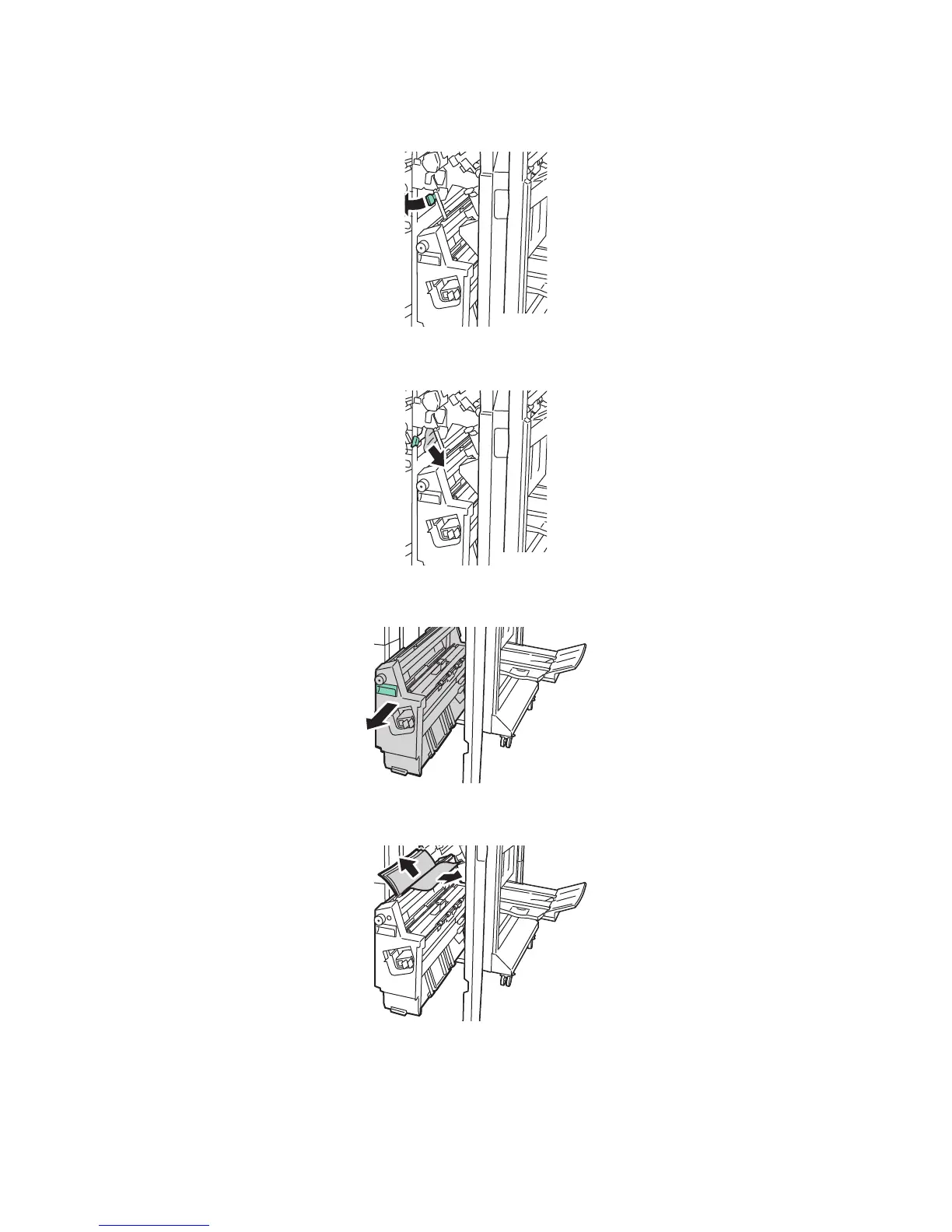
2. Move green lever 4b to the left.
3. If paper is visible, remove the jammed paper by pulling in the direction shown.
4. Using the green handle, pull out unit 4 until it stops.
5. Remove the jammed paper from the upper left side and inside of the unit.







 To Next Page