11
Getting Started
Redmi Note 9T
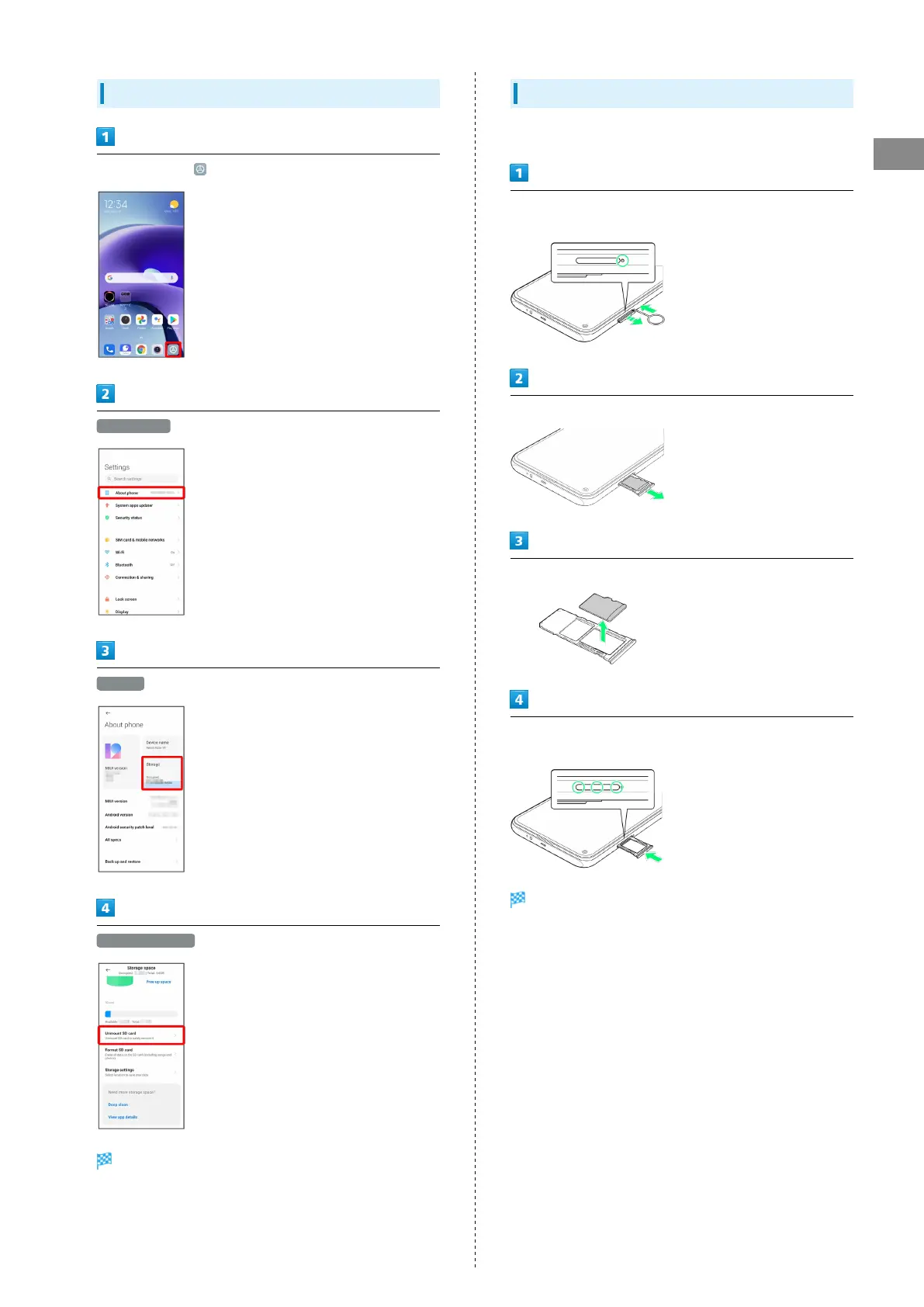
Unmounting SD Card
In Home Screen, (Settings)
About phone
Storage
Unmount SD card
SD Card is unmounted.
Removing SD Card
Always power off handset beforehand.
Insert SIM Removal Pin (complimentary sample) into Tray
Removal Hole straight
Pull out SIM Card/SD Card Tray straight
Remove SD Card from SIM Card/SD Card Tray
Insert SIM Card/SD Card Tray in SIM Card/SD Card Slot
straight
SD Card is removed.
・Press firmly where circled ○, and make sure there is no gap
between handset and SIM Card/SD Card Tray.














 To Next Page