54
Capturing Still Images/Videos
Still Image/Video Formats
File Format for Still Images
File format for still images is JPEG.
File Format for Videos
File format for videos is MPEG-4.
Camera Cautions
If Lens Becomes Dirty
Fingerprints/smudges on lens prevent capturing of clear
still images/videos. Wipe lens with a soft cloth beforehand.
Avoid Exposure to Direct Sunlight
Be careful not to expose lens to direct sunlight for long
periods. May discolor color filter and affect color of
images.
Flash/Light Warning
Do not shine Flash/Light close to eyes. Do not look at
Flash/Light directly while in use. Do not shine Mobile Light
at other people's eyes. May affect eyesight, etc.
Capturing Still Images
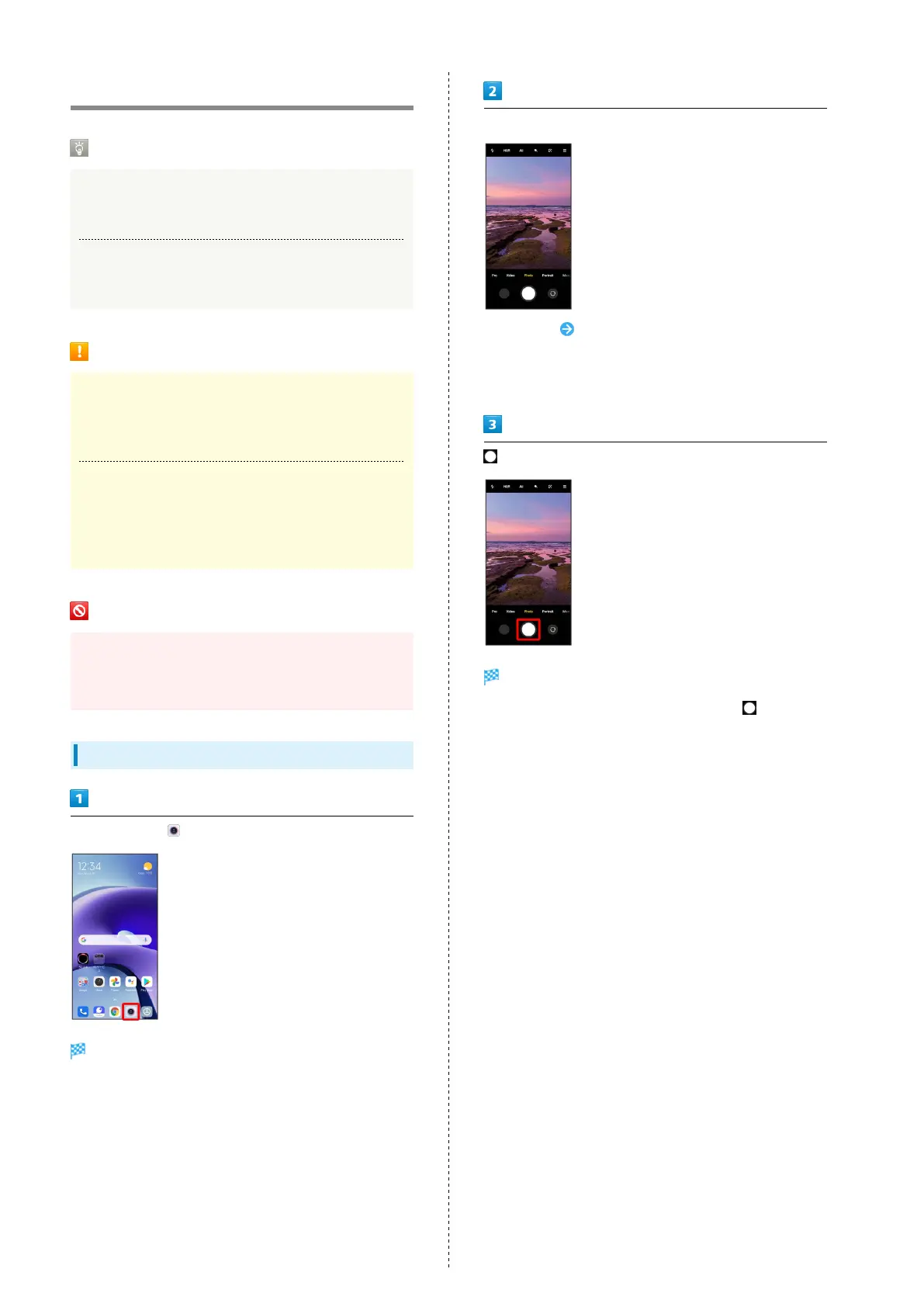
In Home Screen, (Camera)
Photo Viewfinder appears.
・If confirmation appears, follow onscreen instructions.
Aim Camera at subject
・
Tap Display Swipe/Flick Display up/down to adjust
brightness.
・Pinch/Spread to zoom out/in.
・Tap subject to focus. Touch & Hold for focus lock.
Shutter clicks and still image is saved.
・
Also set operation after Touching & Holding or after
pressing Volume Key.











 To Next Page