42
Phone Number
Checking Your Phone Number
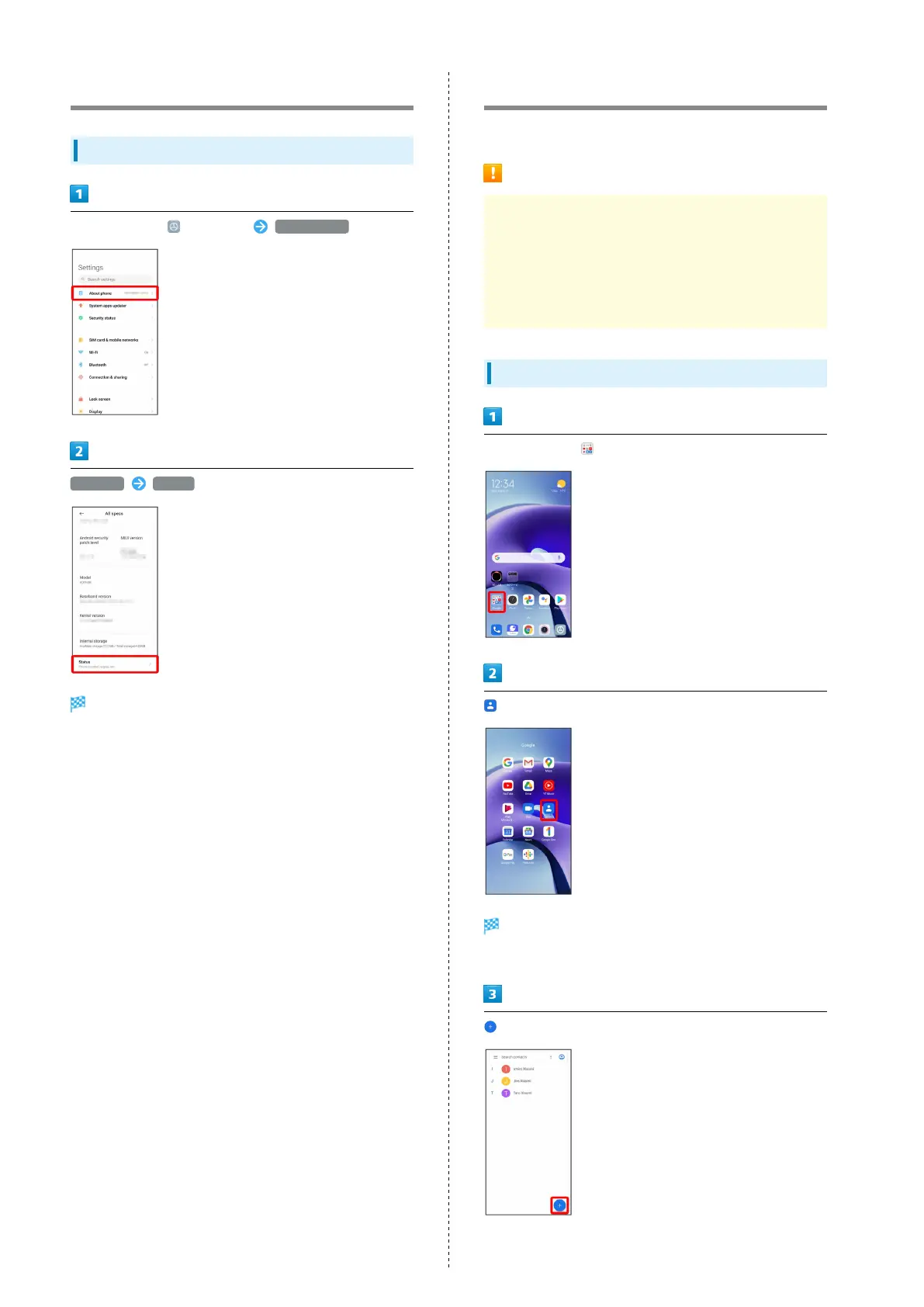
In Home Screen, (Settings) About phone
All specs Status
Handset number is shown below "Phone number."
Using Contacts
Save phone numbers, mail addresses, etc. to Contacts.
Contacts Cautions
Information saved in Contacts may be lost or changed if
Battery is left uncharged. Accident or malfunction may
also cause loss or change to information. It is recommended
that you keep a separate copy of contacts and other
important information. The company is not responsible for
any damages from lost or changed contacts.
Adding New Contacts
In Home Screen, (Google)
(Contacts)
Contacts appear.
・If confirmation appears, follow onscreen prompts.











 To Next Page