36
In-Call Screen Layout/In-Call Operations
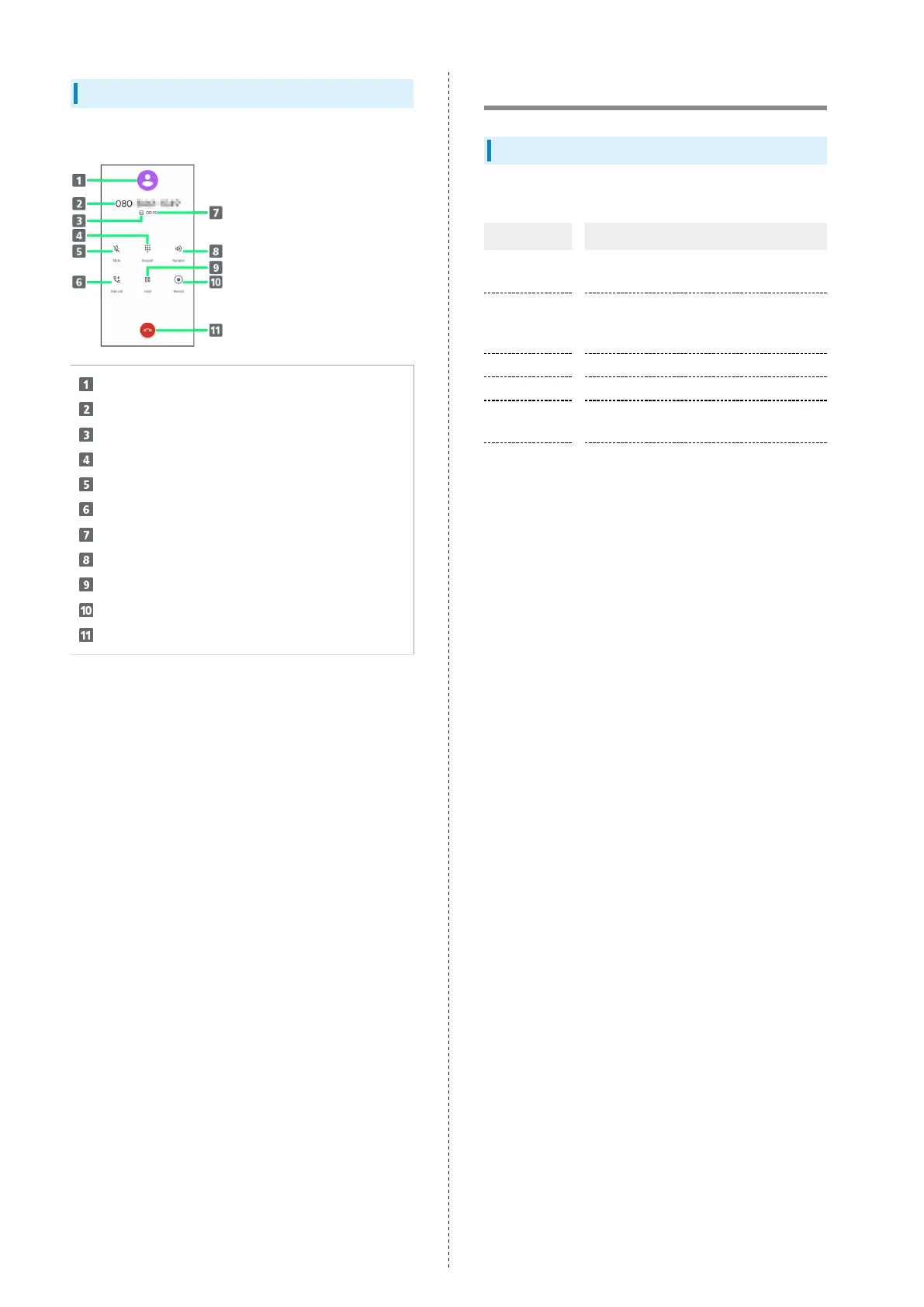
While in a call, Tap an icon to use these functions.
Show image registered for contact
Show name/number of other party
Appears for calls with HD Voice
Show/hide dialpad
Mute your voice to the other party
Call another party
Show call time
Call using Speaker
Place call on hold
Recording call
End call
Optional Services
Optional Services
The following optional services are available.
Service Description
Call
forwarding
Divert calls to a preset number when out
of service area or unable to answer.
Voicemail
Divert calls to a Voicemail Center to take
messages when out of service area or
unable to answer.
Call Waiting
1
Answer calls during a call.
Group Calling
1
Merge multiple calls.
Notify Caller
ID
Send or hide your number when placing
calls.
Call Barring
Restrict incoming/outgoing calls by
conditions.
1 Requires separate subscription















 To Next Page