14
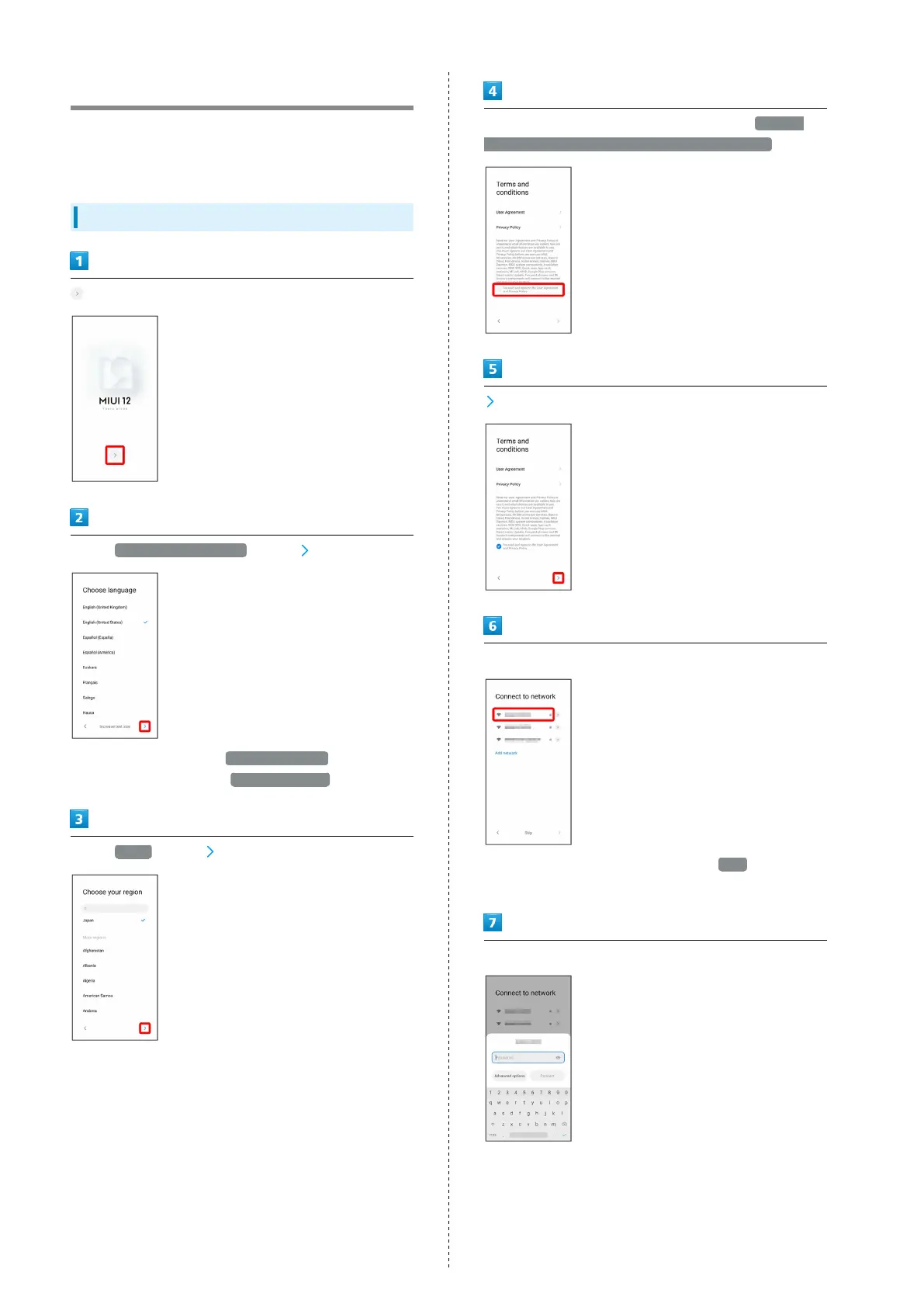
Making Initial Settings
When powering on the first time, an initial settings wizard
appears for optionally making Wi-Fi, Google™ account, and
other settings. Follow onscreen instructions to set items.
Making Initial Settings
Select English (United States) , then
・
To enlarge text size, Tap Increase text size . To return to
the default text size, Tap Default text size .
Select Japan , then
Check the terms of use and privacy policy, then I've read
and agree to the User Agreement and Privacy Policy.
Select Wi-Fi network to connect to
・
To not connect to a Wi-Fi network, Tap Skip . Continue by
following onscreen prompts.
Follow onscreen prompts to set Wi-Fi











 To Next Page