31
Handset Interface
Redmi Note 9T
Showing Quick Settings in Lock Screen
Swipe/Flick Status Bar down
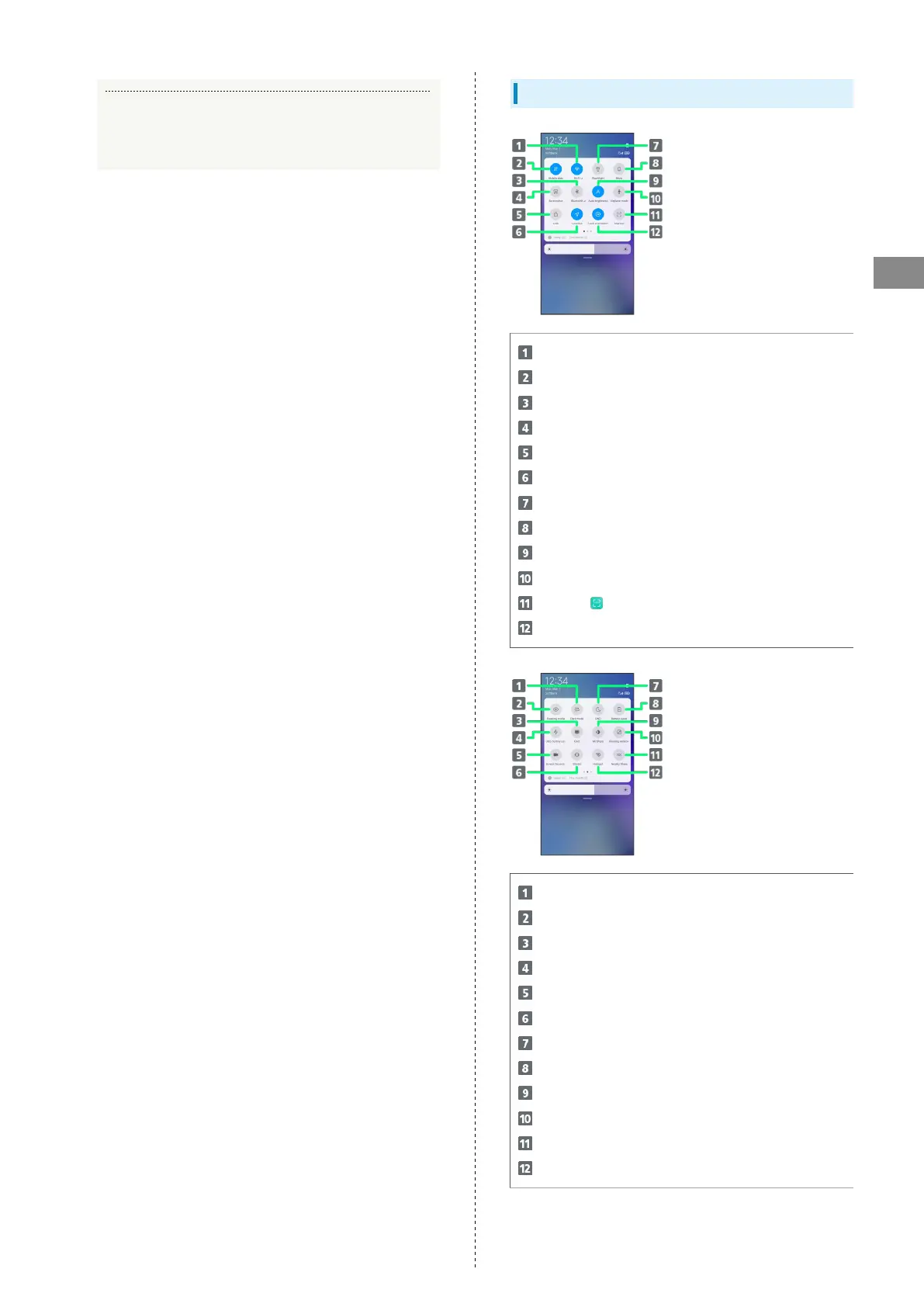
Quick Settings Layout
Toggle Wi-Fi on/off
Toggle mobile data on/off
Toggle Bluetooth
®
on/off
Capture screenshot
Lock screen
Toggle access to location on/off
Turn flashlight on/off
Enter/exit Silent mode
Toggle screen auto brightness on/off
Toggle Airplane mode on/off
Activate (Scanner)
Toggle screen auto-rotation on/off
Toggle dark mode/light mode
Toggle Reading mode on/off
Activate cast
Activate ultra battery saver
Record screen
Toggle vibration during Silent mode on/off
Activate DND
Toggle battery saver on/off
Toggle Mi Share on/off
Activate floating windows
Activate Nearby Share
Toggle portable hotspot on/off














 To Next Page