47
Messaging
Redmi Note 9T
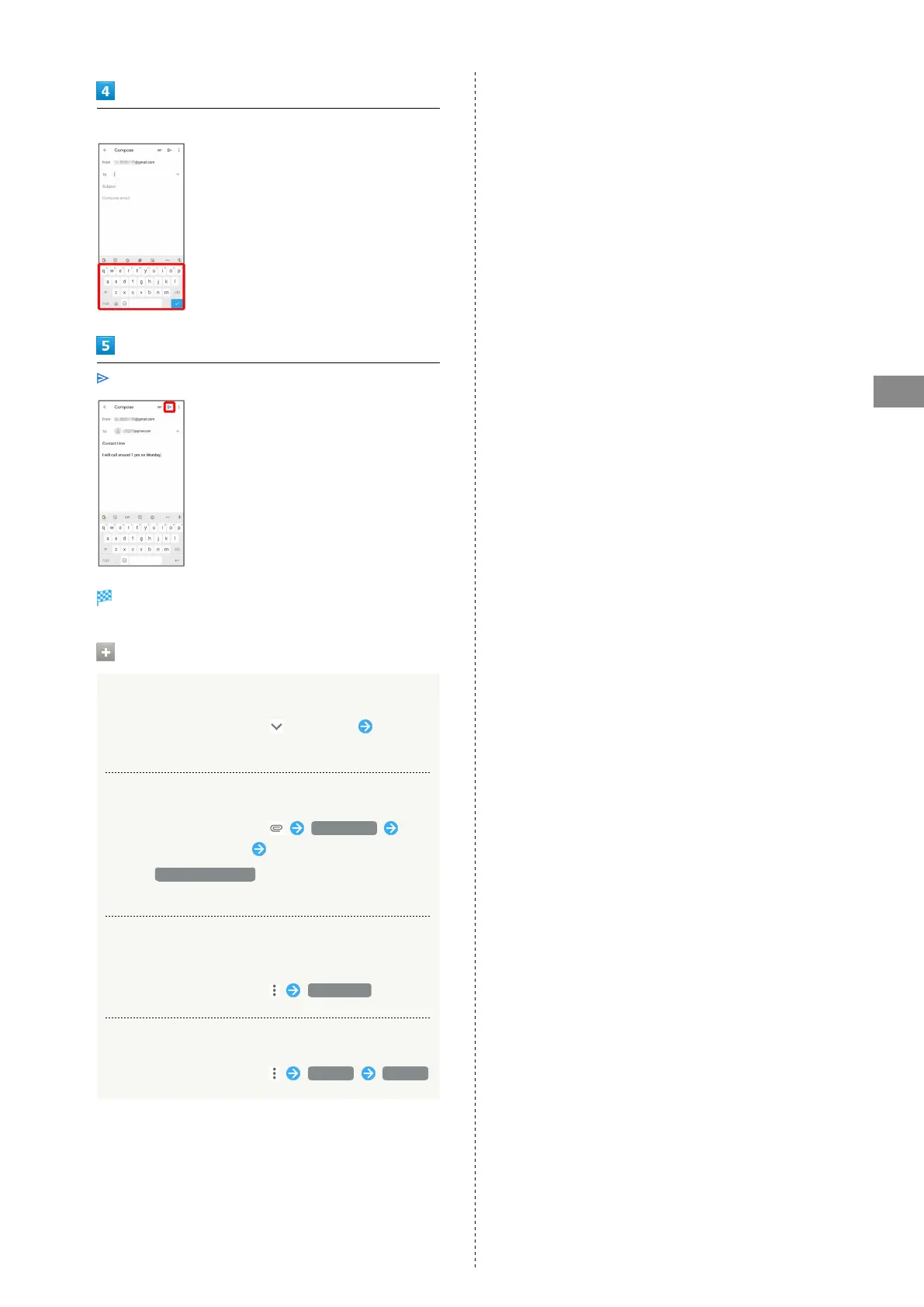
Enter recipient/subject/mail text
Mail is sent.
Operations when Composing Mail
Adding Cc/Bcc
In mail composition window, in To field Enter
recipient
Attaching Files
In mail composition window, Attach file
Select where file is saved Select file to attach
・
Select Insert from Drive to attach files saved in
Google Drive.
Save Mail Being Composed as a Draft (Send
Later)
In mail composition window, Save draft
Delete Mail Being Composed
In mail composition window, Discard Discard














 To Next Page