Instructions for XPENG Owners
23
1
2
3
4
5
6
7
8
9
10
11
DC ChargingDC Charging
DC charging takes a shorter time. Charging DC charging takes a shorter time. Charging
operation:operation:
1. 1. Open the charging port lid.Open the charging port lid.
2. 2. Take the charging gun and plug it vertically Take the charging gun and plug it vertically
into the AC charging port.into the AC charging port.
►
Do not shake the charging gun when
plugging it.
3. 3. Observe the charging indicator lights.Observe the charging indicator lights.
4. 4. After charging, tap the end charging on the After charging, tap the end charging on the
CID energy center, press and hold the unlock CID energy center, press and hold the unlock
button on the charging gun, and pull out the button on the charging gun, and pull out the
charging gun.charging gun.
Warning
DC charging must be carried out in
compliance with the relevant regulations
of the charging station.
Warning
●
Please check if the charging pile complies
with the related standards before charging.
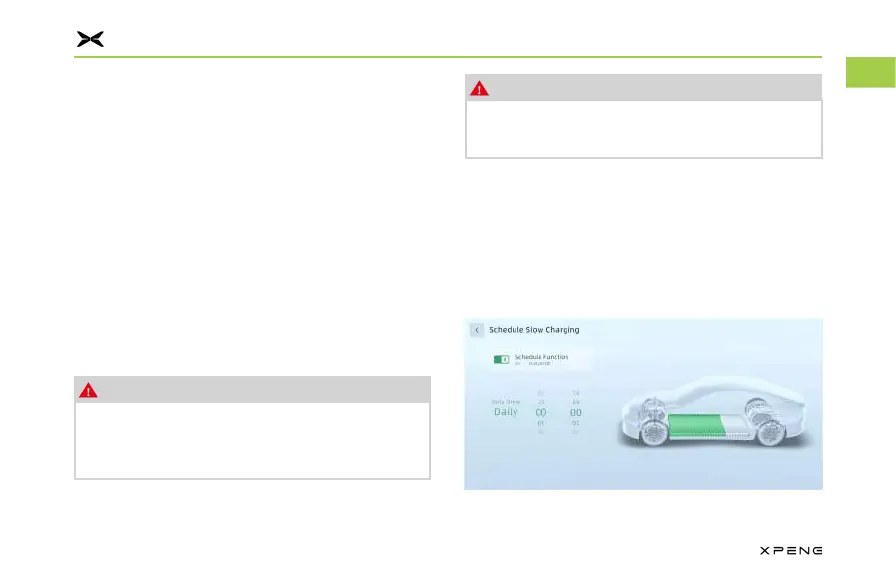
Low Charging Schedule ChargeLow Charging Schedule Charge
This function allows the vehicle to start charging This function allows the vehicle to start charging
at a specified time and to automatically stop at a specified time and to automatically stop
charging when the battery is fully charged (or charging when the battery is fully charged (or
reaches the limit).reaches the limit).
Schedule charge as the following steps:Schedule charge as the following steps:



 To Next Page