5-12
ARRIVING ON SITE
Step 5 Depending on the lean of the vehicle with the aid of the buttons: “FRONT SIDE”, “REAR
SIDE”, “LEFT SIDE” OR “RIGHT SIDE” level the vehicle.
Keep each button pressed until the level system automatically stops levelling; the
ORANGE arrow(s) on the indicator LED will go out automatically at this point.
Note: When two orange arrows light up, level the vehicle gradually, not first completely
levelling one side until the level system stops and then completely levelling the other
side. Perform this action(s) in small (alternating) steps. In this way the system is working
optimally.
Press button “FRONT SIDE” if the orange arrow is pointing to the front side of the
vehicle.
Press button “REAR SIDE” if the orange arrow is pointing to the rear side of the vehicle.
Press button ”LEFT SIDE” if the orange arrow is pointing to the left side of the vehicle.
Press button “RIGHT SIDE” if the orange arrow is pointing to the rear side of the vehicle.
Retracting the jacks
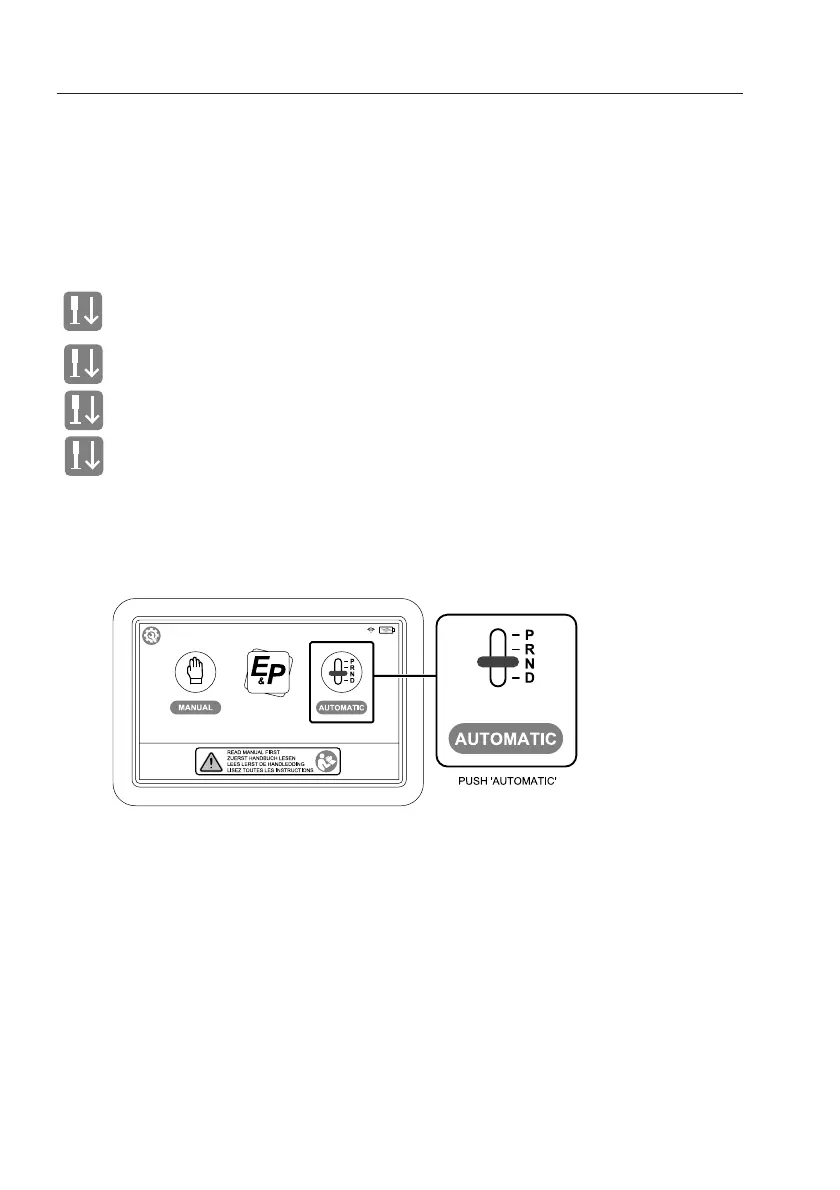
The jacks can only be retracted in the “AUTOMATIC” mode:
Step 1 Push the button “AUTOMATIC” to activate the system.


 To Next Page