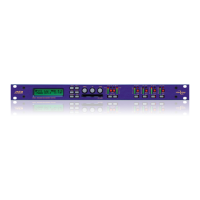
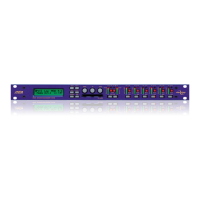
Page 4 5 Series
5 Series 5 Series
5 Series Operator’s Manual
Contents
Declaration Of Conformity 6
Important Safety Instructions 7
Instructions De Securite Importantes 8
Thanks 9
Unpacking the unit 9
Introduction 10
Features 10
Front Panel Familiarisation 11
Rear Panel Connections 12
Operating the
5 Series
5 Series5 Series
5 Series 13
Note about operation with AudioCore software. 13
Start-up procedure 13
Preliminary Set-up as a Crossover (DP548 & DP544) 13
Preliminary Set-up as Insert Channel Processing (DP544) 13
Input Channel Makeup 14
Output Channel Makeup 14
Preset Routing Configurations: DP548 14
Preset Routing Configurations: DP544 17
Free Assign Routing 18
Full Matrix Mixing 18
Editing Audio Parameters – Input Channels 19
Input Gain 19
Base Delay 19
Input Graphic EQ 19
Input Parametric EQ 19
Editing Audio Parameters – Output Channels 21
Output Gain 21
Output Polarity 21
Output Delay 21
Output High Pass Filter 22
Output Low Pass Filter 22
Output Parametric EQ 22
Output Compressor 23
Output Limiter 24
Output “D-Max” (Clip) Limiter 24
Input Ganging and Output Ganging 25
Menus in Detail 27
Memory Structure 29
Remote Control Interface Operation 31
RS232 Interface 31
RS232 Connection (Single Unit) 31
Loading New Software via a PC 32
RS232 Connection (Multiple Units) 32
Shadow ID Numbers 33
RS485 Connection 34



 To Next Page