Repeater stations, usually located on mountaintops or other high locations, pro-
vide
a dramaticextension of the communication range for low-powered hand-
held or mobile transceivers. The FT-65R/E includes a number of features which
make repeater operation simple and enjoyable.
Your FT-65R/Ehasbeencongured,atthefactory,fortherepeatershiftscus-
tomary in your country. For the 144 MHz band shift will be 600 kHz; on the 430
MHz band, the shift may be 1.6 MHz, 7.6 MHz, or 5 MHz (USA
version).
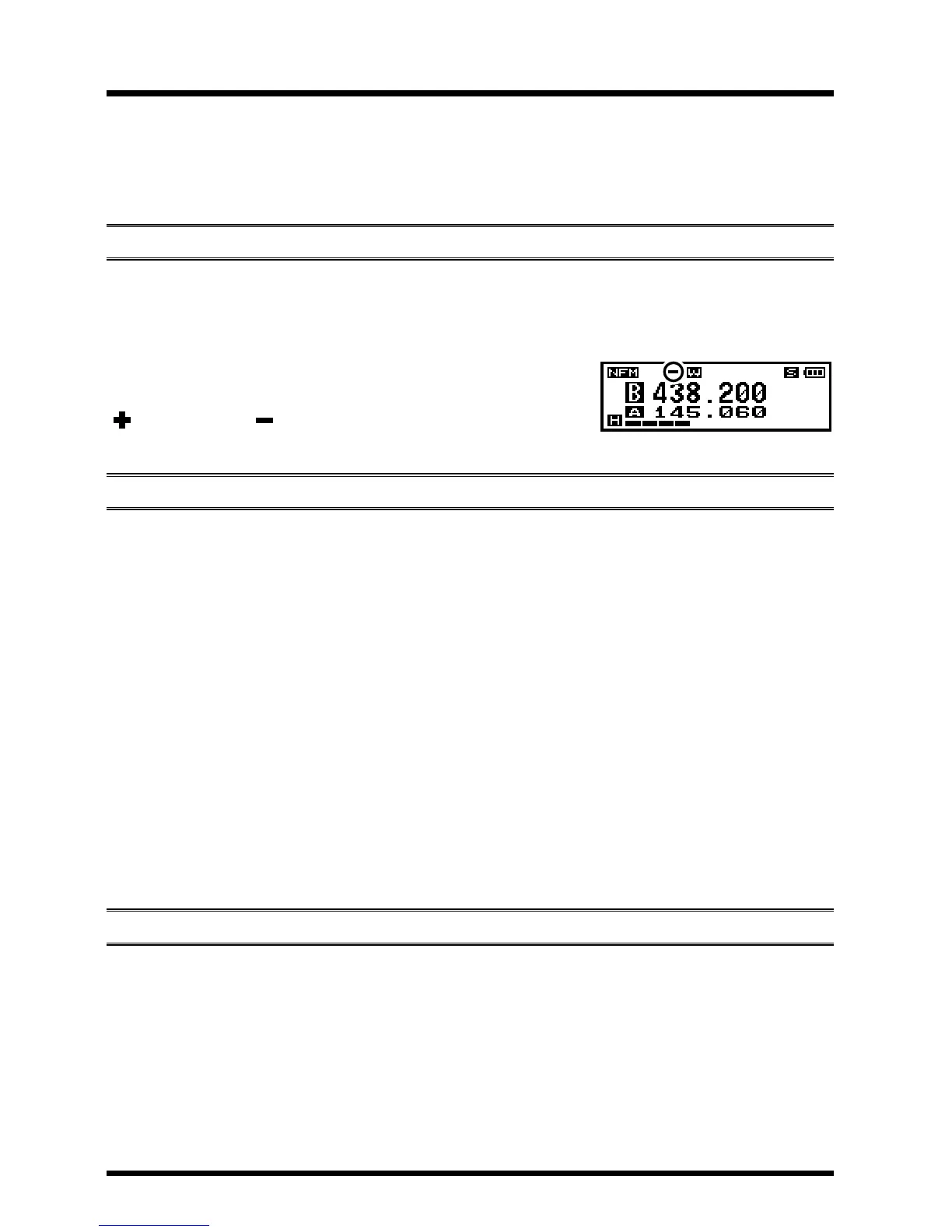
Depending on the part of the band in which you are
operating, the repeater shift may be either downward
(
)
or upward
( )
, and one of these icons will ap-
pear at the top of the LCD when repeater shifts have been enabled.
(ars)
The FT-65R/E provides a convenient Automatic Repeater Shift feature, which
causes the appropriate repeater shift to be applied automatically whenever you
tune into the designated repeater sub-bands in your country. These sub-bands
are shown below.
If the ARS feature does not appear to be working, you may have accidentally
disabled it.
To re-enable ARS:
1.
Press the
F/W key, then press the [0 SET] key to enter the Set mode.
2.
Press
the [
] or [
] key
to select Set Mode Item 24: REPEATER.
3.
Press the
F/W key to enable adjustment of this Item.
4.
Press
the [
] or [
] key
to select “ARS”, then press the F/W key.
5. Press
the [
] or [
] key
to select “ARS. ON”, then press the F/W key.
6.
When you have made your selection, press the
PTT switch to save the new
setting and return to normal operation.
Manual repeater shiFt aCtivatiOn
If the ARS feature has been disabled, or if you need to set a repeater shift di-
rection other than that established by the ARS, you may set the direction of the
repeater shift manually
.
To do this:
1. Press the F/W key, then press the [4] key to enable selection of the repeater
shift direction.
The [4] key is a “short-cut” to Set Mode Item 24: REPEATER.
2.
Press the
F/W key to enable adjustment of this Item.
10
FT-65R/E Operating Manual
ApplicationforFCC/IC
FCCID:K6620665X20/IC:511B-20665X20


 To Next Page