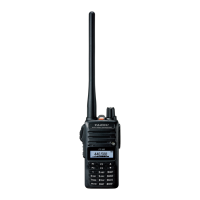
The FT-65R/E allows you to scan just the memory channels, the entire operat-
ing band, or a portion of that band. It will halt on signals encountered, so you
can talk to the station(s) on that frequency
, if you like.
Scanning operation is basically the same in each of the above modes. Before
you begin, take a moment to select the way in which you would like the scanner
to resume scanning after it halts on a signal.
Setting the Scan-Resume Technique
Three options for the Scan-Resume mode are available:
BUSY: In this mode, the scanner will halt on a signal it encounters. One seconds
after the carrier has dropped because the other station(s) ceased trans-
mission, the scanner will resume. In the case of constant-carrier signals
like
Weather Station broadcasts, the scanner will likely remain on this
frequencyindenitely.
HOLD:
In this mode, the scanner will halt on a signal it encounters. It will not re-
start automatically; you must manually re-initiate scanning if you wish to
resume.
TIME:
In this mode, the scanner will halt on a signal it encounters, and will hold
there
for
ve
seconds.
If
you
do
not
take
action
to
disable
the
scanner
within
that time period, the scanner will resume even if the stations are
still active.
To set the Scan-Resume mode:
1.
Press the
F/W key, then press the [0 SET] key to enter the Set mode.
2. Press[▲]or[▼]keytoselectSetModeItem“25:RESUME”.
3.
Press F/W
key to enable adjustment of this Set Mode Items.
4. Press[▲]or[▼]keytoselectthedesiredscan-resumemode.
5.
Press [
PTT]Switchtosaveandexittonormaloperation.
The default condition for this Set Mode Item is “BUSY”.
The FT-65R/E provides two VFO scanning functions: “Manual VFO Scanning”
and “Programmed VFO Scanning.”
Manual VFO Scan
1. Press the [* V/M] key to set the VFO mode, if neccesary.
2. Press
and
hold
[▲]
or
[▼]
key
for
one
second
to
initiate
upward
or
down-
ward scanning,respectively.
3.
Press and hold in either the
[
]
or
[
] key for one second to initiate upward
or downward scanning, respectively
.
4.
I
f and when the scanner encounters a signal strong enough to open the
squelch, the scanner will halt temporarily; the decimal point of the frequency
display will blink this “Resuming” condition.
18


 To Next Page