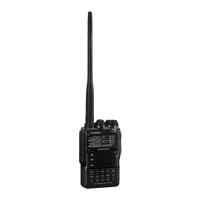
VX-3R/E OPERATING MANUAL 125
RESET PROCEDURES
In some instances of erratic or unpredictable operation, the cause may be corruption of
data in the microprocessor (due to static electricity, etc.). If this happens, resetting of the
microprocessor may restore normal operation. Note that all memories will be erased if you
do a complete microprocessor reset, as described below.
MICROPROCESSOR RESETTING
To clear all memories and other settings to factory defaults:
1. Turn the radio off.
2. Press and hold in the
[
MODE
]
and
[
V/M
]
keys while turning the radio on.
3. Press the
[
F/W
]
key momentarily to reset all settings to their factory defaults (press
any other key to cancel the Reset procedure).
SET MODE RESETTING
To reset the Set Mode Item
settings to their factory defaults:
1. Turn the radio off.
2. Press and hold in the
[
BAND
]
and
[
V/M
]
keys while turning the radio on.
3. Press the
[
F/W
]
key momentarily to reset the Set (Menu) mode settings to their factory
defaults (press any other key to cancel the Reset procedure).
: Except the following Set Mode Items
3: ANT.ATT, 10: BEL.SEL, 11: BNK.NAM, 18:CLK.SFT, 19: CW ID,
24: DCS CD, 28: DT SEL, 32: EMG.SEL, 35: HLF.DEV, 38: INT CD,
41: INT.SEL, 49: MR DSP, 52: MRNAME, 54: MRSKIP, 55: MSG.LST,
56: MSG.REG, 57: MSG.SEL, 61: PAG.CDR, 62: PAG.CDT, 68: RPT,
69: RPT.SFT, 79: SQ TYP, 80: SQSMTR, and 86: TN FRQ


 To Next Page