VX-3R/E OPERATING MANUAL 37
CTCSS/DCS/EPCS BELL OPERATION
During CTCSS Decode, DCS, or EPCS operation, you may set up the VX-3R/E so a
ringing “bell” sound (or user programmed beep) alerts you to an incoming call. Here is the
procedure for activating the CTCSS/DCS/EPCS Bell:
1. Set the operating frequency to the desired channel.
2. Set the transceiver up for CTCSS Decode (“Tone Squelch”), DCS, or EPCS opera-
tion, as described previously.
3. Press and hold in the
[
TXPO
]
key for one second to enter the Set mode.
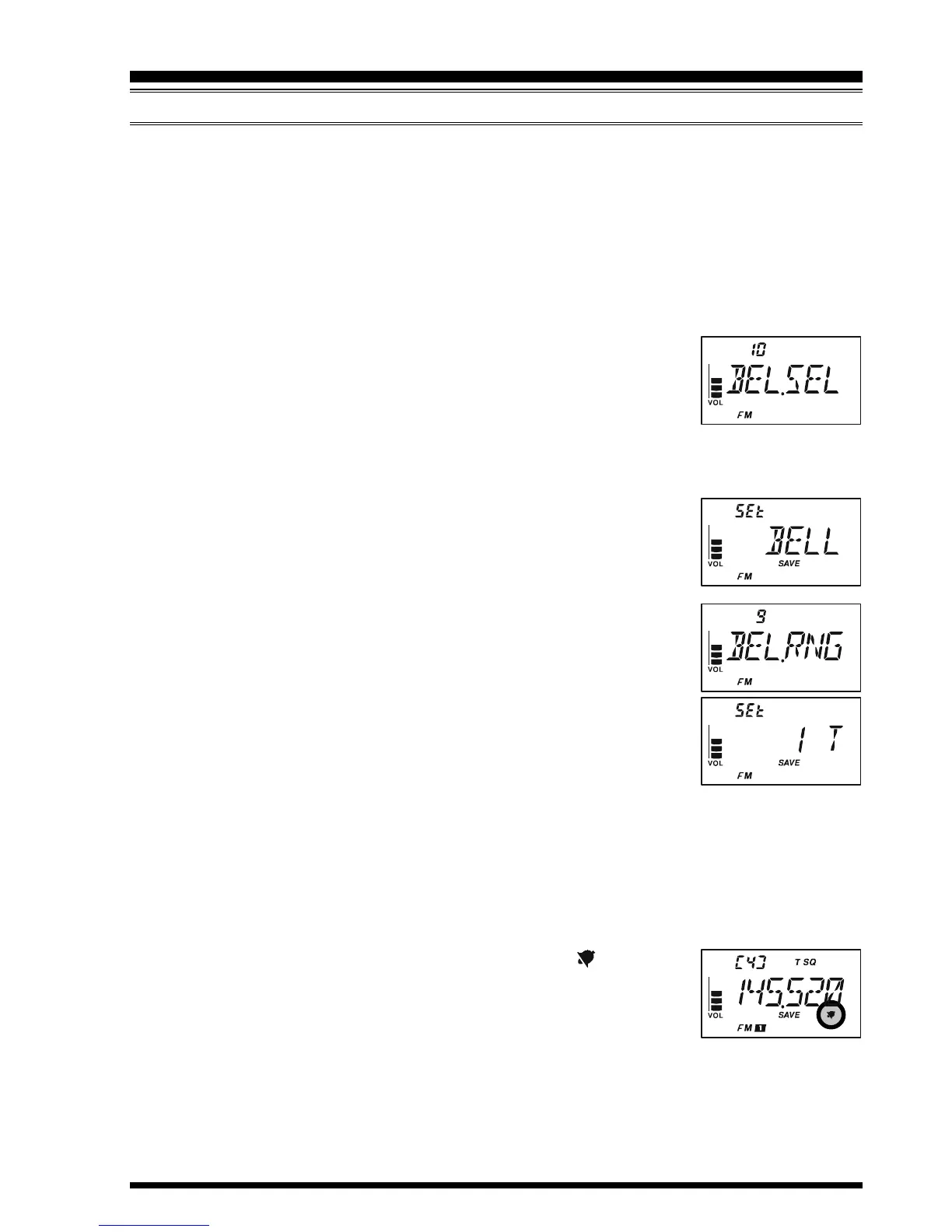
4. Rotate the DIAL knob to select Set Mode Item 10: BEL.SEL.
Note: Do not forget to pull the DIAL knob to rotate the DIAL
knob.
5. Press the
[
TXPO
]
key momentarily to enable adjustment of this
Set Mode Item.
6. Rotate the DIAL knob to set the desired “bell” sound. The available choices are BELL,
USERBP1, USERBP2, USERBP3, or OFF (disable the Bell func-
tion).
Note: When User Beep (described later) does not register,
USERBP1, USERBP2, or USERBP3 does not appear.
7. Press the
[
TXPO
]
key momentarily, then rotate the DIAL knob
one click counter-clockwise to select Set Mode Item 9: BEL.RNG.
8. Press the
[
TXPO
]
key momentarily to enable adjustment of this
Set Mode Item.
9. Rotate the DIAL knob to set the desired number of rings of the
Bell. The available choices are 1 through 20 rings or CONT (con-
tinuous ringing).
10. Press the PTT switch momentarily to save the new setting and exit to normal opera-
tion.
When you are called by a station whose transceiver is sending a CTCSS tone, DCS code,
or CTCSS tone pair which matches that set into your Decoder, the Bell will ring in accor-
dance with this programming.
When the CTCSS/DCS/EPCS Bell is activated, the “ ” icon will
appear in the display.
To disable the CTCSS/DCS/EPCS Bell function, select the setting of
Set Mode Item 10: BEL.SEL to “OFF”.
CTCSS/DCS/EPCS OPERATION


 To Next Page