VX-3R/E OPERATING MANUAL20
KEYPAD/LCD ILLUMINATION
Your VX-3R/E includes a reddish illumination lamp which aids in nighttime operation.
The red illumination yields clear viewing of the display in a dark environment, with mini-
mal degradation of your night vision. Three options for activating the lamp are provided:
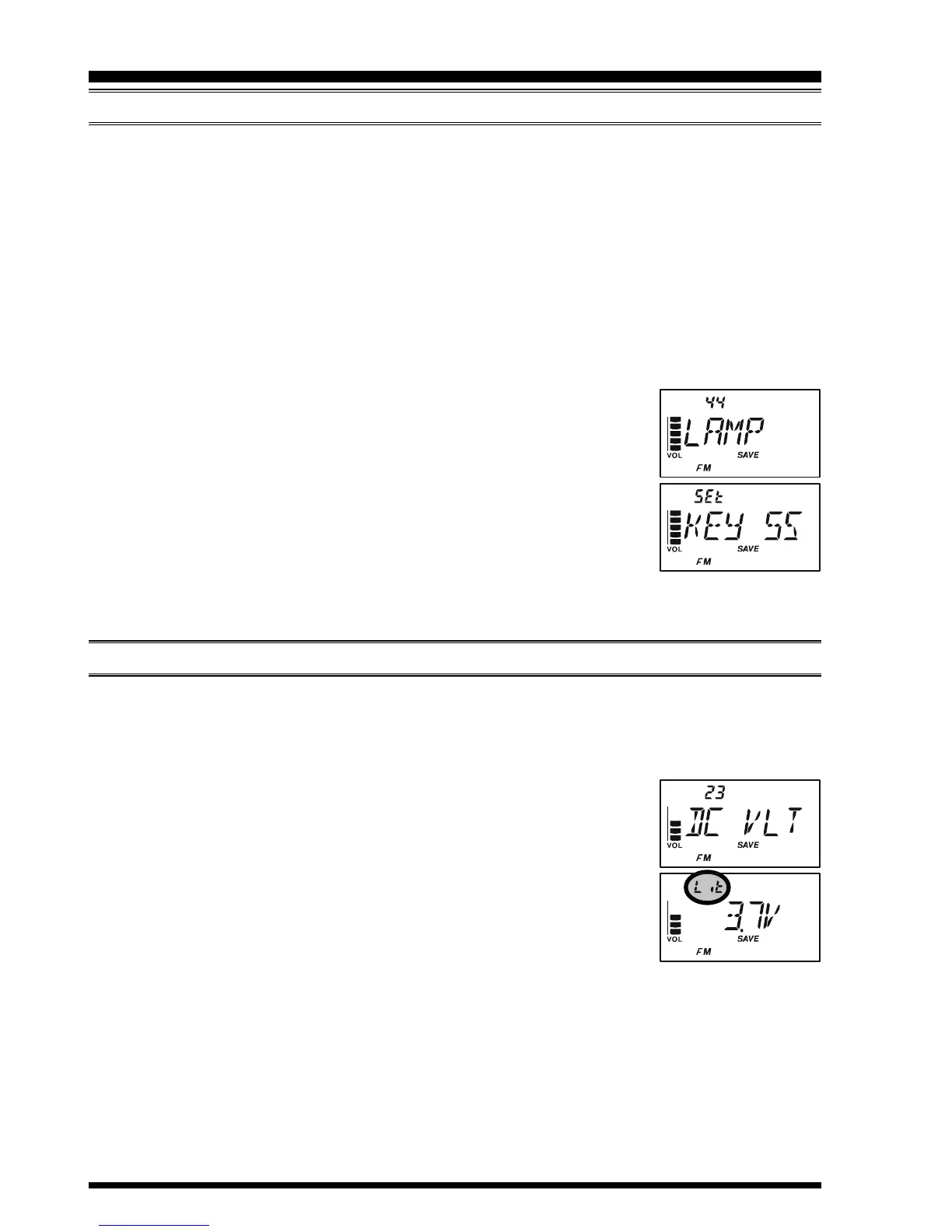
KEY 2S - KEY10S: Illuminates the Keypad/LCD for the selected illumination time
when any key pressed.
CONT: Illuminates the Keypad/LCD continuously.
OFF: Disables the Keypad/LCD lamp.
Here is the procedure for setting up the Lamp mode:
1. Press and hold in the
[
TXPO
]
key for one second to enter the Set mode.
2. Rotate the DIAL knob to select Set Mode Item 44: LAMP.
Note: Do not forget to pull the DIAL knob to rotate the DIAL
knob.
3. Press the
[
TXPO
]
key momentarily to enable adjustment of this
Item.
4. Rotate the DIAL knob to select one of the three modes described
above.
5. When you have made your choice, press the PTT switch to save the new setting and
return to normal operation.
CHECKING THE BATTERY VOLTAGE
The VX-3R/E’s microprocessor includes programming which will detect the battery type
and measure the current battery voltage.
1. Press and hold in the
[
TXPO
]
key for one second to enter the Set mode.
2. Rotate the DIAL knob to select Set Mode Item 23: DC VLT.
Note: Do not forget to pull the DIAL knob to rotate the DIAL
knob.
3. Press the
[
TXPO
]
key momentarily to display the battery type
and the current DC voltage being supplied.
Lit: FNB-82LI is in use.
Edc: An external DC source is in use.
4. Press and hold in the
[
TXPO
]
key for one second to return to normal operation.
ADVANCED OPERATION


 To Next Page