VX-3R/E OPERATING MANUAL 23
CHECKING THE TEMPERATURE
The VX-3R/E can display the radio’s inside case temperature, measured by an internal sen-
sor.
1. Press and hold in the
[
TXPO
]
key for one second to enter the Set mode.
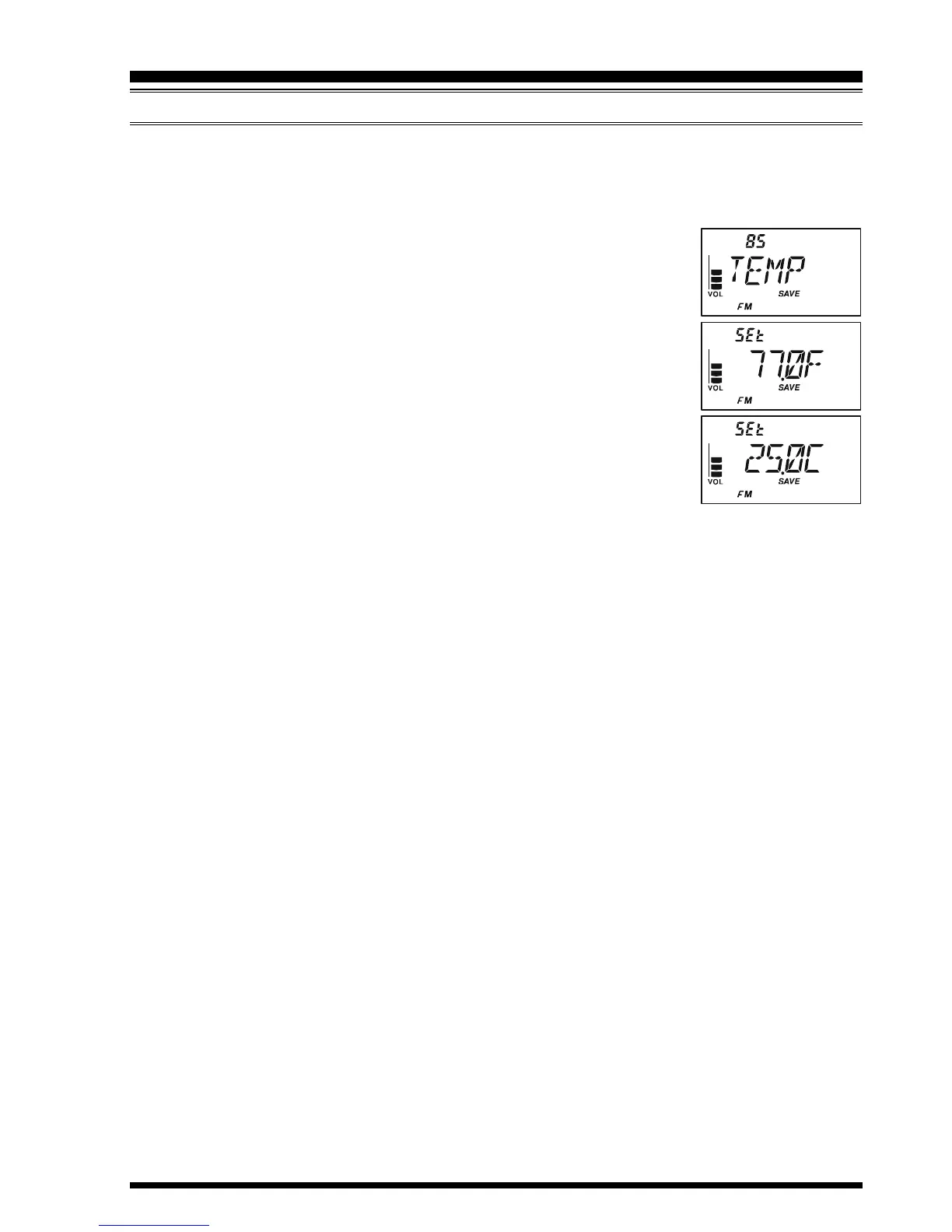
2. Rotate the DIAL knob to select Set Mode Item 85: TEMP.
Note: Do not forget to pull the DIAL knob to rotate the DIAL
knob.
3. Press the
[
TXPO
]
key momentarily to indicate the current tem-
perature inside the transceiver’s case.
4. Press the
[
MODE
]
key to select the preferred unit (F (°F) or C
(°C)).
5. Press the PTT switch to save the new setting and exit to normal
operation.
ADVANCED OPERATION


 To Next Page