VX-3R/E OPERATING MANUAL36
PAGING ANSWER BACK
When you press the PTT switch to respond to a page call, the VX-3R/E transmits the same
CTCSS tone pair. This tone pair will open the Code Squelch of the calling station. If you
prefer, you can have the VX-3R/E respond to page calls automatically (“transpond”). To
enable this feature:
1. Press and hold in the
[
TXPO
]
key for one second to enter the Set mode.
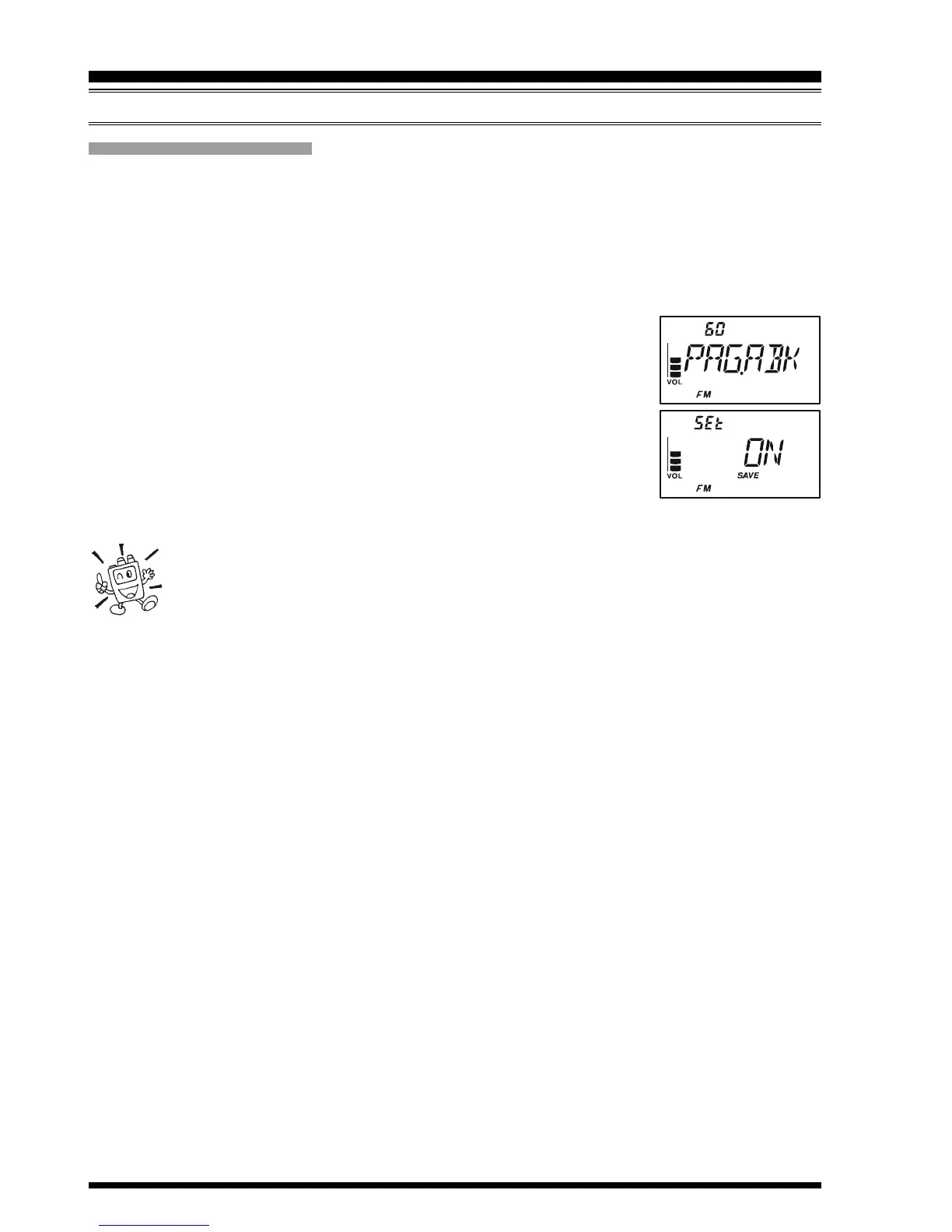
2. Rotate the DIAL knob to select Set Mode Item 60: PAG.ABK.
Note: Do not forget to pull the DIAL knob to rotate the DIAL
knob.
3. Press the
[
TXPO
]
key momentarily to enable adjustment of this
Set Mode Item.
4. Rotate the DIAL knob to select “ON”.
5. Press the PTT switch to save the new setting and exit to normal
operation.
The Paging Answer Back feature constitutes a form of “remote control” op-
eration that may be restricted to certain frequencies. U.S. users should con-
firm the current status of §97.201(b) of the FCC’s rules governing the Ama-
teur service before utilizing this feature on the 144 MHz band.
EPCS
(
ENHANCED PAGING & CODE SQUELCH
)
CTCSS/DCS/EPCS OPERATION


 To Next Page