VX-3R/E OPERATING MANUAL 73
RECEIVING A MESSAGE
1. Set the radio to the coordination frequency.
2. Press and hold in the
[
TXPO
]
key for one second to enter the Set mode.
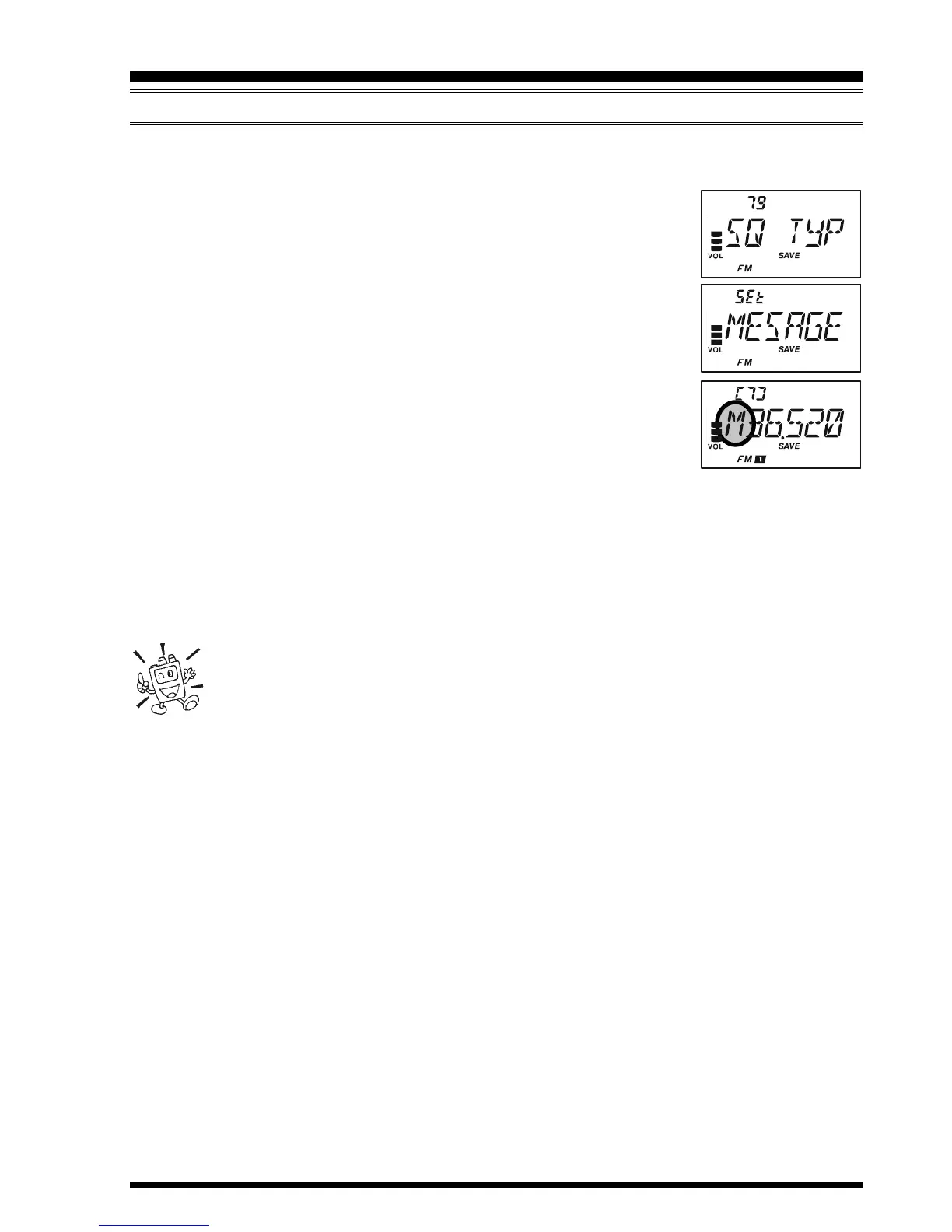
3. Rotate the DIAL knob to select Set Mode Item 79: SQ TYP.
Note: Do not forget to pull the DIAL knob to rotate the DIAL
knob.
4. Press the
[
TXPO
]
key momentarily to enable adjustment of this
Set Mode Item.
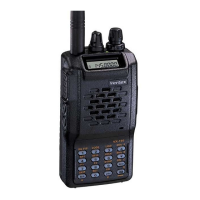
5. Rotate the DIAL knob to select “MESSAGE” (to activate the
Message feature).
6. Press the PTT switch to exit from the Set Mode and activates the
Message feature.
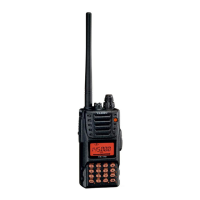
7. When you receive a message: a beep sounds, the TX/BUSY in-
dicator blinks white, and [“Message” FROM “sending station’s
ID”] scrolls on the display.
8. Press any key (except
[
VOL
]
key) to clear the received message, and wait for a new
message.
To disable the Message feature, repeat the above procedure, rotating the DIAL knob to
select “OFF” in step 5 above.
If you enable the CTCSS/DCS/EPCS Bell feature (described previously), you
can confirm that a message is coming in by a ringing “bell” sound alert.
MESSAGE FEATURE


 To Next Page