VX-3R/E OPERATING MANUAL 55
SCANNING
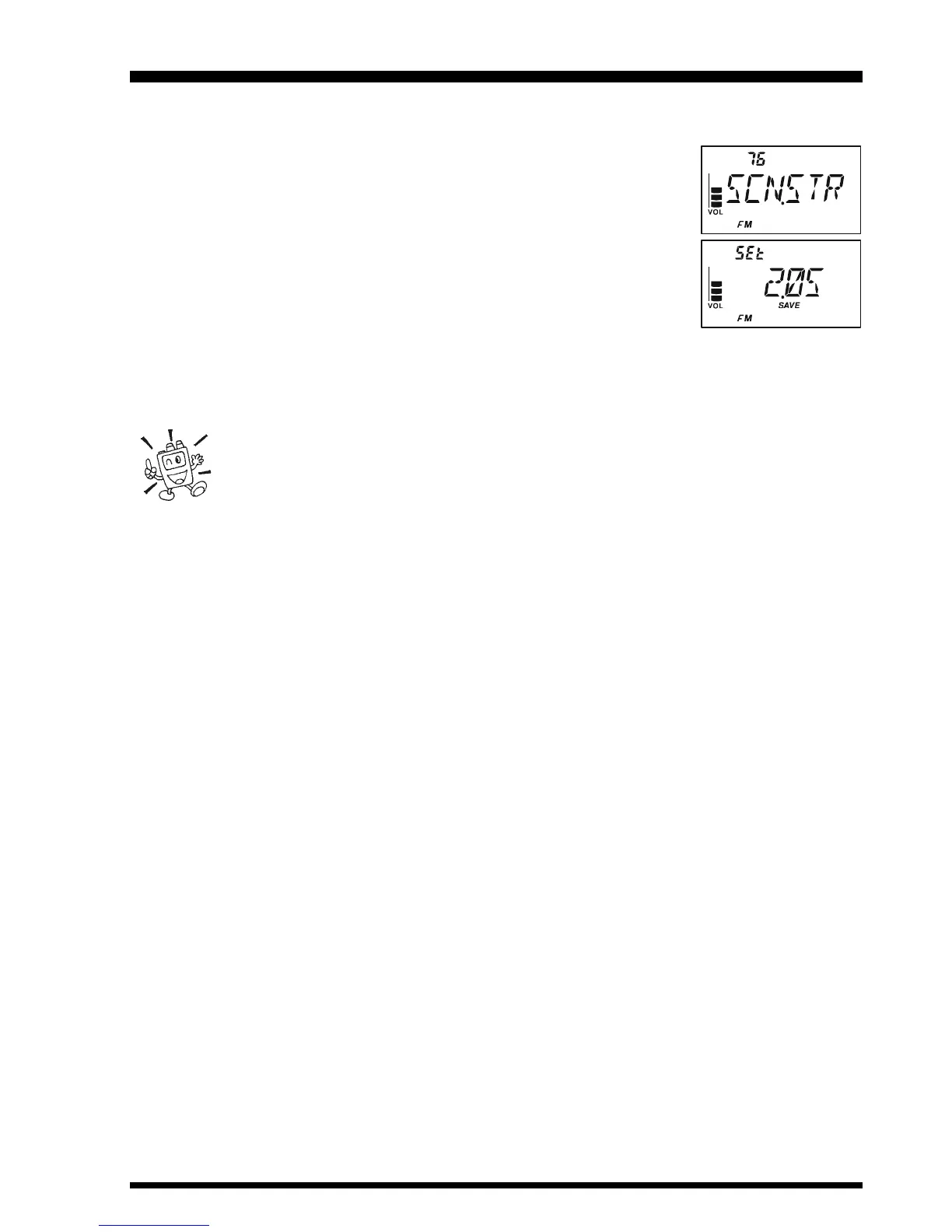
To set the Scan-Restart Delay Time:
1. Press and hold in the
[
TXPO
]
key for one second to enter the Set mode.
2. Rotate the DIAL knob to select Set Mode Item 76: SCN.STR.
Note: Do not forget to pull the DIAL knob to rotate the DIAL
knob.
3. Press the
[
TXPO
]
key momentarily to enable adjustment of this
Set Mode Item.
4. Rotate the DIAL knob to select the desired Scan-Restart Delay
Time. Available selections are 100 - 900 MS (100 MS/step)
and 1 - 10 SEC (0.5 SEC/step).
5. When you have made your selection, press the PTT switch to save the new setting and
exit to normal operation.
The default condition for this Set Mode Item is “2 SEC.”


 To Next Page