Surround Pan 65
02R User’s Guide
Selecting a Surround Mode
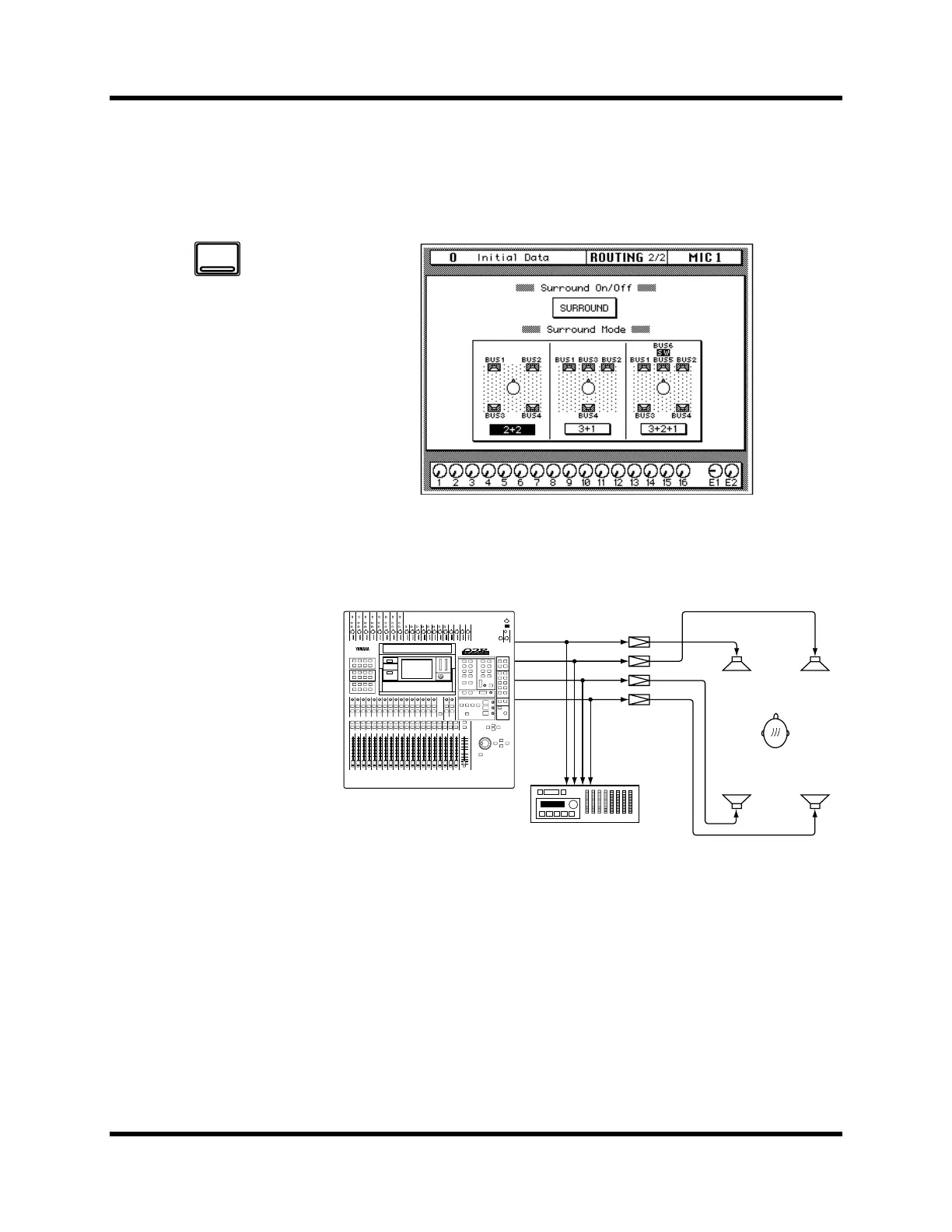
Surround pan modes are selected on the ROUTING 2/2 page—Surround
On/Off. When the Surround function is active, there are four ROUTING
pages.
2+2 Surround Mode
Four-channel surround sound consisting of front left (FL), front right (FR),
rear left (RL), and rear right (RR) channels.
1. Use the [ROUTING]
button to locate the
ROUTING 2/4 page.
2. Use the CURSOR buttons
to select the SURROUND
icon, and press the
(ENTER) button.
A confirmation dialog
box appears.
3. Select EXECUTE and
press the (ENTER) button.
4. Use the CURSOR buttons
to select a surround
mode, and press the
(ENTER) button.
5. To turn off the Surround
function, select the
SURROUND icon and
press the (ENTER) button.
ROUTING
FL
Amps
Recorder
FR
RL RR
Bus Out 1
Bus Out 2
Bus Out 3
Bus Out 4
DIGITAL RECORDING CONSOLE



 To Next Page