Secondary Recording Tutorial 49
02R Getting Started Guide
Recalling and Editing Effects
Once you have applied effects to MIC/LINE 1, you need to know how to
recall effects programs from the effects library and to adjust their
parameters in order to create your own effect programs.
Recalling Effects Programs
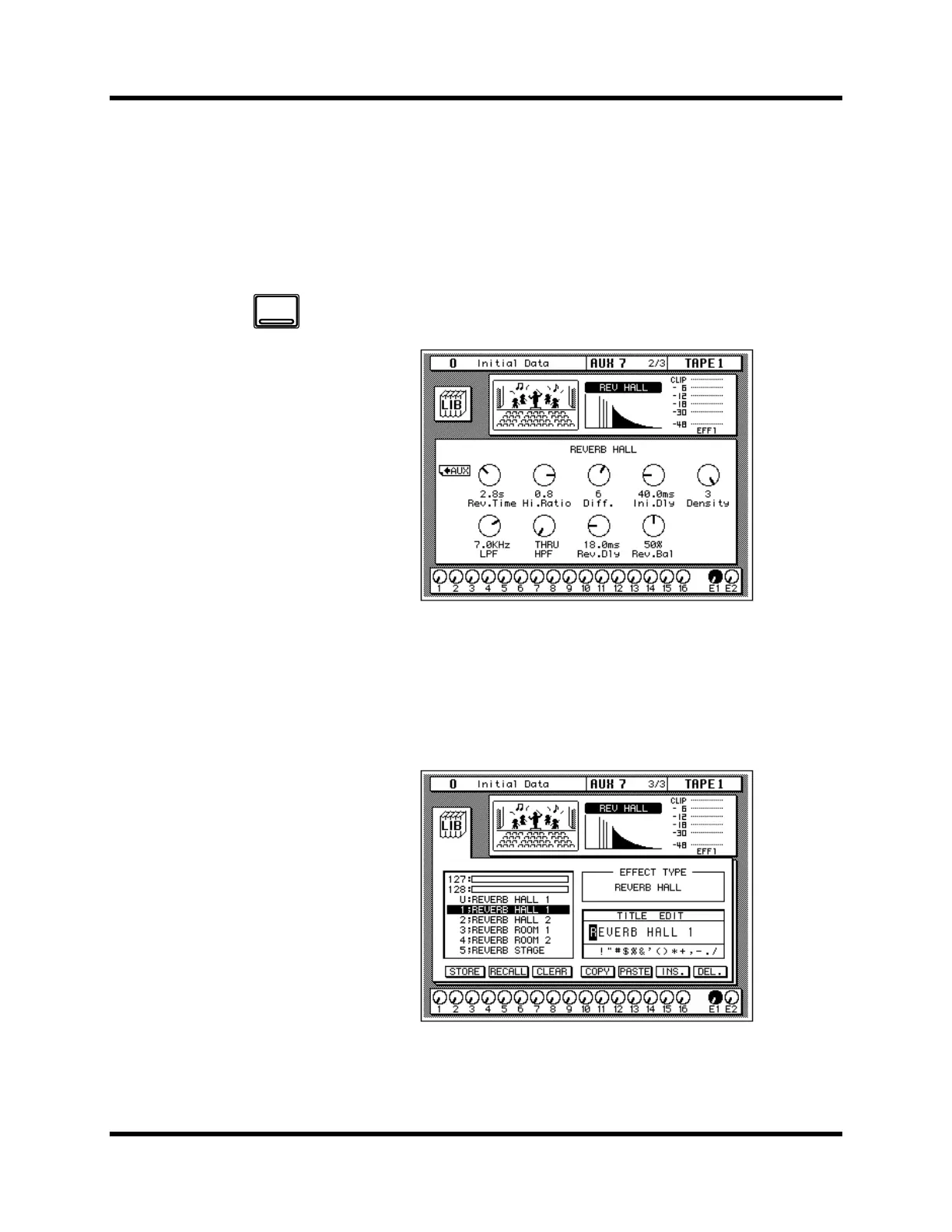
1. Use the [AUX 7] button to locate the AUX 7 2/3 page shown
below.
The parameters of the currently selected effects program are displayed on
this page. You will see the library (LIB) icon, an effects curve or icon
(depending on the selected effect), and a level meter for the effects return
stereo pair, as well as icons for adjusting the parameters.
2. Use the [AUX 7] button to locate the AUX 7 3/3 page shown
below.
Alternatively, you could select the LIB icon and press the [ENTER] button
to go to the AUX 7 3/3 page.
AUX 7
EFF1



 To Next Page