76 Mixing and Automix
02R Getting Started Guide
Editing Automix Events
Overwriting Events
You can overwrite the events that have been recorded into the current
automix. You can alter events on an already recorded channel or you can
record new events onto another channel. For example, you may first record
the faders for the rhythm section to the automix and then overwrite the
fader operations for the lead parts and vocals.
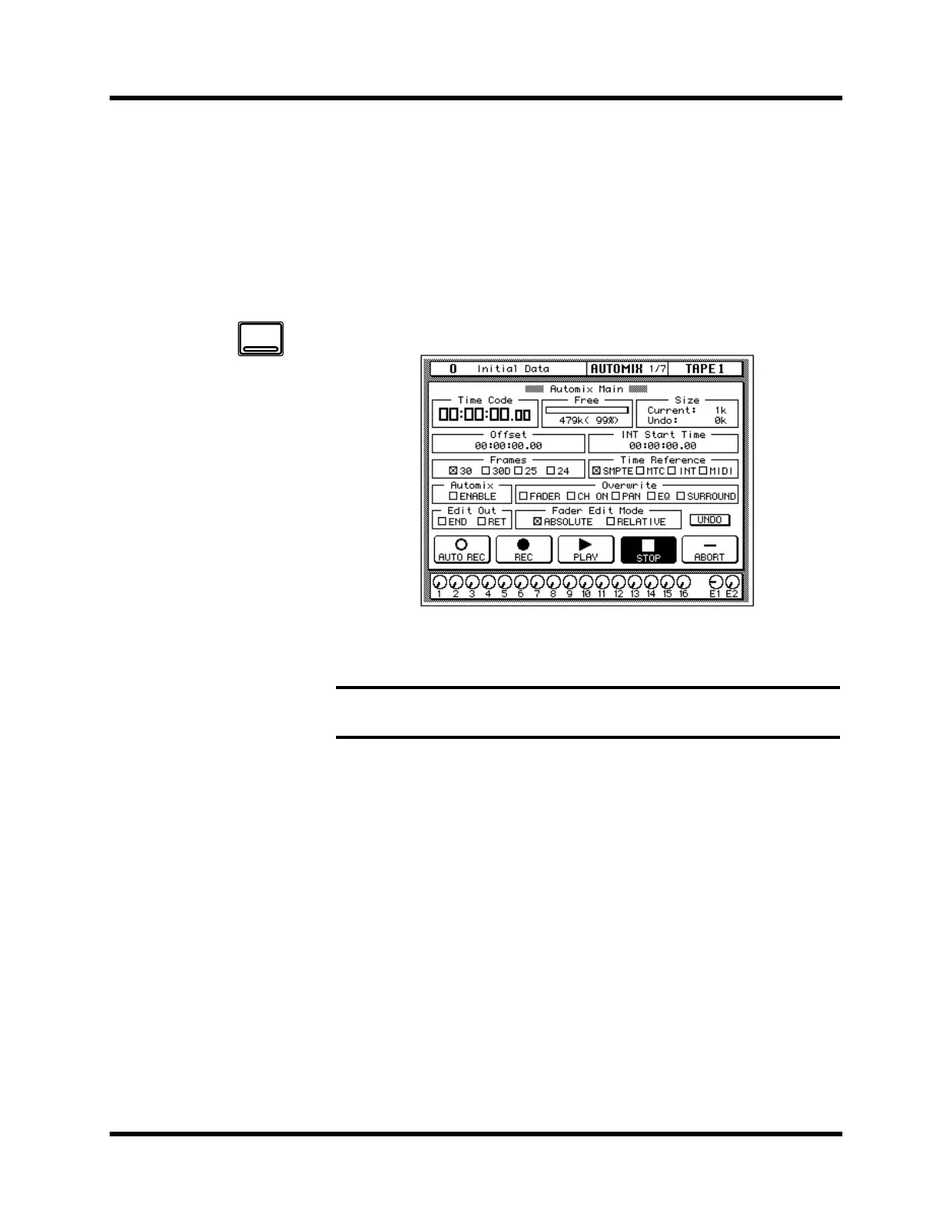
1. Use the [AUTOMIX] button to locate the AUTOMIX 1/7 page.
2. Use the CURSOR buttons to select the desired “Overwrite” items
and press the [ENTER] button.
3. Select the “REC” icon with the CURSOR buttons and press the
[ENTER] button.
The “REC” icon will flash.
4. Press the [SEL] buttons for the tape return channels you want to
overwrite.
It is very important that you be careful when you select the type of events
and channels that will be overwritten. If you select the same channel and
the same type of event as the last session, the previously recorded events
will be deleted the moment the automix recording begins.
5. Start the device that is providing the timecode.
It should have been rewound and again start from a location before the
music starts. The previously recorded automix will playback.
Note: If you double-click the [ENTER] button on a selected “Overwrite” item,
only that item will be selected and the other items will be switched off.
AUTOMIX
e care
u
that previously recorded
events are not accidentally
overwritten when you
make these selections.



 To Next Page