Mixing and Automix 75
02R Getting Started Guide
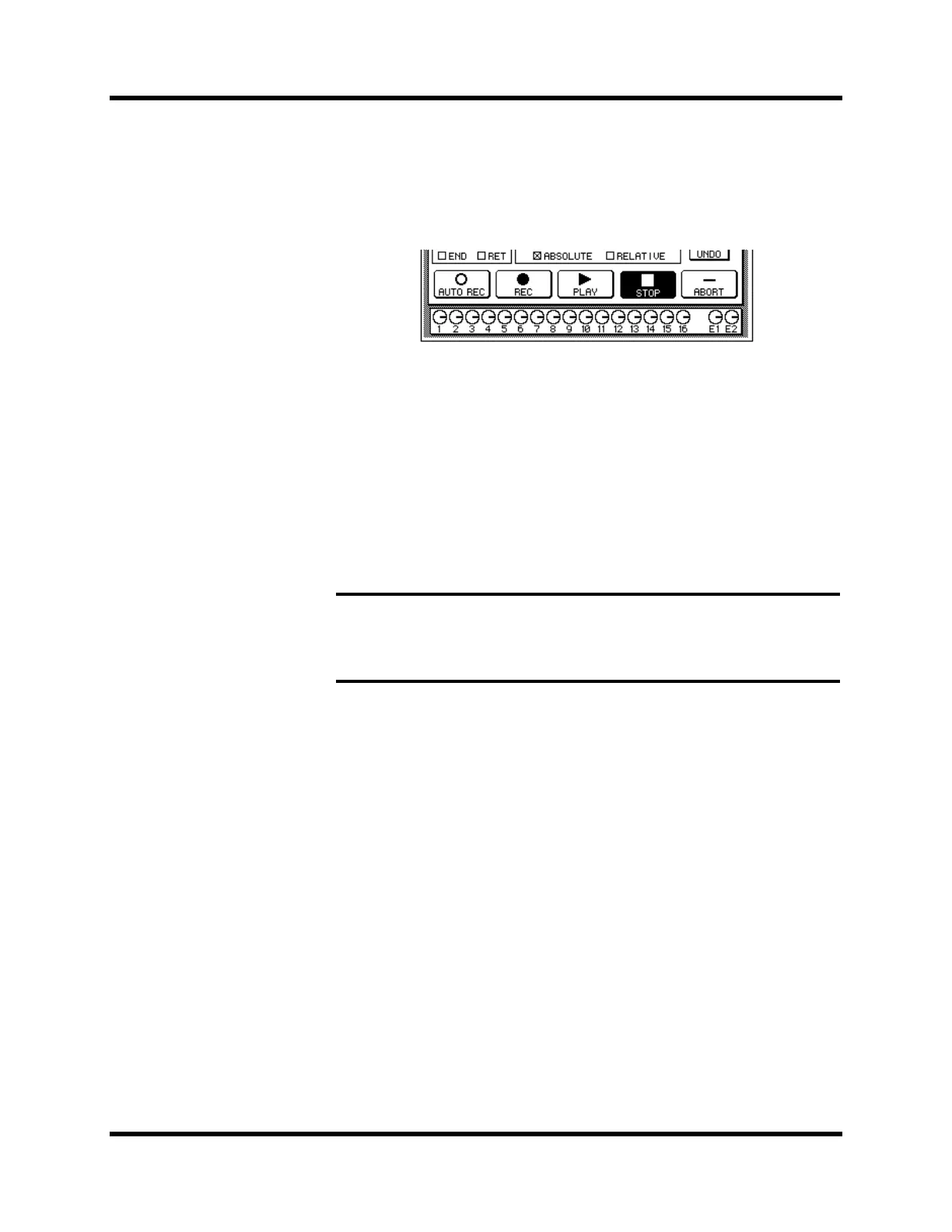
6. When you have completed recording the automix session, use
the CURSOR buttons to select the “STOP” icon and press the
[ENTER] button.
You may find it faster and more convenient to stop the automix recording
session by stopping the device that is providing the timecode. In this case,
the effect is the same as if you selected the STOP function on the 02R:
The “REC” icon will change to normal and the “STOP” icon is highlighted.
The events recorded during the automix session will be written to the
current automix memory.
You can also discard the events recorded during the automix session by
selecting the “UNDO” icon with the CURSOR buttons and pressing the
[ENTER] button.
You can stop the automix recording session by selecting the “ABORT” icon
with the CURSOR buttons and pressing the [ENTER] button. However, the
events recorded during the automix session will be discarded.
In most cases, punch-in edits or using the event editors can correct minor
errors.
7. Stop the device that is providing the timecode.
Note: The ABORT function must be used before an automix recording has
stopped. Once the recording has stopped, the automix data will be updated and a
new current mix is created. At this point after stopping an automix recording, the
UNDO function can be used to retrieve the previous automix data.



 To Next Page