Introductory Recording Tutorial 31
02R Getting Started Guide
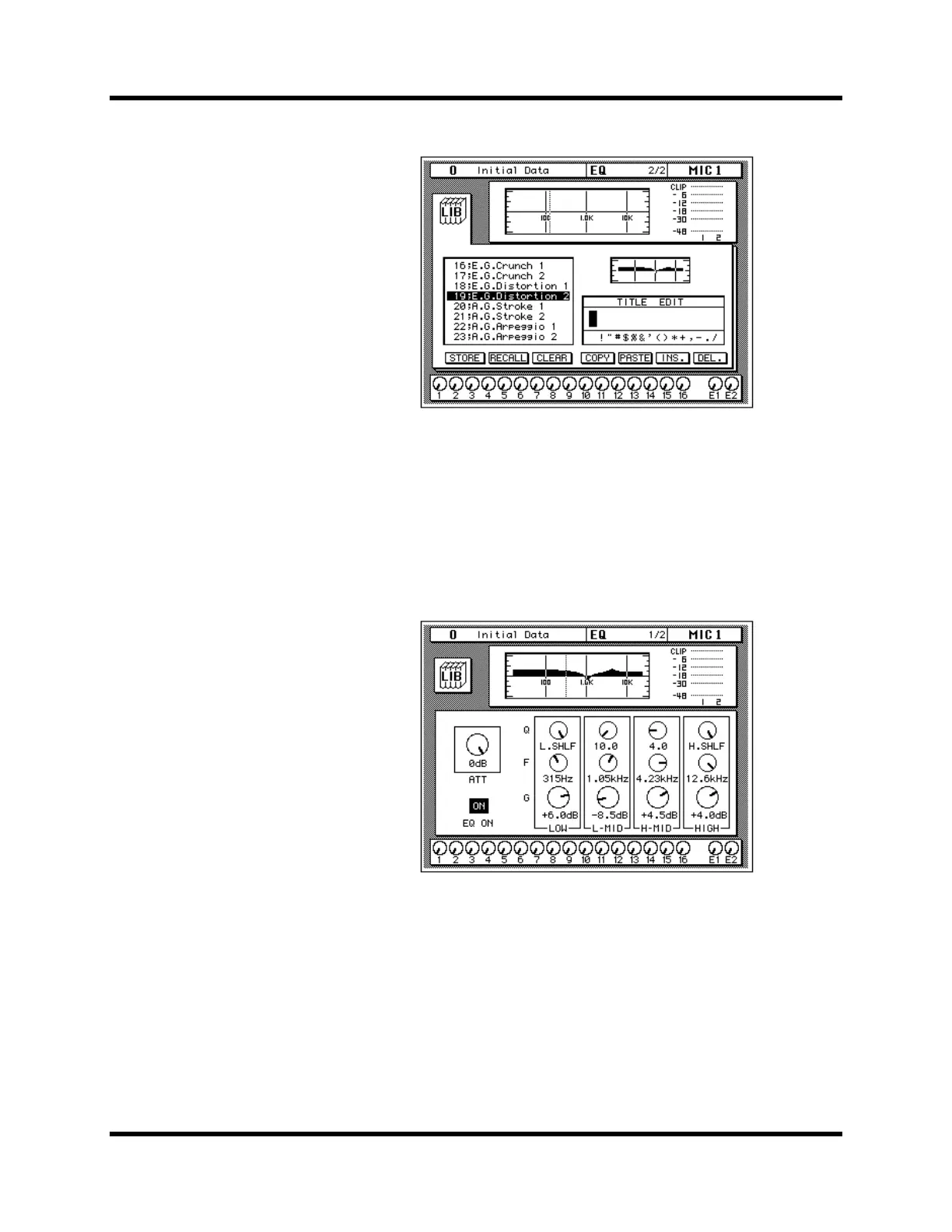
The EQ program is recalled. The EQ curve for MIC/LINE 1 is set
accordingly. The EQ curve at the top of the display is updated.
Your sound source is modified by the program you recalled. If the sound
doesn’t change, check if you have left the EQ ON switch turned OFF on the
EQ 1/2 page. You can also quickly check if the LED inset in the EQ ON
button of the SELECTED CHANNEL—EQUALIZER controls is
illuminated or not.
6. Use the [EQ] button to locate the EQ 1/2 page.
The EQ 1/2 page shows the updated EQ curve and exact settings of the EQ
program recalled.
Undoing a Recall
You can undo EQ program recalls by recalling the “U” EQ program, which
contains the previous EQ settings.
1. Use the CURSOR buttons to select the RECALL icon and rotate the
encoder wheel until program “U” is highlighted.
2. Press the [ENTER] button.
The previous EQ settings are recalled.



 To Next Page