Mixing and Automix 73
02R Getting Started Guide
Recording the First Session
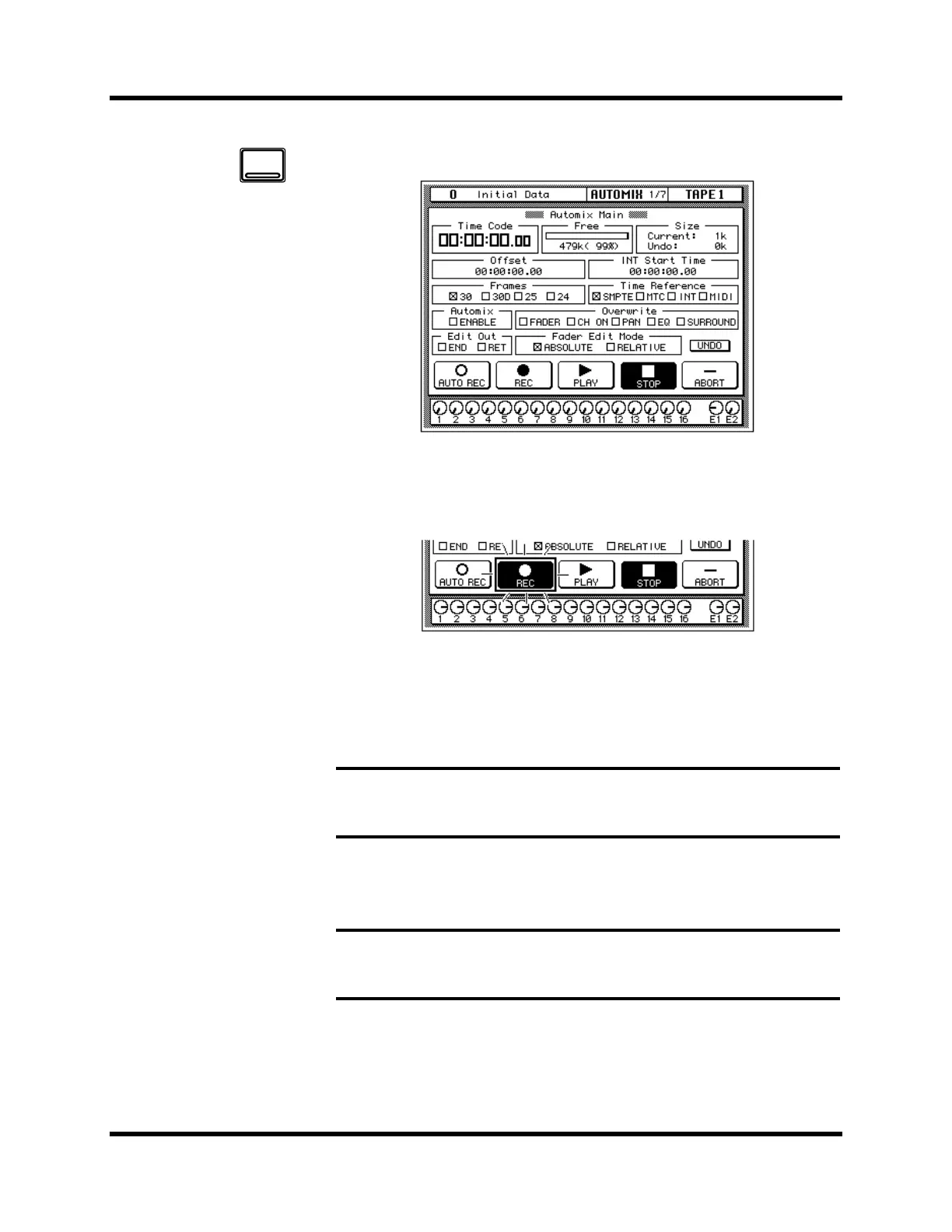
1. Use the [AUTOMIX] button to locate the AUTOMIX 1/7 page.
2. Select the “REC” (record) icon with the CURSOR buttons and
press the [ENTER] button.
The “REC” icon will flash, indicating AUTOMIX RECORD READY status:
3. Press the [SEL] buttons for the tape return channels you want to
record.
The LED inset in the selected channel [SEL] buttons flash indicating that
they are armed for recording.
4. Start the device that is providing the timecode.
It should start from a location before the music starts.
When timecode is received when the 02R is in AUTOMIX RECORD
READY status, the “REC” icon is highlighted and automix recording will
Note: Remember the scene memory you recalled has the [FLIP] function
engaged. Therefore you should be selecting the [SEL] buttons in the row above the
faders.
Note: The 02R automix function will not respond correctly in cases where the
source timecode starts at “23:59:30.00” and rolls over to “00:00:00.00”. The
timecode must be continuous.
AUTOMIX



 To Next Page