8 En
Preparations
Connect an amplifier or antenna and turn the unit on.
Do not connect the power cable of the unit until you have finished connecting all cables.
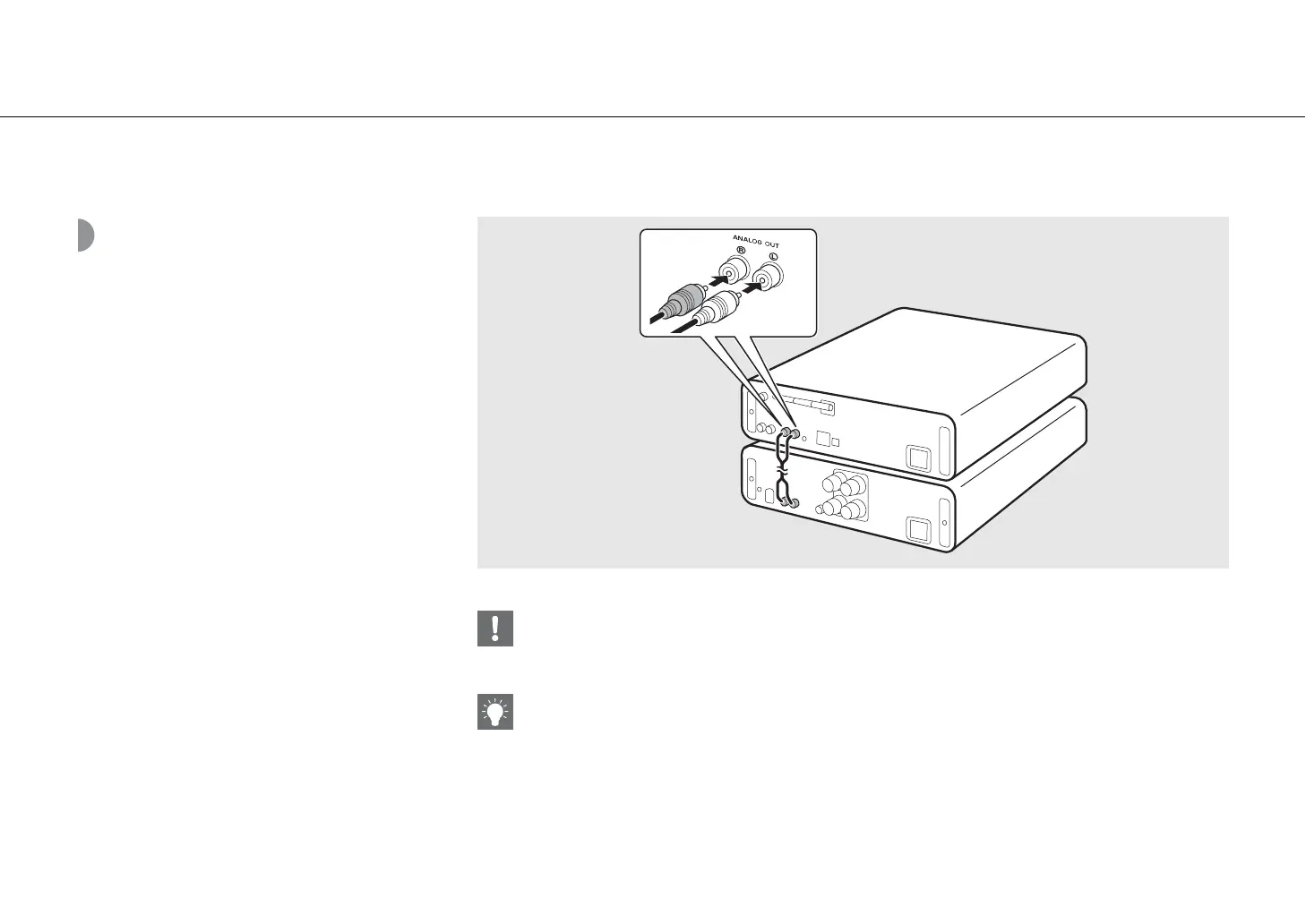
Connecting amplifier
Connect the amplifier to the unit, as the
illustration shows.
• Use the supplied stereo pin cable to connect the unit to
the audio input jacks of the amplifier.
• To play content with the unit, make sure to connect the unit to an amplifier and speaker.
• Depending on the device to be connected or connection environment, you may not be able to correctly play content.
Check also the specifications and settings of the source device.
• You can also connect powered speakers to the unit.


 To Next Page
 Loading...