CL Editor Owner’s Manual
12
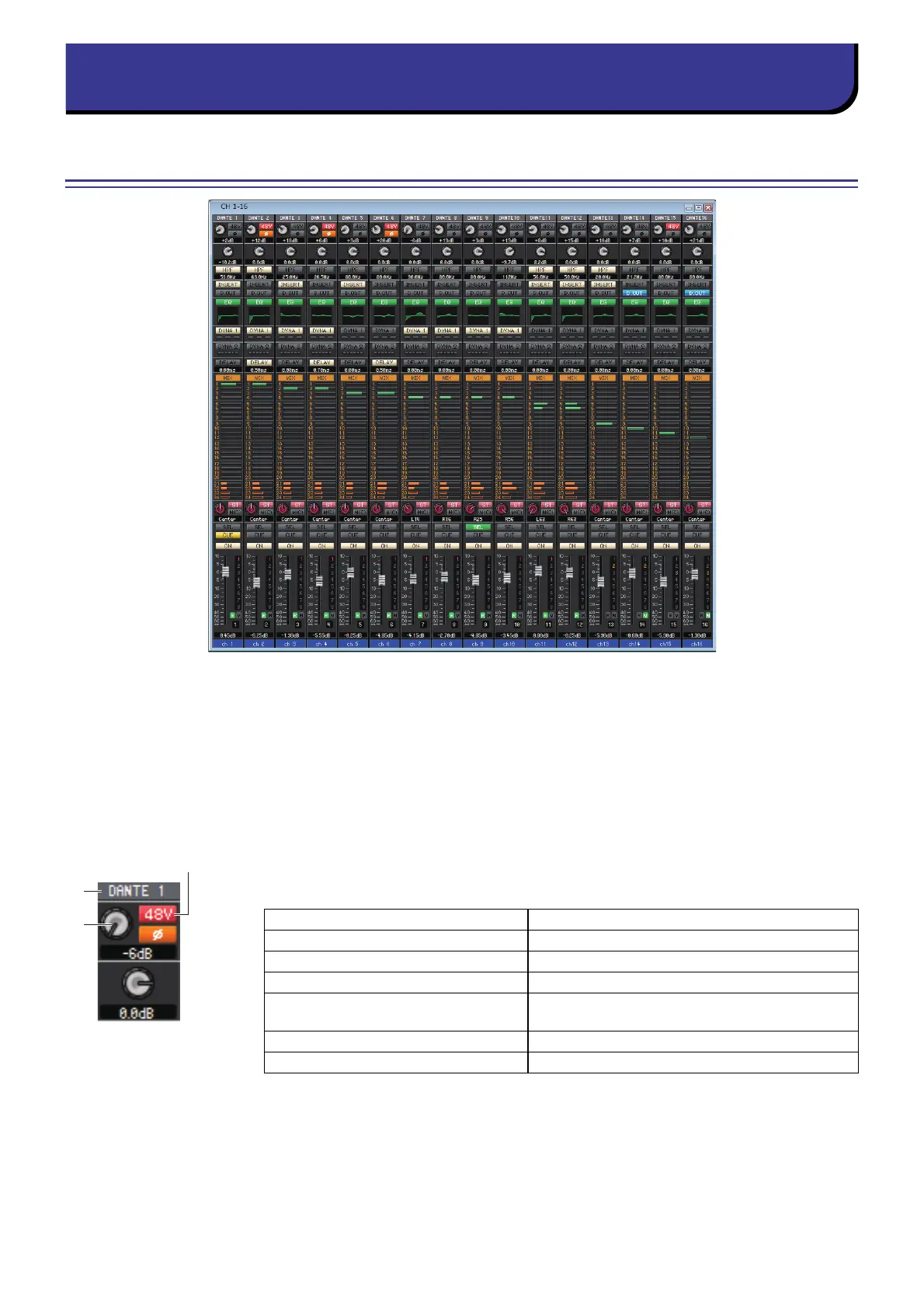
INPUT CH window
This window displays the mix parameters of INPUT CH 1–16, 17–32, 33–48, 49–64 (only CL3/CL5), or 65–72 (only CL5.)
The parameters shown in the window can be selected from the [View] menu or the menu that appears when you right-
click (<control> key + click) in the window.
You can access this window in the following ways.
• From the [Windows] menu, choose [Overview] and select CH 1–16, 17–32, 33–48, 49–64 (only CL3/CL5), or 65–72
(only CL5)
• Use the bank select keys in the Master window to turn on the [1-16] button/[17-32] button/[33-48] button/[49-64] but-
ton (only CL3/CL5), or [65-72] button (only CL5)
1 Input patch
Click here to select the input source that will be assigned to the INPUT CH, from the fol-
lowing choices.
2 HA (HA analog gain)
Drag the knob in the screen to adjust the analog gain of the internal head amp or of the
external head amp patched to the INPUT CH.
3 48V (Phantom power)
Switches on/off the phantom power (+48V) of the internal head amp or of the external head
amp patched to the INPUT CH.
NONE No assignment
DANTE 1–DANTE 64 DANTE INPUT 1
–
64
OMNI 1–OMNI 8 OMNI IN jacks 1
–
8
PB OUT L, PB OUT R L/R outputs of PLAYBACK
SLOT1-1, SLOT1-2...SLOT3-15,
SLOT3-16
Input channels of an I/O card installed in slots 1–3
FX1L(A), FX1R(B)...FX8L(A), FX8R(B) L/R outputs of EFFECT rack 1
–
8
PR1L(A), PR1R(B), PR2L(A), PR2R(B) L/R outputs of PREMIUM rack 1
–
2



 To Next Page