CL Editor Owner’s Manual
76
RECALL SAFE page
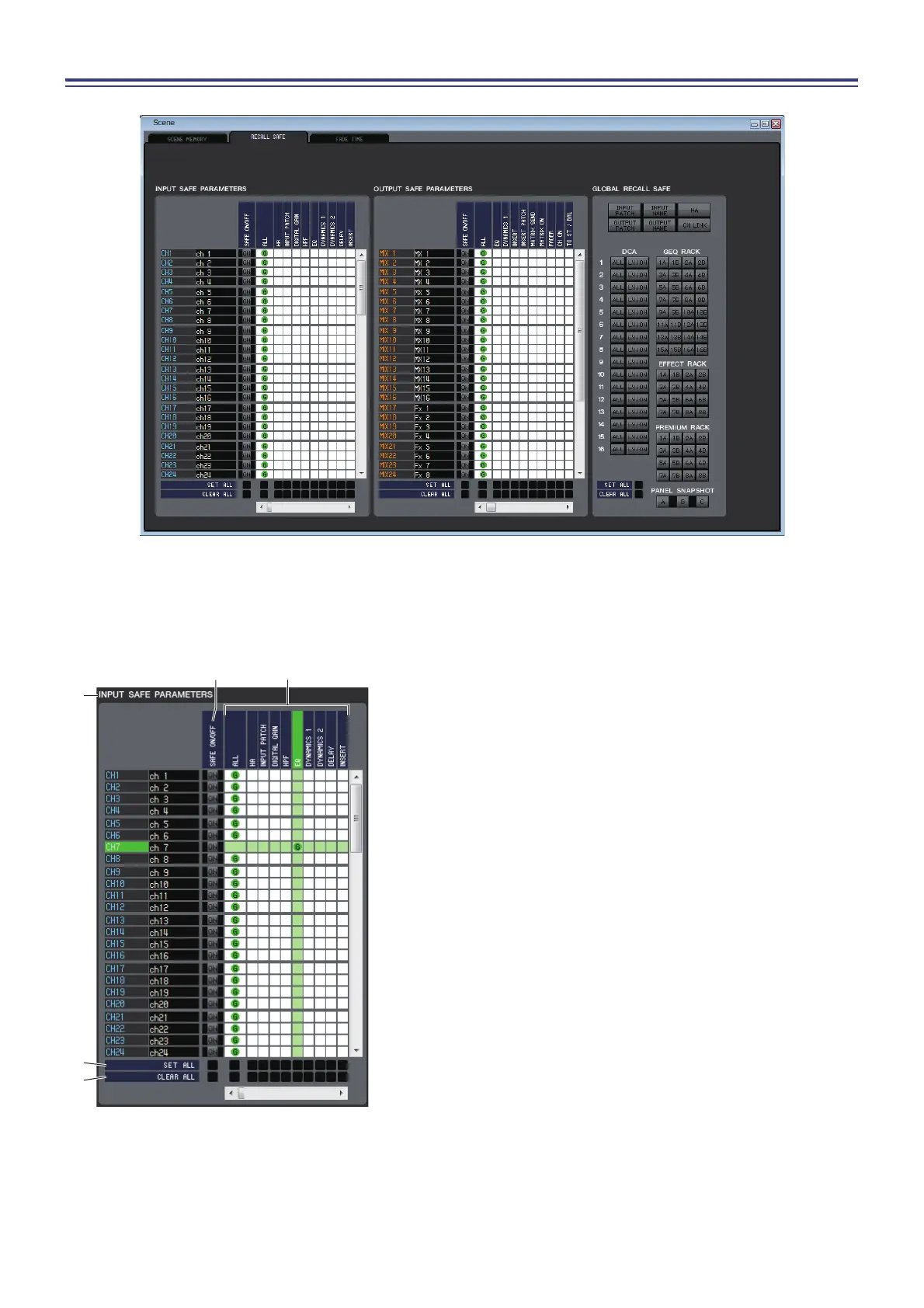
Here you can make settings for the Recall Safe function that excludes only specific channels from recall operations of all
scenes.
1 INPUT SAFE PARAMETERS
In this area you can view and edit the Recall Safe settings for all
input channels and ST IN channels. This area contains the fol-
lowing items.
2 SAFE ON/OFF
These are on/off buttons that select the channels to be excluded
from recall operations.
3 Parameter matrix grid
Here you can select the parameters to be excluded from recall
operations. If the ALL button is on, all parameters will be
excluded.
4 SET ALL
These buttons turn on all buttons for all input channels or ST IN
channels, or for the corresponding parameter.
5 CLEAR ALL
These buttons turn off all buttons for all input channels or ST IN
channels, or for the corresponding parameter.



 To Next Page