CL Editor Owner’s Manual
75
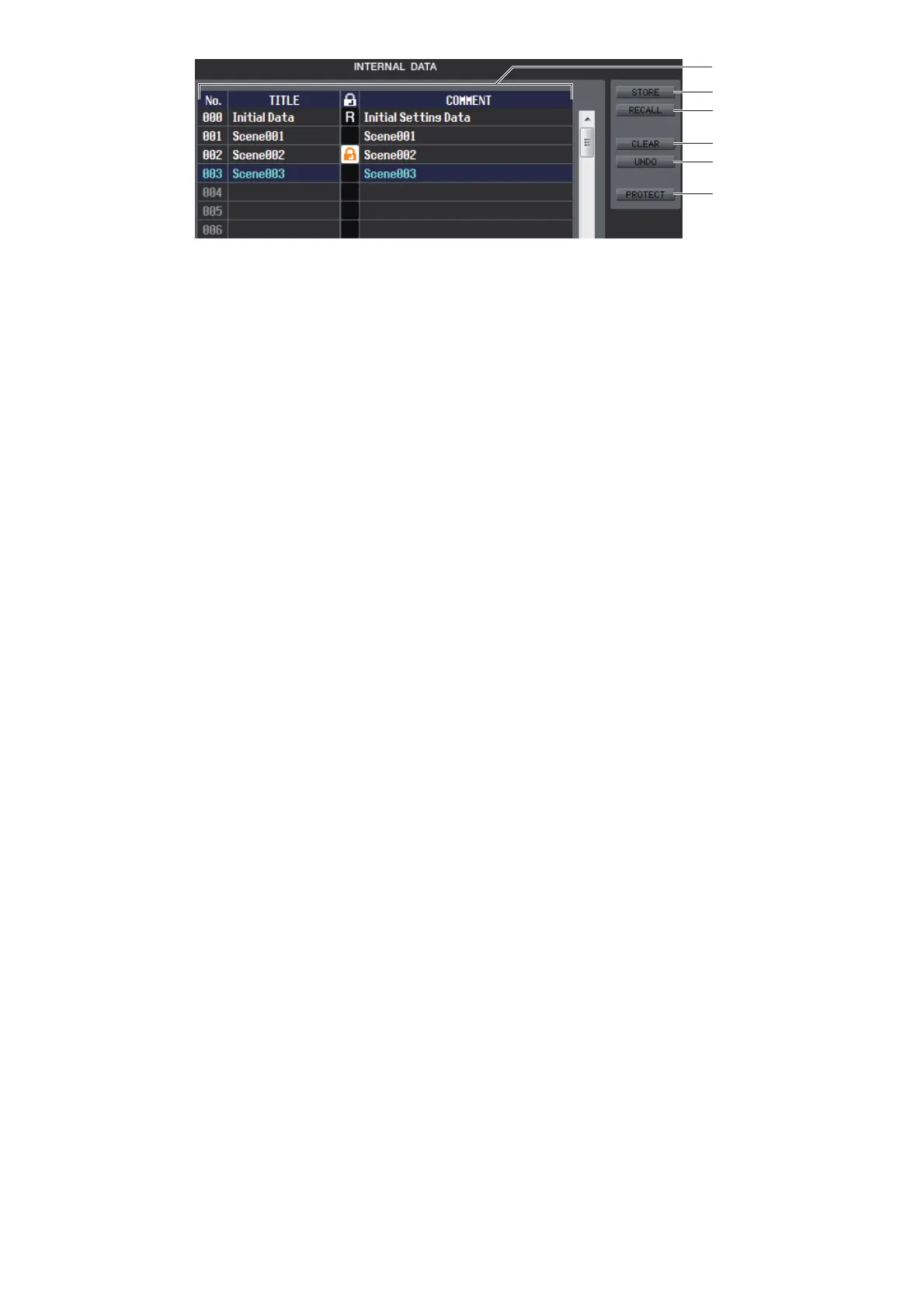
E INTERNAL DATA
This area shows the CL’s scene memory contents. The items displayed are the same as in the FILE list (6).
As desired, you can copy single or multiple scenes between the FILE list and the INTERNAL DATA list, and copy or
move them to a different location within a list.
F STORE
Stores the current settings to the scene that is selected in the list.
G RECALL
Recalls the settings of the scene selected in the list.
H CLEAR
Clears the scene(s) selected in the list.
I UNDO
Cancels the last-performed scene recall, store, copy, or move operation.
J PROTECT
Turns on the Protect setting for the scene(s) selected in the list.



 To Next Page