CL Editor Owner’s Manual
53
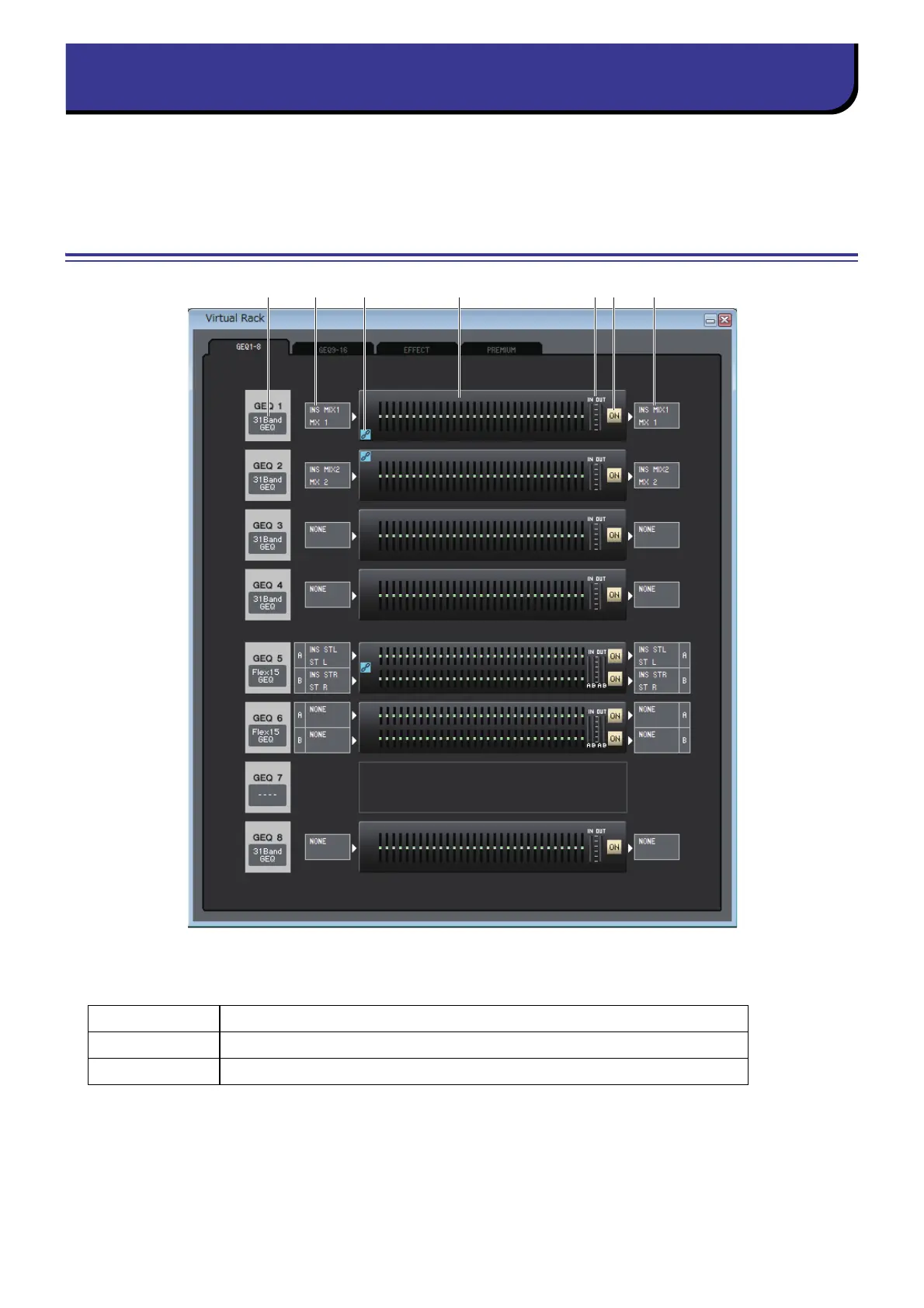
Here you can make settings for GEQ (Graphic Equalizer), effects, and PREMIUM rack.
This window is divided into GEQ 1-8, GEQ 9-16, EFFECT, and PREMIUM page. To switch pages, click the tabs located at
the top of the window.
GEQ 1-8/9-16 page
1 Mount
Select a GEQ module for mounting in the rack, from the following choices.
BLANK No assignment
31BandGEQ 31-band 1-in/1-out graphic equalizer
Flex15GEQ 2-in/2-out graphic equalizer that allows any fifteen of the 31 bands to be controlled



 To Next Page