CL Editor Owner’s Manual
71
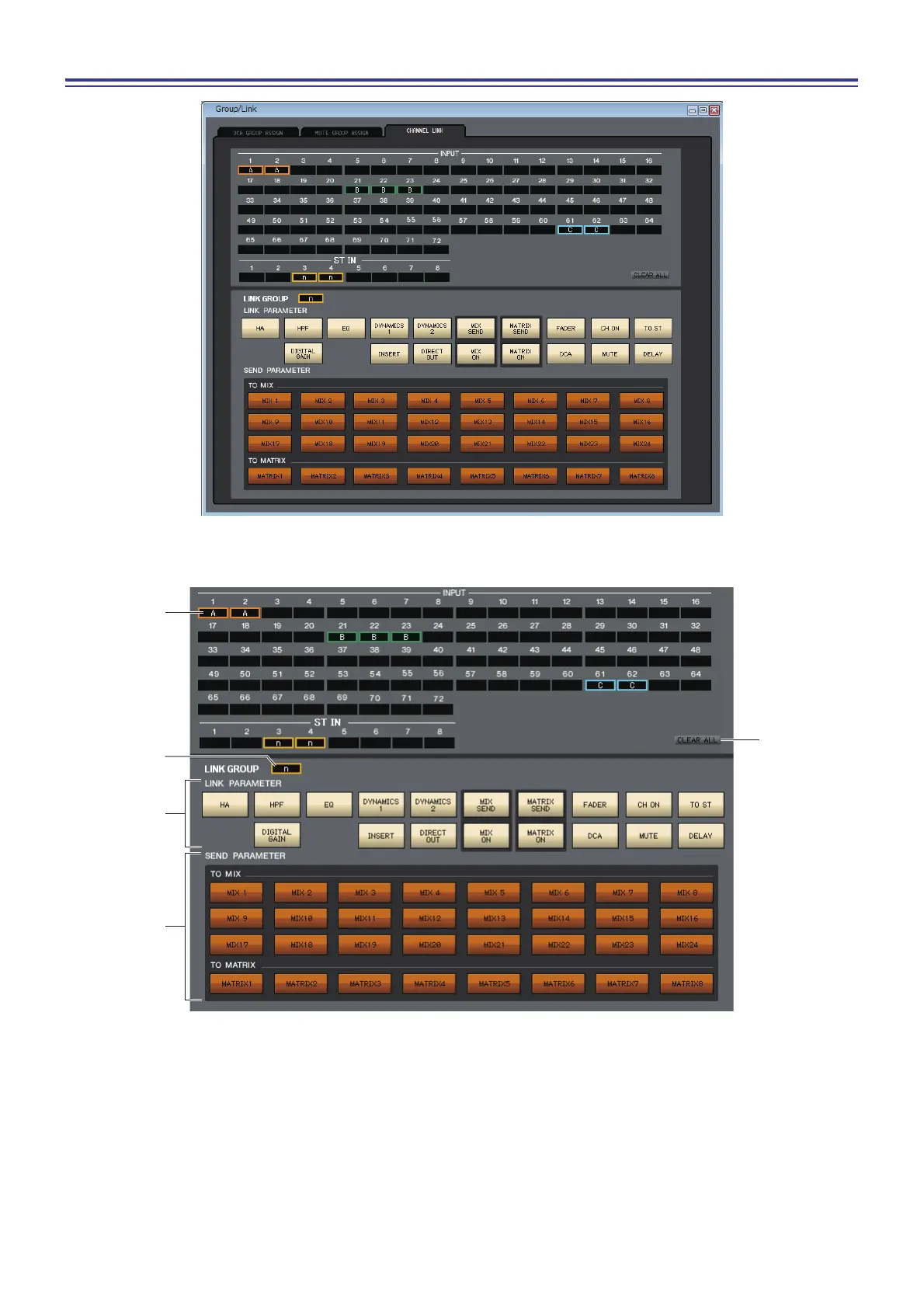
CHANNEL LINK page
If you link two or more input channels, the parameters of these channels will interlock with each other and change simul-
taneously.
1 Link buttons
Use these buttons to select the link group A-Z, a-n to which you want each input channel to be assigned. If you don’t
want an input channel to be linked, select NONE. You can assign up to forty groups (CL5: 40 groups, CL3: 36 groups,
CL1: 28 groups) for INPUT CH 1–72 (CL3: 1-64, CL1: 1-48.)
2 CLEAR ALL
Clears the link settings for all channels.
3 LINK GROUP button
If you select a link group using one of the corresponding Link buttons (1), the LINK GROUP button will automati-
cally select the same link group.



 To Next Page