CL Editor Owner’s Manual
26
Unless otherwise specified, the parameters explained below are common to INPUT CH 1–72 (CL3: 1-64,
CL1: 1-48) and ST IN channels 1–8.
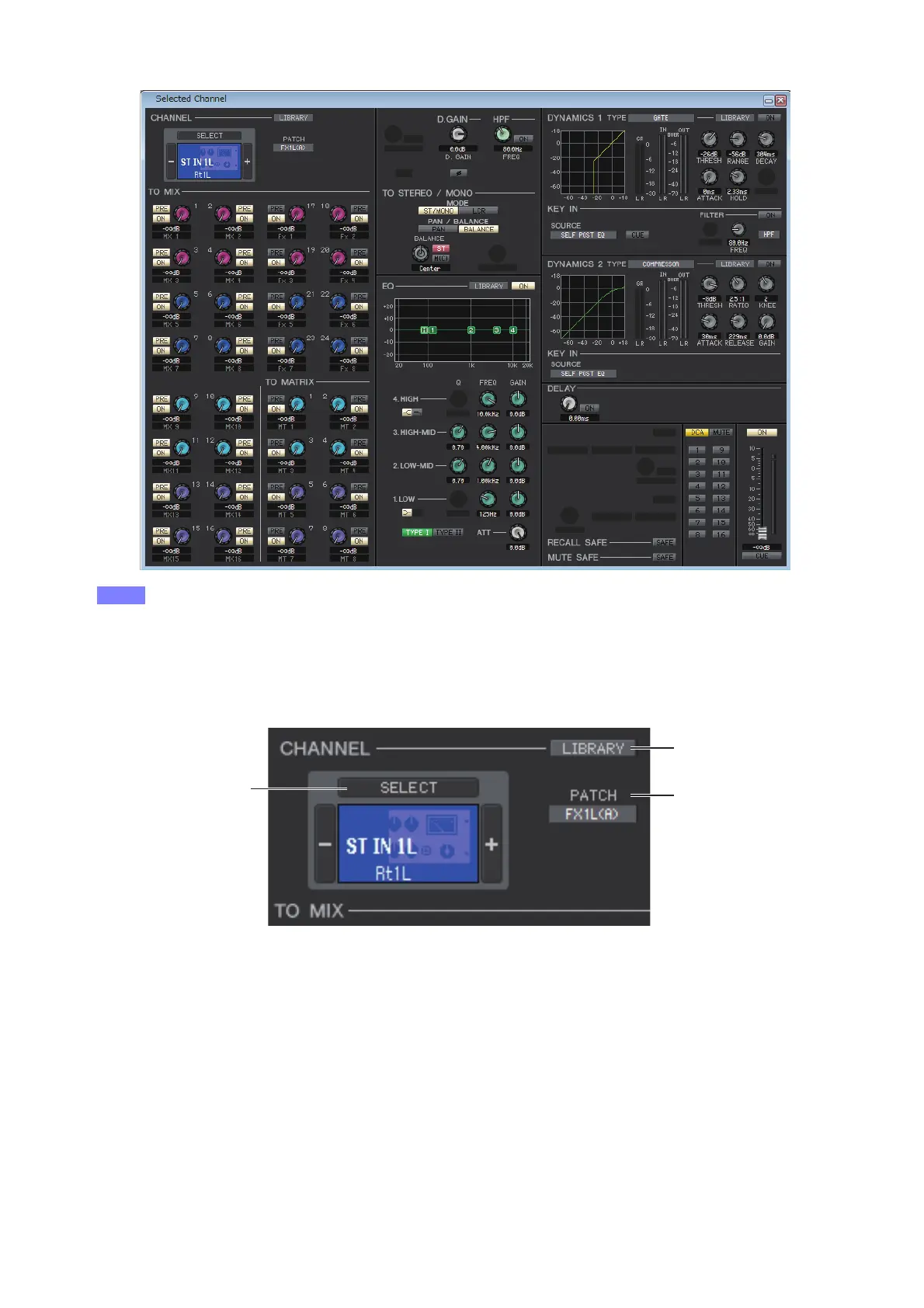
❏ CHANNEL SELECT (Channel selection)
1 SELECT (Channel selection)
Indicates the number and name of the channel you are editing. To switch channels, you can either click the [SELECT]
button and choose from the list that appears, or you can click the plus/minus (+/–) channel select buttons on the left or
right side of the icon. You can right-click (<control> key + click) the icon and select the desired choice. If you left-click
the icon, you can select the channel color. You can also edit the channel name in the text box.
2 LIBRARY
Accesses the Input Channel Library. Click this button to open the INPUT CH page of the Library window.
3 PATCH (Input patch)
Selects the input source assigned to the input channel (for the selectable input sources, ➥ p.12.)



 To Next Page