CL Editor Owner’s Manual
35
5 HA (HA analog gain)
Adjusts the analog gain for OMNI IN. This knob appears only if you select OMNI as INSERT IN (3).
6 48V (Phantom power)
Switches phantom power (+48V) on/off. This button appears only if you select OMNI as INSERT IN (3).
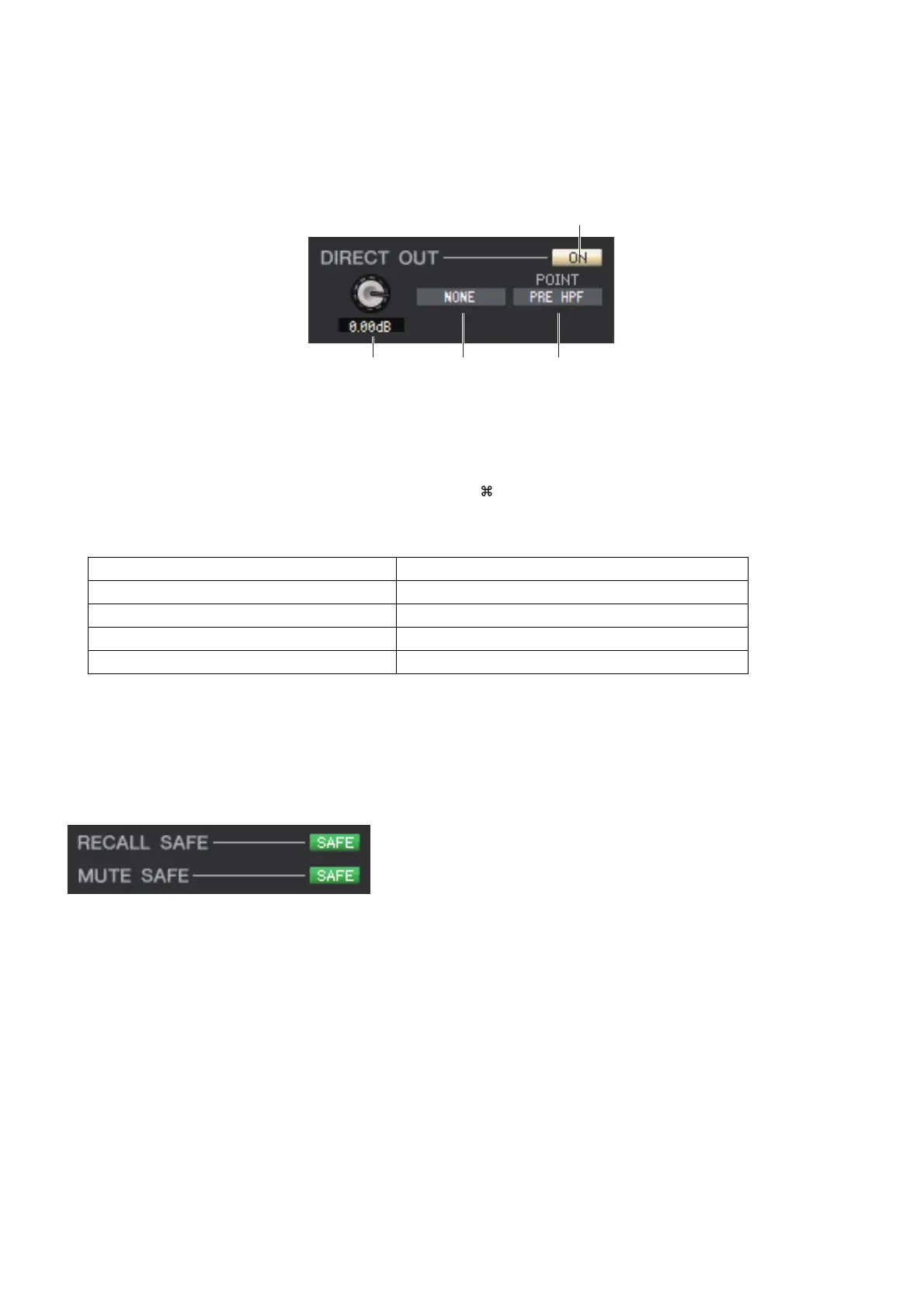
❏ DIRECT OUT (except for ST IN channels)
1 ON
Turns the direct output on/off. You can right-click the button to display a popup menu and select ALL ON or ALL OFF.
2 DIRECT OUT GAIN
Adjusts the gain of the direct output. The current value is shown in the numerical box below the knob. You can set this
to the nominal value (0.0 dB) by holding down the <Ctrl>(< >) key and clicking the knob.
3 DIRECT OUT PORT
Click this to select one of the following output ports as the one used for direct out.
4 DIRECT OUT POINT
Selects the position at which direct out will be patched. Choose from PRE HPF, PRE EQ, PRE FADER, or POST ON.
❏ RECALL SAFE/MUTE SAFE
These enable/disable Recall Safe and Mute Safe for the channel.
NONE No assignment
DANTE 1–DANTE 64 DANTE OUTPUT 1–64
OMNI 1–OMNI 8 OMNI OUT jacks 1–8
REC L, REC R L/R inputs of RECORDER
SLOT1-1, SLOT1-2...SLOT3-16 Output channels of an I/O card installed in slots 1–3



 To Next Page