CL Editor Owner’s Manual
58
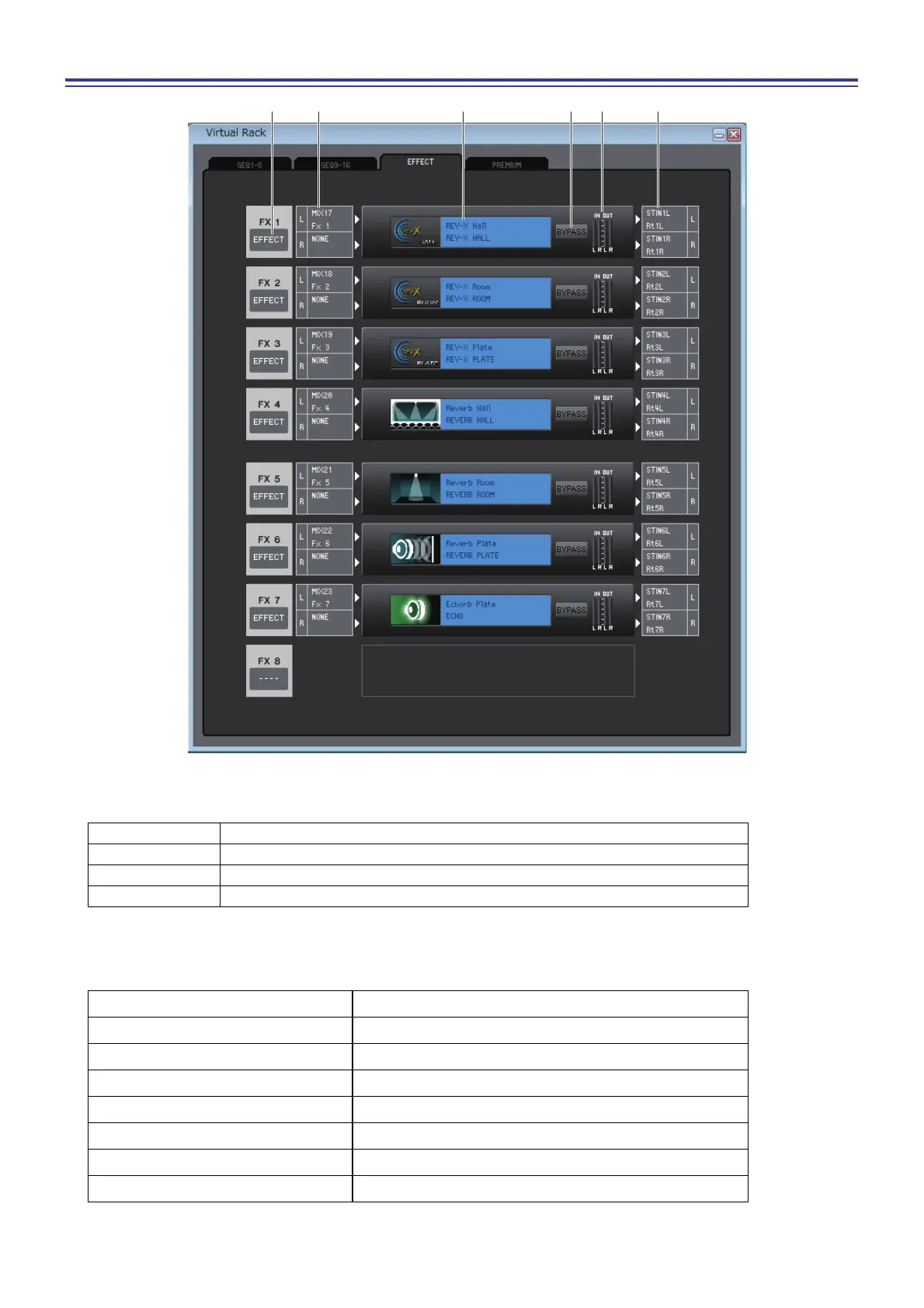
EFFECT page
1 Mount
Select an effect module or GEQ module for mounting in the rack, from the following choices.
2 Input patch
Click the L CHANNEL or R CHANNEL area, and choose one of the following as the signal route that will be patched to
the L/R input channels of the internal effect. This is not shown if nothing is mounted in the rack.
(*) CL3: 1-64, CL1: 1-48
BLANK No assignment
31BandGEQ 31-band 1-in/1-out graphic equalizer
Flex15GEQ 2-in/2-out graphic equalizer that allows any fifteen of the 31 bands to be controlled
EFFECT Internal effect
NONE No assignment
MIX 1–24 MIX channel 1–24
MATRIX1–8 MATRIX channel 1–8
ST L, ST R, MONO(C) STEREO channel L/R, MONO channel
INS CH 1–72(*) INPUT CH 1–72(*) insert out
INS MIX 1–24 MIX channel 1–24 insert out
INS MTRX1–8 MATRIX channel 1–8 insert out
INS ST L, INS ST R, INS M(C) Insert-out of STEREO channel L/R or the MONO channel



 To Next Page