CL Editor Owner’s Manual
79
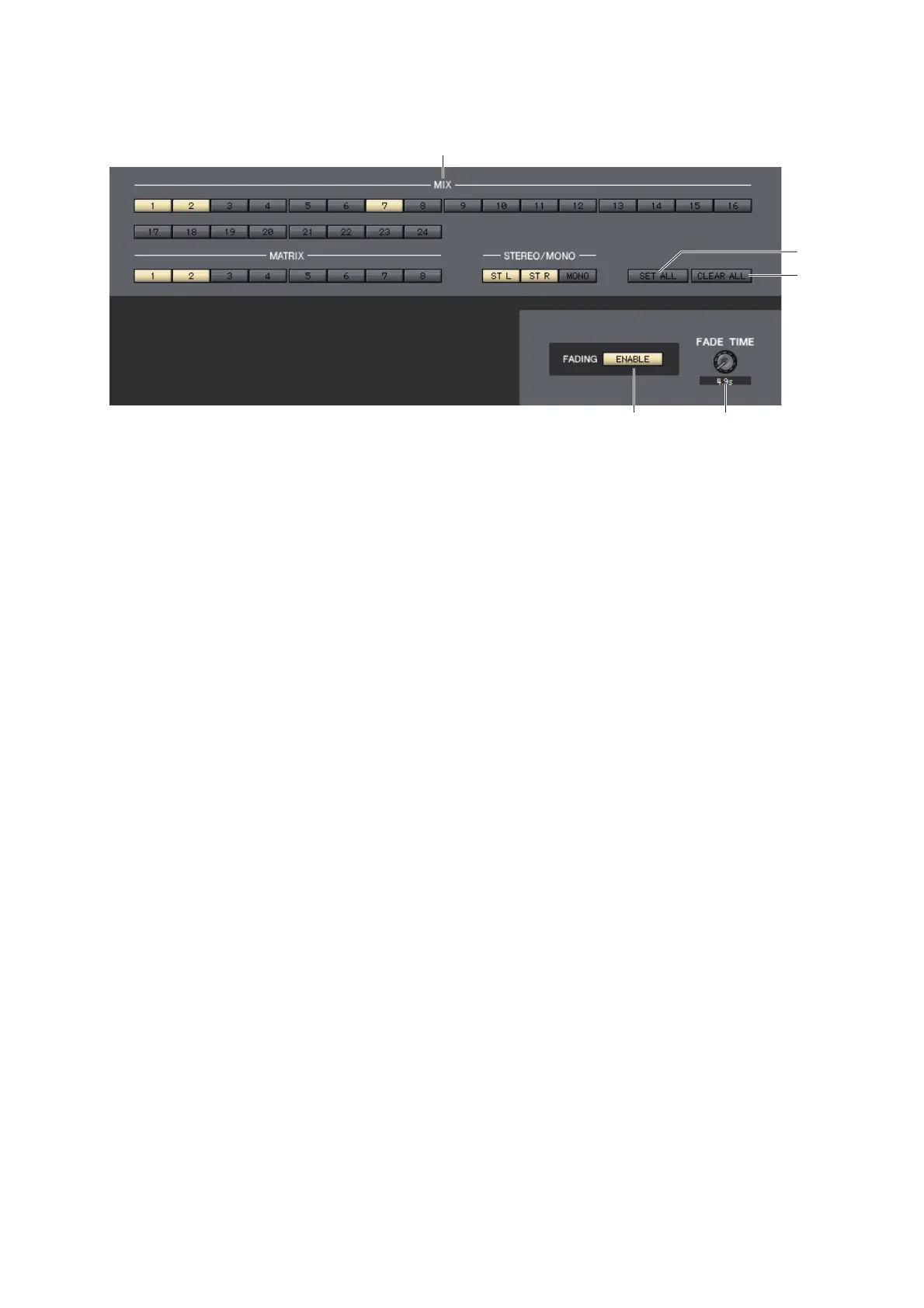
3 CLEAR ALL
This button switches off the buttons of all input channels.
4 MIX, MATRIX, STEREO/MONO
These are on/off buttons that select the output channels that will be excluded from recall operations.
5 SET ALL
This button switches on the buttons of all output channels.
6 CLEAR ALL
This button switches off the buttons of all output channels.
7 FADING ENABLE
This button enables/disables the Fade function for the faders of the current scene.
8 FADE TIME
Drag this knob in the screen to adjust the fade time. The current value is shown in the numerical box immediately
below.



 To Next Page