128 Chapter 12—Common Channel Functions
DM2000—Owner’s Manual
Fader: This indicates the fader position of the currently selected Matrix Send. The fader
knob appears highlighted when the fader is set to 0.0 dB. The fader position is displayed
numerically below the fader. See “Setting Matrix Send Master Levels” on page 101 for more
information.
Meters: These meters indicate the levels of the currently selected Matrix Send and its part-
ner. The metering position is displayed below them.
GROUP: These buttons indicate which Fader, Mute, EQ, or Comp group, if any, the cur-
rently selected Matrix Send is in.
Stereo Out
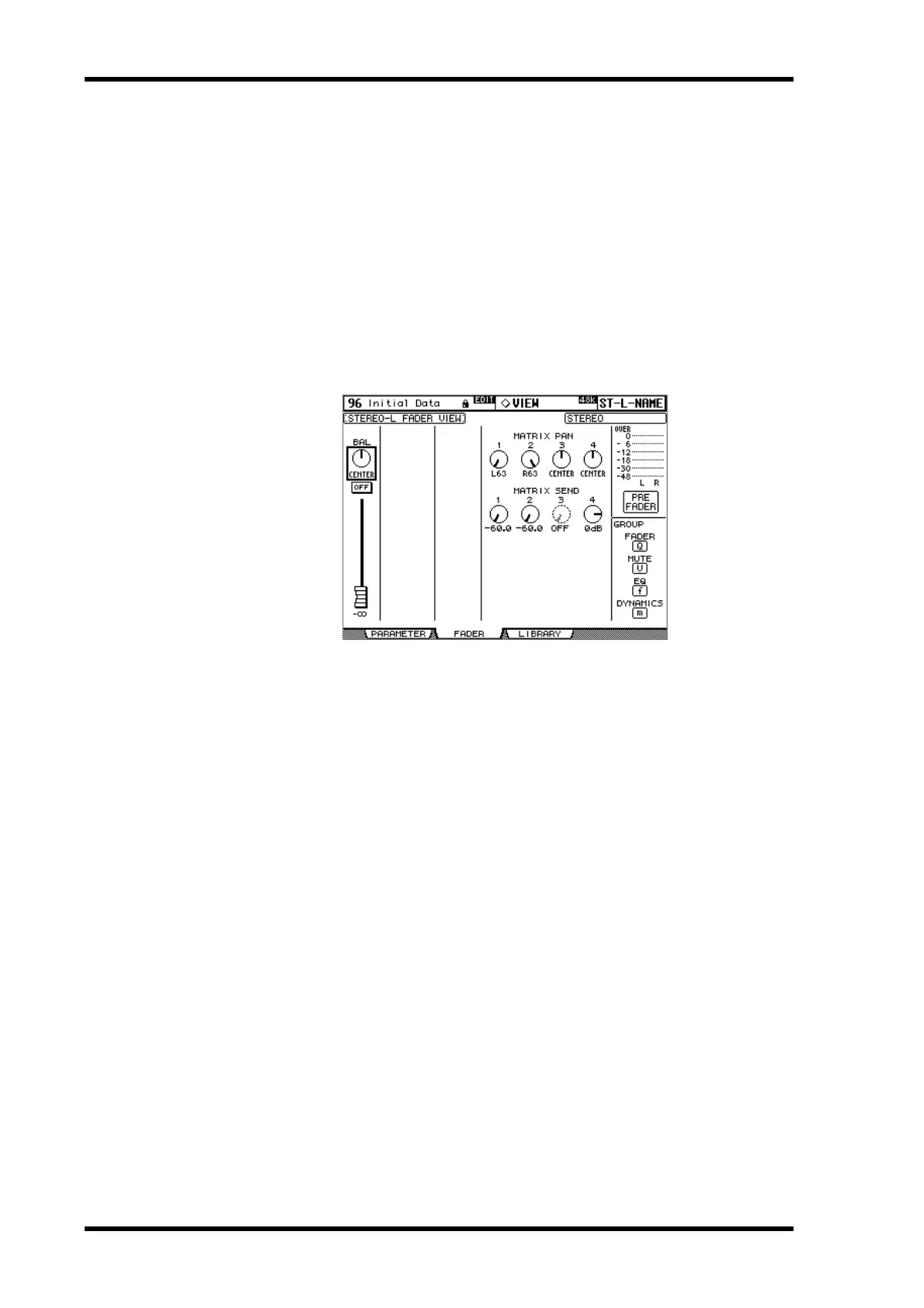
Below is the Fader View page for the Stereo Out. The settings of the left and right channels
of the Stereo Out can be viewed individually. Use the STEREO [SEL] button to toggle
between the left and right channels.
BAL: This is the Balance parameter for the Stereo Out. See “Balancing the Stereo Out” on
page 84 for more information.
ON/OFF: This is the On/Off parameter of the Stereo Out. See “Muting the Stereo Out
(ON/OFF)” on page 83 for more information.
Fader: This indicates the fader position of the Stereo Out. The fader knob appears high-
lighted when the fader is set to 0.0 dB. The fader position is displayed numerically below the
fader. See “Setting the Stereo Out Level” on page 83 for more information.
MATRIX PAN: These are the Matrix Send Pan controls for the Stereo Out. They can be set
independently for the Stereo Out’s left and right channels. See “Panning Matrix Sends” on
page 99 for more information.
MATRIX SEND: These are the Matrix Send Level controls for the Stereo Out. They can be
set independently for the Stereo Out’s left and right channels. While a rotary control is
selected, the Matrix Send can be turned on and off by pressing [ENTER]. See “Setting
Matrix Send Levels” on page 97 for more information.
Meters: These meters indicate the levels of the Stereo Out. The metering position is dis-
played below them.
GROUP: These buttons indicate which Fader, Mute, EQ, or Comp group, if any, the Stereo
Out is in.



 To Next Page