Routing Input Channels 75
DM2000—Owner’s Manual
Routing Input Channels
Each Input Channel can be routed to the Bus Outs, Stereo Out, or its own Direct Out.
Using the SELECTED CHANNEL ROUTING Controls
1 Use the LAYER buttons to select the Input Channel Layers,
and use the [SEL] buttons to select the Input Channels.
2 Use the [1–8], [STEREO], and [DIRECT] buttons to route the
currently selected Input Channel.
[1–8]: These buttons route the currently selected Input Channel to the
Bus Outs.
[STEREO]: This button routes the currently selected Input Channel to
the Stereo Out.
DIRECT: This button routes the currently selected Input Channel to its Direct Out.
[FOLLOW PAN]: This determines whether the Input Channel’s Pan control setting is
applied to the Bus Outs. When off, the levels of the signals fed to the odd and even Bus Outs
is the same. When on, the levels of the signals fed to the odd and even Bus Outs follows the
Pan control.
Routing Pages
Input Channel routing settings can be viewed and set on the Routing pages. If the Auto
ROUTING Display preference is on, these pages appear automatically when a button in the
SELECTED CHANNEL ROUTING section is pressed. See “Auto ROUTING Display” on
page 234.
1 Use the SELECTED CHANNEL ROUTING [DISPLAY] button to select the Rout-
ing pages.
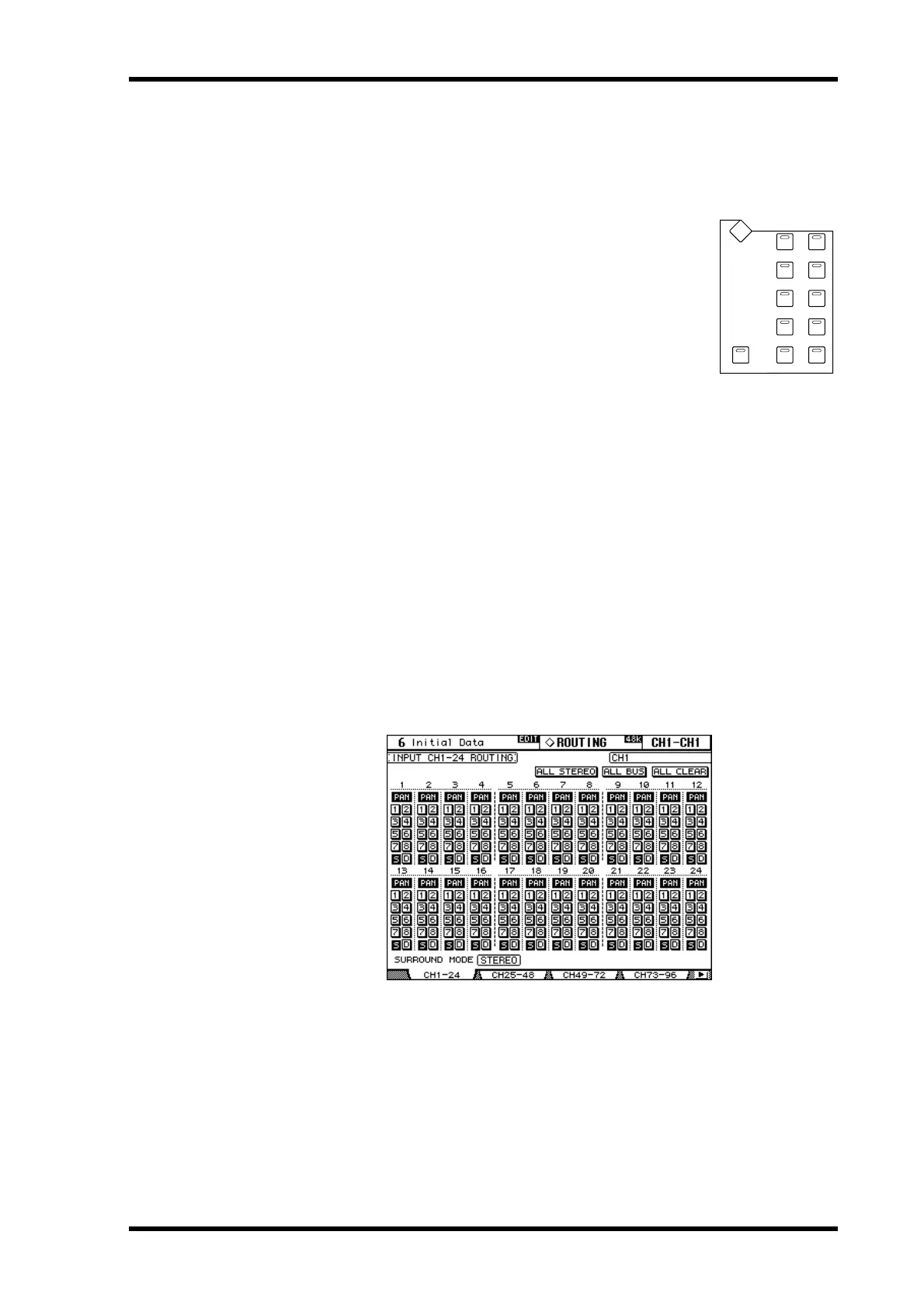
The Routing parameters for the 96 Input Channels are divided among four pages. The
Input Channel 1–24 Routing page is shown below. The layout of the other three pages is the
same.
2 Use the cursor buttons and Parameter wheel to select the parameters, and
use the [ENTER] button or INC/DEC buttons to set them.
Channels can also be selected by using the Input Channel Layer buttons and [SEL] buttons.
ALL STEREO: This button assigns all Input Channels to the Stereo Out.
ALL BUS: This button assigns all Input Channels to all Bus Outs
ALL CLEAR: This button clears all routing assignments.
ROUTING
12
34
56
78
STEREOFOLLOW PAN DIRECT
DISPLAY



 To Next Page