Operating Basics 35
DM2000—Owner’s Manual
3 Operating Basics
Connecting the Power Cord
Connect the socket-end of the supplied power cord to the AC IN
on the rear panel of the DM2000. Connect the plug-end to a suit-
able AC wall outlet, one that conforms to the power supply
requirements stated on the DM2000’s rear panel.
Turning On & Off the DM2000
To prevent loud clicks and thumps in your speakers, turn on your
audio equipment in the following order (reverse this order when turn-
ing off)—sound sources, multitrack and master recorders, DM2000,
monitoring power amplifiers.
1 To turn on the DM2000, press the [POWER] switch.
The startup page appears for a while, and then the last selected display
page appears.
2 To turn off the DM2000, press the [POWER] switch again.
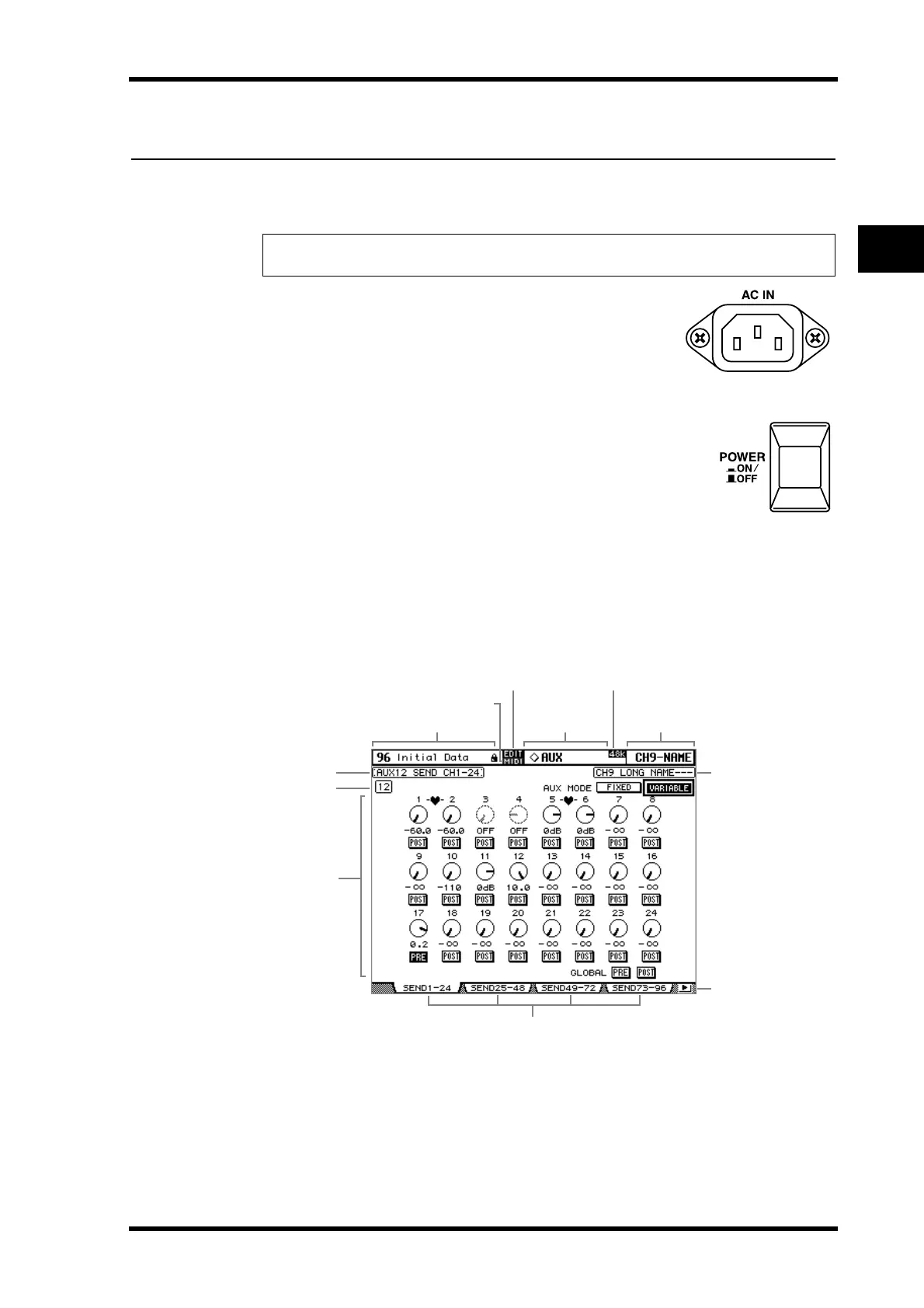
About the Display
All DM2000 mix parameters can be edited on the various display pages.
Current Scene: The number and title of the currently selected Scene memory are dis-
played here. See “Storing & Recalling Scenes with the SCENE MEMORY Buttons” on page
159 for more information. If the selected Scene is write-protected, a padlock icon appears.
See “Using the Scene Memory Page” on page 160 for more information.
MIDI indicator: This indicator appears when the DM2000 is receiving MIDI data via the
MIDI IN port, USB TO HOST port, or SERIAL TO HOST port.
Warning: Turn off all equipment connected to the DM2000 before making any power connec-
tions.
Current Scene
EDIT indicator
MIDI indicator
Sampling rate
Page title
Page area
Page tabs
Page tab scroll arrow
Page #
Channel name
Selected
DISPLAY
Selected channel



 To Next Page