Control Surface 19
DM2000—Owner’s Manual
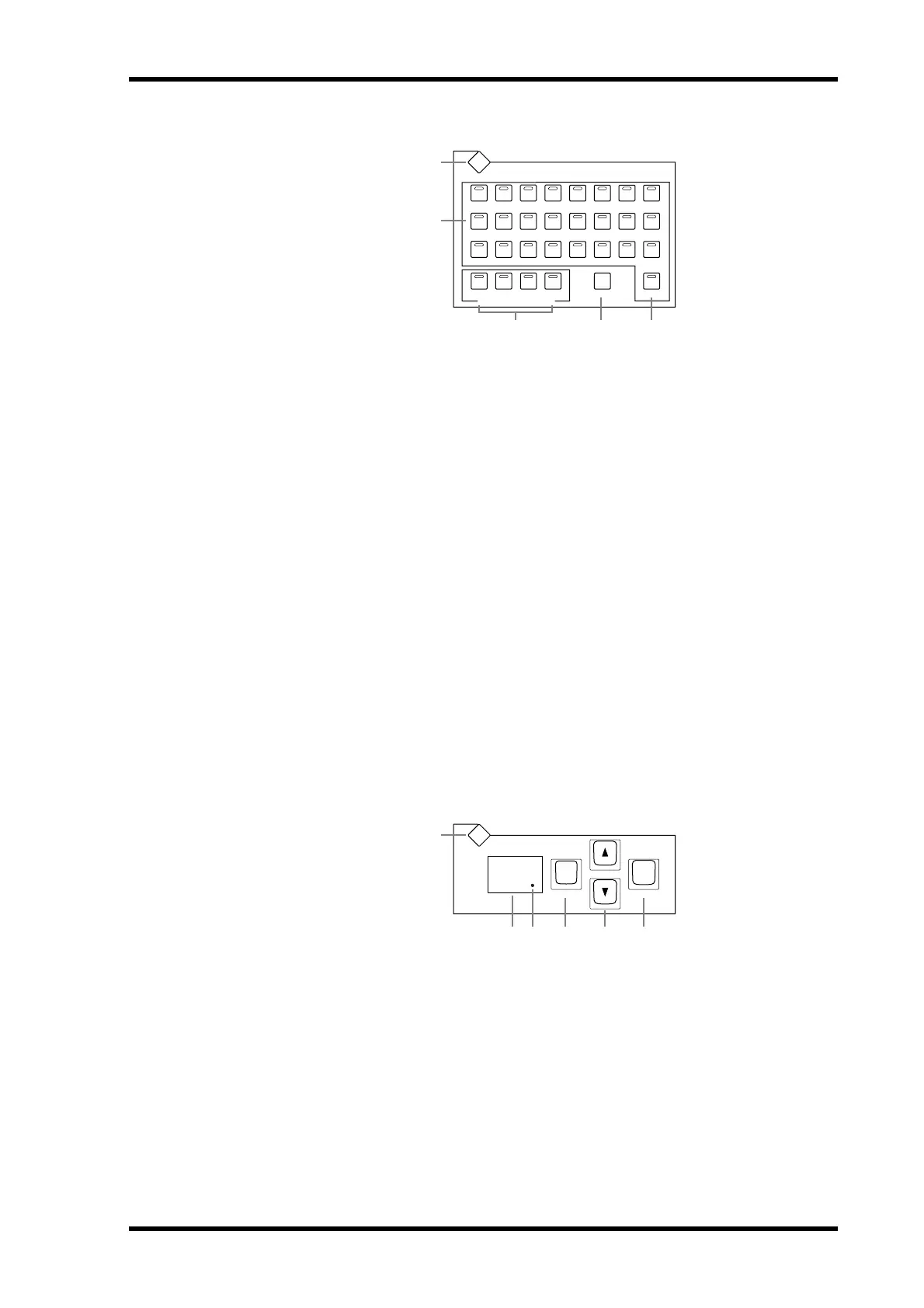
TRACK ARMING
A
TRACK ARMING DISPLAY button
This button is used to select the following pages: Track Arming Group, MTR Track Arming
Configuration, and Master Track Arming Configuration. See “Arming Machine Tracks” on
page 225 for more information.
B TRACK ARMING 1–24 buttons
These buttons are used to arm tracks on the target machine (DAW, MMC or P2). Their
indicators light up when tracks are armed. See “Arming Machine Tracks” on page 225 for
more information.
C TRACK ARMING GROUP A–D buttons
These buttons are used to select the track arming groups A, B, C, and D. The indicator for
the currently selected group lights up. See “Arming Machine Tracks” on page 225 for more
information.
D ALL CLEAR button
This button is used to clear all track arming on the target machine (DAW, MMC or P2). See
“A r ming Machine Tracks” on page 225 for more information.
E MASTER button
This button is used to select Master or MTR machines for track arming. Its indicator lights
up when Master is selected, and is off when MTR is selected. See “About Machine Control
(MMC & P2)” on page 220 for more information.
SCENE MEMORY
A SCENE MEMORY DISPLAY button
This button is used to select the following pages: Scene Memory, Input Channel Fade Time,
Output Fade Time, Recall Safe, and Scene Memory Sort. See “Scene Memories” on page 157
for more information.
B Scene memory display
This displays the number of the currently selected Scene memory. See “Scene Memories” on
page 157 for more information.
C Edit indicator
This indicates that the current mix settings no longer match those of the Scene that was
recalled last. See “Edit Buffer & Edit Indicator” on page 157 for more information.
ABCD
MASTERALL CLEAR
12 45678
910 12131415
16
21 22 23 2417 18 2019
TRACK ARMING
TRACK ARMING GROUP
DISPLAY
11
3
1
2
543
STORERECALL
SCENE MEMORY
DISPLAY
00
1
23 4 65



 To Next Page