EasyManua.ls Logo

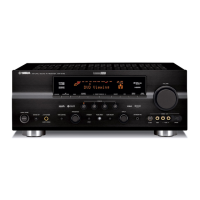
Yamaha DSP-AX640SE - User Manual

Yamaha DSP-AX640SE
427 pages
Print Icon
To Next Page IconTo Next Page
Loading...
YAMAHA ELECTRONICS CORPORATION, USA 6660 ORANGETHORPE AVE., BUENA PARK, CALIF. 90620, U.S.A.
YAMAHA CANADA MUSIC LTD. 135 MILNER AVE., SCARBOROUGH, ONTARIO M1S 3R1, CANADA
YAMAHA ELECTRONIK EUROPA G.m.b.H. SIEMENSSTR. 22-34, 25462 RELLINGEN BEI HAMBURG, F.R. OF GERMANY
YAMAHA ELECTRONIQUE FRANCE S.A. RUE AMBROISE CROIZAT BP70 CROISSY-BEAUBOURG 77312 MARNE-LA-VALLEE CEDEX02, FRANCE
YAMAHA ELECTRONICS (UK) LTD. YAMAHA HOUSE, 200 RICKMANSWORTH ROAD WATFORD, HERTS WD1 7JS, ENGLAND
YAMAHA SCANDINAVIA A.B. J A WETTERGRENS GATA 1, BOX 30053, 400 43 VÄSTRA FRÖLUNDA, SWEDEN
YAMAHA MUSIC AUSTRALIA PTY, LTD. 17-33 MARKET ST., SOUTH MELBOURNE, 3205 VIC., AUSTRALIA
Printed in Malaysia
WA69980
RX-V640RDS/DSP-AX640SE
RX-V640RDS AV Receiver
DSP-AX640SE AV Amplifier
GB
OWNER’S MANUAL
MODE D’EMPLOI
BEDIENUNGSANLEITUNG
BRUKSANVISNING
MANUALE DI ISTRUZIONI
MANUAL DE INSTRUCCIONES
GEBRUIKSAANWIJZING
0100RX-V640_cv_GB.p65 2/7/03, 5:43 PM1


Table of Contents

Other manuals for Yamaha DSP-AX640SE

Questions and Answers

  • K
    Kimberly HarrisSep 9, 2025
    Why Yamaha DSP-AX640SE Receiver sound field parameters and other settings cannot be changed?
    • J
      Jeremy ObrienSep 9, 2025
      If the sound field parameters and some other settings on your Yamaha Receiver cannot be changed, check if “OPTION 2 MEM. GUARD” in the set menu is set to ON. If it is, set it to OFF.
  • P
    Pamela BryantAug 23, 2025
    How to fix Yamaha Receiver remote control that is not working?
    • J
      jenningsjenniferAug 23, 2025
      If the Yamaha Receiver remote control isn't working, consider these solutions: * Ensure you are within the operational range of 6 meters (20 feet) and within a 30-degree angle from the front panel. * Reposition the unit if direct sunlight or lighting is interfering with the remote control sensor. * Replace all the batteries with new ones. * Make sure the manufacturer code is correctly set.
  • S
    Shawn ReynoldsAug 25, 2025
    What to do if Yamaha DSP-AX640SE Receiver fails to turn on?
    • A
      Ashley GreenAug 25, 2025
      If your Yamaha Receiver fails to turn on, consider the following: * Ensure the power cord is firmly connected to the outlet. * Verify the IMPEDANCE SELECTOR switch on the rear panel is fully set to either the left or right position. * Check speaker wire connections for security and ensure no wires are touching other connections, as the protection circuitry might be activated. * If the unit experienced a strong electric shock, put it in standby mode, disconnect the power cord, wait 30 seconds, and then plug it back in.
  • J
    Jennifer OwensAug 27, 2025
    What to do if Yamaha DSP-AX640SE Receiver sound suddenly goes off?
    • J
      Joseph BridgesAug 27, 2025
      If the sound on your Yamaha Receiver suddenly cuts off: * Check that the IMPEDANCE SELECTOR switch is set correctly, as the protection circuit may have been activated due to a short circuit. * If the sleep timer is on, turn the power back on and restart the source. * Ensure the unit is not muted by pressing the MUTE button or any other operation button to cancel mute and adjust the volume.
  • U
    uthompsonAug 27, 2025
    What to do if Yamaha DSP-AX640SE Receiver only plays sound on one side?
    • C
      Charles BrownAug 28, 2025
      If you're only hearing sound from one speaker on your Yamaha Receiver, the cable connections may be incorrect. Ensure that the cables are properly connected. If the problem continues, the cables may be defective and need replacement.
  • S
    sosavincentAug 29, 2025
    Why Yamaha Receiver has no sound from effect speakers?
    • J
      John AnthonyAug 29, 2025
      If there is no sound from the effect speakers on your Yamaha Receiver: * Make sure the sound effect is turned on by pressing STEREO/EFFECT. * If you're using a Dolby Surround, Dolby Digital, or DTS decoding DSP program with material not encoded in those formats, select another DSP program.
  • T
    Tiffany HebertSep 18, 2025
    How to eliminate crackling and hissing noises from Yamaha DSP-AX640SE Receiver?
    • A
      alex14Sep 18, 2025
      If you are experiencing continuous crackling and hissing noises with your Yamaha Receiver, these noises may result from lightning, fluorescent lamps, motors, thermostats, and other electrical equipment. Use an outdoor antenna and a ground wire to help reduce the noise, but it is difficult to eliminate all noise.
  • G
    Gary PalmerSep 18, 2025
    How to eliminate buzzing and whining noises from Yamaha DSP-AX640SE Receiver?
    • C
      Christian MillerSep 22, 2025
      If you're hearing buzzing and whining noises (especially in the evening) from your Yamaha Receiver, a TV set may be nearby. Move the unit away from the TV.
  • B
    Brian ReyesSep 7, 2025
    How to stop Yamaha DSP-AX640SE from making a humming sound?
    • K
      Karen HarrisSep 8, 2025
      If you're hearing a “humming” sound from your Yamaha Receiver, it may be due to incorrect cable connections. Firmly connect the audio plugs. If the problem persists, the cables might be defective and need to be replaced.
  • H
    Heather SandersSep 4, 2025
    Why is Yamaha DSP-AX640SE Receiver bass reproduction poor?
    • S
      smithmichaelSep 4, 2025
      If the bass reproduction on your Yamaha Receiver is poor: * If “SOUND 1E BASS” on the set menu is set to SWFR or BOTH and you don't have a subwoofer, select MAIN. * Ensure that the speaker mode settings (main, center, rear, or rear center) on the set menu match your actual speaker configuration. Select the appropriate position for each speaker based on its size.

Summary

Important Safety Precautions

General Operating Cautions

Lists essential safety guidelines for operating the audio unit.

Fire and Electric Shock Warnings

Specific warnings to mitigate risks of fire and electric shock.

U.K. Specific Wiring Instructions

Instructions for U.K. customers regarding power cord and plug fitting.

Controls and Functions

Front Panel Controls and Display

Explains the function of buttons, jacks, and indicators on the unit's front panel.

Remote Control Functions

Details the operation of all buttons on the remote control for unit and component control.

Front Panel Display Indicators

Provides a comprehensive guide to understanding the front panel display indicators.

Connections

Pre-Connection Guidelines

Important precautions and steps to take before connecting components.

Connecting Video Components

Instructions for connecting various video sources like VCR, DVD, and TV.

Connecting Speakers and Placement

Guides on connecting speakers and ideal placement for surround sound.

Speaker Wire Connections and Impedance

Proper speaker wire connection techniques and impedance selector usage.

Connecting Power Supply and Initial Power-On

Instructions for connecting the AC power cord and turning the unit on for the first time.

Preparation

Basic System Settings

Initial setup for room size, speaker configuration, and levels.

Playback

Digital Sound Field Processing (DSP)

Set Menu Configuration

BASIC Menu Settings

Configuration of room size, speaker levels, and subwoofer settings.

Remote Control Features

Setting and Clearing Manufacturer Codes

Procedures for programming the remote to control other A/V components.

Setting Speaker Levels

Troubleshooting Guide

General Troubleshooting

Common problems like no sound, no picture, and unit not operating.

Specific Component Troubleshooting

Issues related to tuner, remote control, and speaker connections.

Yamaha DSP-AX640SE Specifications

General IconGeneral
BrandYamaha
ModelDSP-AX640SE
CategoryReceiver
LanguageEnglish

Related product manuals