RX-V861/HTR-6080/DSP-AX861SE/DSP-AX861
143
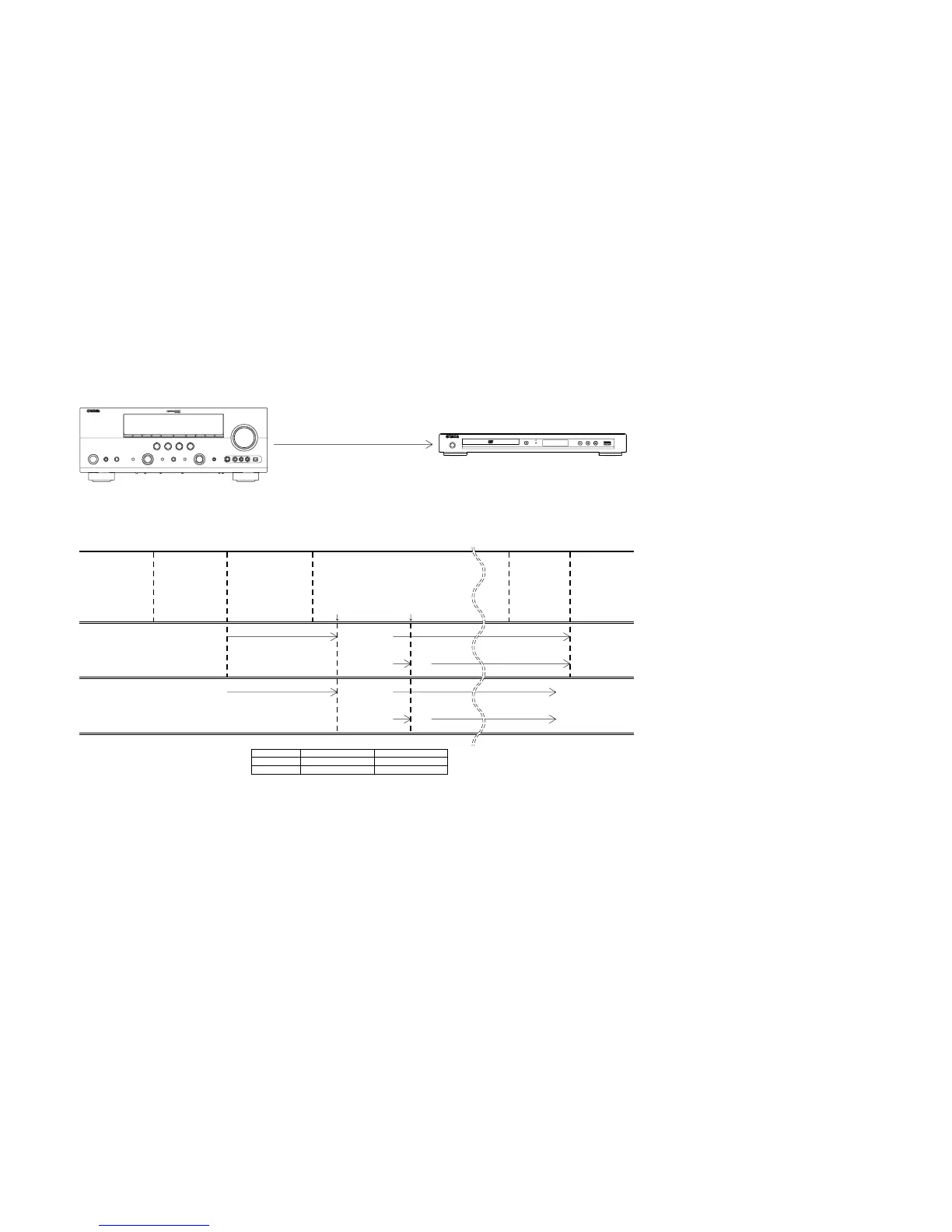
■ SCENE CONTROL
• Example of connection
• SCENE control
RECEIVER/AMPLIFIER
(Model with SCENE function)
DVD/CD PLAYER
(Model with SCENE control signal reception function)
REMOTE CONTROL
OUT
REMOTE CONTROL
IN
Monaural analog mini cable
Press "STANDBY/ON" /
"SCENE" key
Canceling MUTE function after power ON initializationPower relay ON
AC OUTLET ON
Power relay OFFPress
"STANDBY/ON" key
RECEIVER/AMPLIFIER
Standby mode
Standby mode
* Power ON/PLAY
* Power ON/PLAY
Standby mode
CD player
DVD player AC OUTLET OFF
DVD player
CD player
Power ON
Power ON
DVD/CD PLAYER (AC OUTLET linked)
DVD/CD PLAYER (AC OUTLET unlinked)
Starting IR code transmission
Power ON PLAY
IR code
* When the DVD player receives the IR code [PLAY], the power is turned on and the disc is played at the same time.
Power ON
* 7C-82 [PLAY code]DVD
CD 79-7E
PLAY
–
79-02
PLAY
PLAY
Press "STOP" / "STANDBY/ON" key
Press "STOP" / "STANDBY/ON" key
Standby mode
Standby mode
Standby mode
Standby mode
Standby mode


 To Next Page
 Loading...