Setup
23
DTX402K DTX432K DTX452K Owner’s Manual
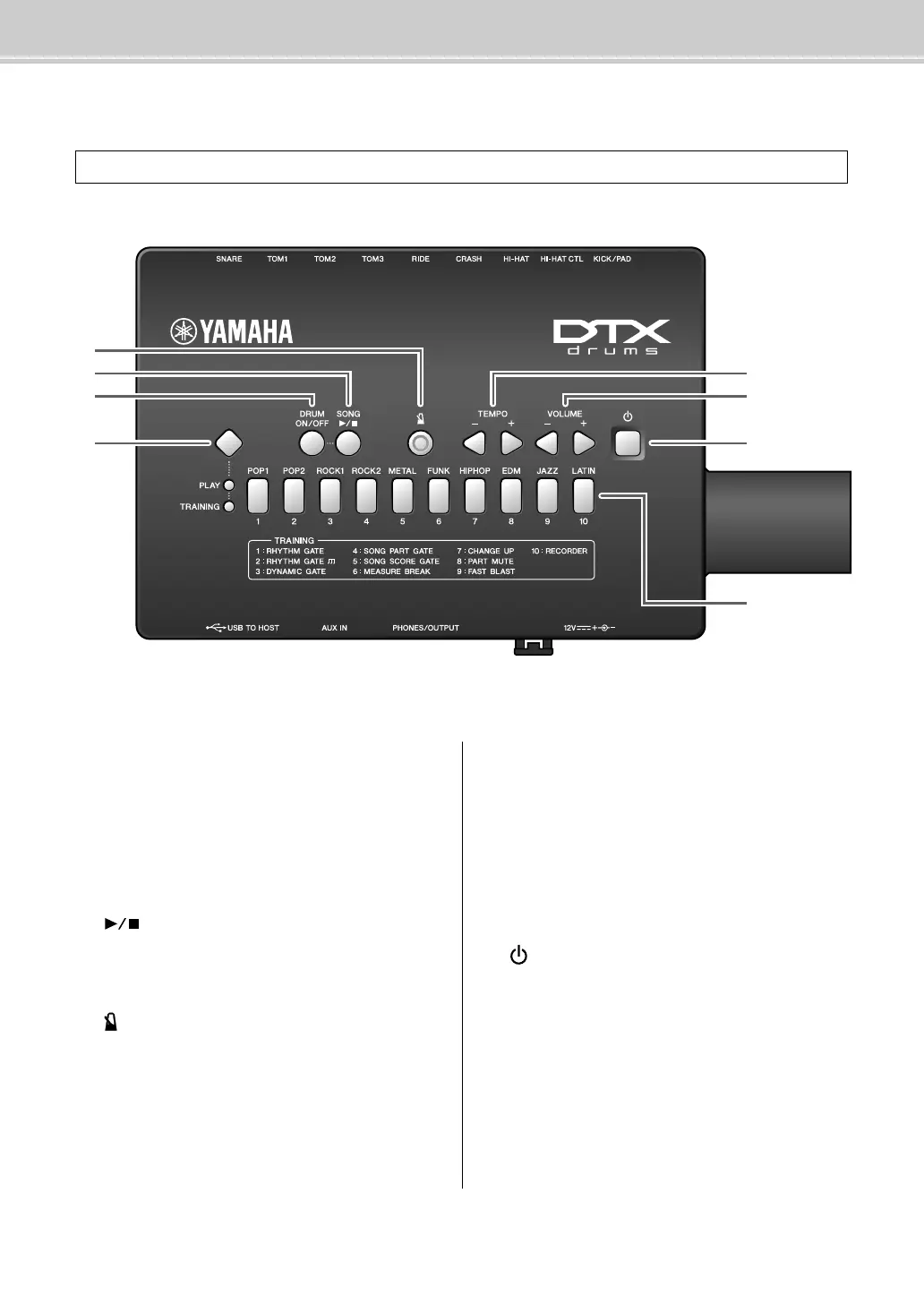
Panel Controls & Functions
Drum module
z Mode switch
• Press this switch to switch Play Mode and Training
Mode. (pages 26, 31)
• Hold down this switch to select Menu Mode. (page 41)
x [DRUM ON/OFF] button (page 28)
Use this button to mute and unmute drum parts from a
practice drum pattern.
c [] button
• Use this button to start and stop songs. (page 27)
• In Training Mode, it is also used to start and stop train-
ing sessions. (page 31)
v [ ] (metronome) button (page 29)
• Use this button to start and stop the built-in metro-
nome.
• In Training Mode, it is also used to start and stop train-
ing sessions.
b [TEMPO] buttons (page 30)
Use these buttons to increase or decrease the tempo in
steps of one BPM.
*: In Menu Mode, it is also used to increase or decrease set-
tings.
n [VOLUME] buttons (page 26)
Use these buttons to adjust the overall volume of the
drum module. Press the [+] button to increase it and the
[–] button to decrease it.
m [ ] (Standby/On) button (page 22)
Use this button to turn the drum module on and off.
, Number buttons
• Use these buttons to select music categories and train-
ing types. (pages 27, 31)
• They are also used to enter a tempo directly. (page 30)
• In Menu Mode, they are used to select settings. (page
41)
• Also in Menu Mode, they are used to enter setting val-
ues directly. (page 41)
Control Panel



 To Next Page