Basic Techniques
29
DTX402K DTX432K DTX452K Owner’s Manual
Using the Metronome
Playing your electronic drum kit along with the built-in metronome is a great way to perfect your
rhythm.
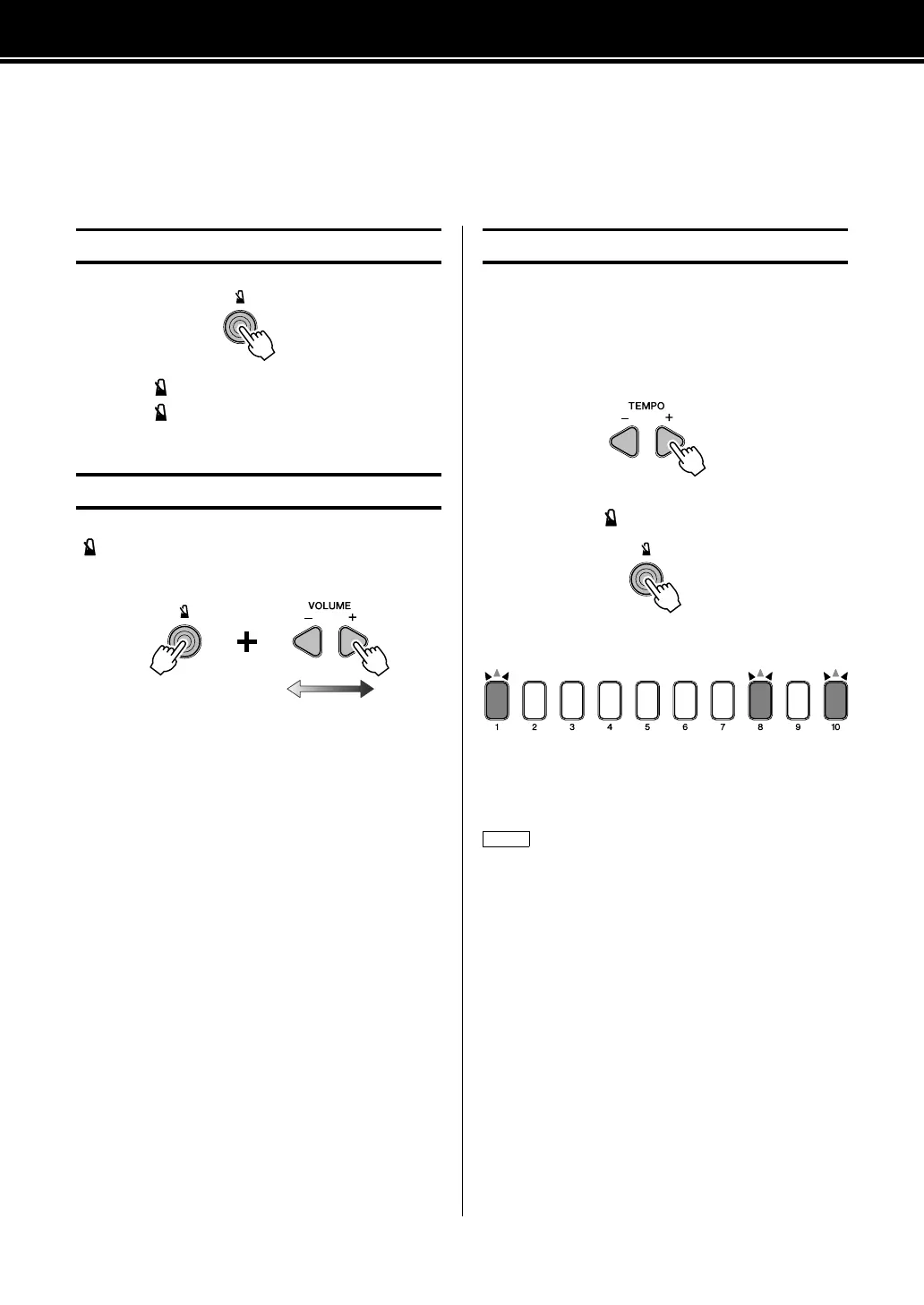
• Press the [] button to turn on the metronome.
• Press the [] button once again to turn it off.
To adjust the volume of the metronome, press and hold the
[] button, and then press either the VOLUME[+] or
VOLUME[–] button.
• Each time you press the VOLUME[+] button, you
increase the metronome volume by one.
• Each time you press the VOLUME[–] button, you
decrease the metronome volume by one.
Whenever necessary, you can confirm the drum module’s
current tempo from the flashing pattern of the number but-
ton lights and the voice guidance.
The larger the value, the faster the tempo becomes.
Press either the TEMPO[+] or TEMPO[–] button once.
Or
Press and hold the [] button.
Each digit of the tempo will be flashed in sequence.
Example:
When the tempo is 108 BPM, the number button lights will
flash [1][0][8].
Starting and Stopping the Metronome
Adjusting the Metronome Volume
Hold
Higher metro-
nome volume
Lower metro-
nome volume
Confirming Tempo
If you wish to turn off the voice guidance function, see 7-1. Voice
Guidance Volume (page 53).



 To Next Page