Performing with a Selected Music Category
27
Basic Techniques
DTX402K DTX432K DTX452K Owner’s Manual
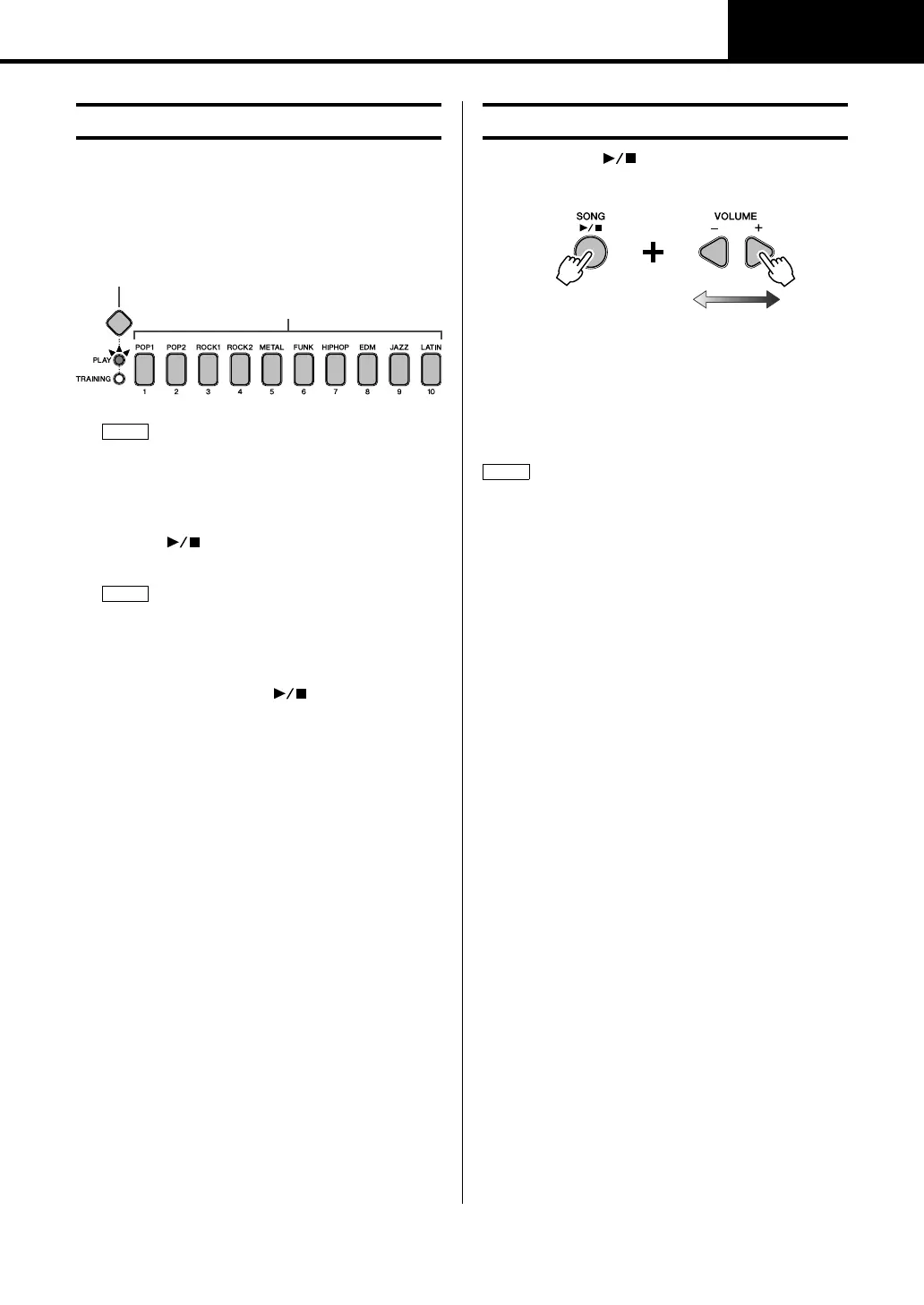
1. Press the Mode switch to turn the “PLAY” light on.
2. Select a music category by pressing the corresponding
number button [1] to [10].
The selected number button will light up and the corre-
sponding song will be automatically selected.
3. Press the [ ] button to start the song.
4. Play the pads with the song.
5. To stop the song, press the [ ] button once again.
While holding the [] button, press either the VOL-
UME[+] or VOLUME[–] button.
• Each time you press the VOLUME[+] button, you
increase the song volume by one.
• Each time you press the VOLUME[–] button, you
decrease the song volume by one.
Performing with a Song
The score (PDF) is available at the Yamaha website:
https://download.yamaha.com/
After accessing the Support website (and clicking on “Man-
ual Library”), enter the appropriate model name.
If you wish to mute the programmed drum parts and hear
only the song parts, press the [DRUM ON/OFF] button. To
unmute the drum parts, press the [DRUM ON/OFF] button
once again.
Adjusting the Song Volume
The set volume is common to the drum module’s ten songs.
Hold
Higher song
volume
Lower song
volume



 To Next Page