Setting Parameters using Menu Mode
46
Advanced Techniques
DTX402K DTX432K DTX452K Owner’s Manual
4-1. Clutch Position
You can simulate the effect of changing the hi-hat’s clutch
position. The smaller the setting, the quicker an open hi-hat
sound will decay.
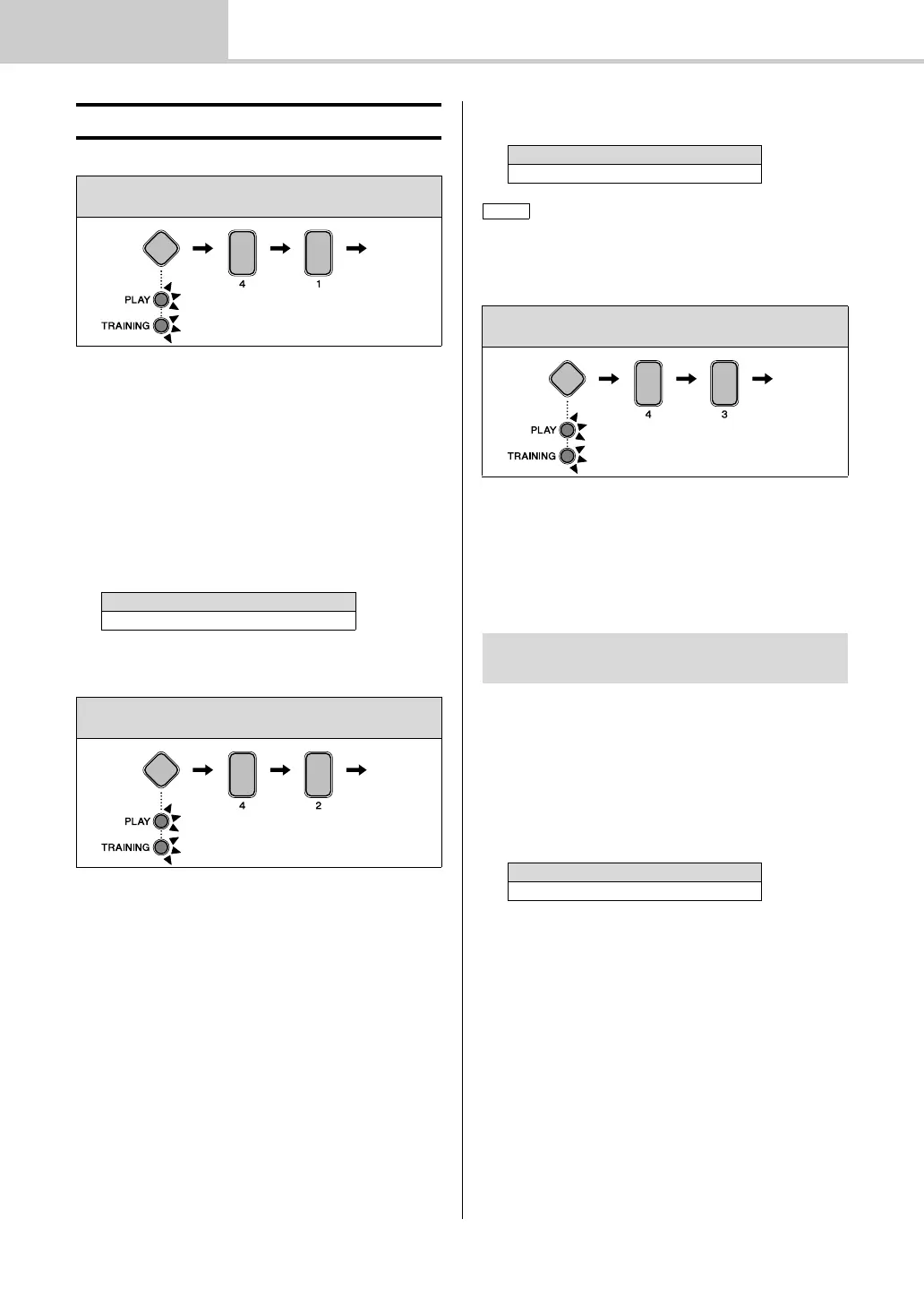
1. Hold down the Mode switch to activate Menu Mode.
2. Press number button [4] to select the Hi-hat Settings
parameter group.
3. Press number button [1] to select the Clutch Position
parameter.
4. Enter a new clutch position using the TEMPO[+]/[–]
buttons.
4-2. Splash Sensitivity
You can set the degree of sensitivity for detecting hi-hat foot
splashes. The higher the value, the easier it will be to pro-
duce a foot-splash sound with the hi-hat controller. High
values may, however, result in splash sounds being uninten-
tionally produced when, for example, you operate the hi-hat
controller lightly as you keep time. It is a good idea, there-
fore, to set this parameter to “Off” if you do not want to play
foot splashes.
1. Hold down the Mode switch to activate Menu Mode.
2. Press number button [4] to select the Hi-hat Settings
parameter group.
3. Press number button [2] to select the Splash Sensitiv-
ity parameter.
4. Enter a new splash sensitivity using the TEMPO[+]/[–]
buttons.
4-3. Foot Close Position
You can adjust the position at which the hi-hat switches
from open to closed when you operate the hi-hat controller.
The lower the value, the smaller the virtual opening between
the top and bottom hi-hats. Larger values increase the size
of the gap between the top and bottom cymbals, and this can
prevent foot close or foot splash sounds from being pro-
duced when you operate the pedal.
1. Hold down the Mode switch to activate Menu Mode.
2. Press number button [4] to select the Hi-hat Settings
parameter group.
3. Press number button [3] to select the Foot Close Posi-
tion parameter.
4. Enter a new foot close position using the TEMPO[+]/
[–] buttons.
v Hi-hat Settings
Steps:
Hold down the Mode switch [4] [1] Setting
Setting
0 to 64
Steps:
Hold down the Mode switch [4] [2] Setting
Setting
0 to 127
Set this parameter to [0] in order to turn off foot splashes.
Steps:
Hold down the Mode switch [4] [3] Setting
This parameter only has an effect when you are
using an HH65 Hi-hat Controller.
Setting
0 to 32



 To Next Page