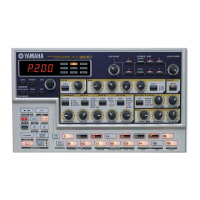
Panel Controls
10
These are the fundamental controls of the AN200 — for
changing modes, adjusting values, exiting from func-
tions, and so on.
Display and indicators
[SONG] .................................. Tips 8, 62
[PATTERN] .....................................Tip 1
[DATA] knob ............................ Tips 2, 68
[SHOW VALUE] ....................... Tips 21, 22
[STORE]........................... Tips 47, 60, 67
[EXIT]......................................... Tip 23
For the most part, these buttons are related to the Pat-
terns — especially for controlling record and playback
operations.
Start/Stop ......................................Tip 1
[TAP] ...........................................Tip 5
Record ....................... Tips 48, 50, 58, 59
[SWING] ................................ Tips 6, 27
[REVERSE].............................. Tips 4, 25
[SHIFT]................................. Tips 68, 69
[OCT <<] ............................... Tips 10, 62
[OCT >>] ............................... Tips 10, 62
[KEYBOARD] ........................... Tips 9, 26
[PATTERN SELECT]........... Tips 3, 31, 77, 78
[SYNTH TRACK]............................. Tip 28
[RHYTHM TRACK] .......................... Tip 28
These controls are for editing and changing the sound of
the Voices.
[SCENE] ................................Tips 13, 14
[FREE EG] ..............................Tips 48, 49
[VOLUME]
[LFO]................................. Tips 32 — 35
[EG] .................................. Tips 36 — 39
[DIST].........................................Tip 17
[COMMON]...................................Tip 45
[VCO 1] .......................................Tip 44
[SYNC]........................................Tip 46
[VCO 2] .......................................Tip 44
[EFFECT/MIXER] ................. Tips 15, 16, 30
[PORTAMENTO] .............................Tip 40
[FM DEPTH] ................................. Tip 41
[NOISE LEVEL] ..............................Tip 43
[VCF]................................. Tips 18 — 20
The Keyboard section has several main uses:
• Playing the Voices................... Tips 9, 86
• Selecting Patterns ...... Tips 2, 3, 31, 77, 78
• Controlling the Sequence Steps
..................................... Tips 29, 58, 59
• Selecting functions and operations
. Tips 28, 51 – 57, 59, 61, 65, 66, 79, 80, 85, 90 – 92
Main
Control



 To Next Page