Chapter 10 EG Basics
50
7 Just for good measure, play around with the [DECAY] knob a bit.
As with the other controls, tweak this to various settings as you play the keys. Finally, set this to around
1:00 or 2:00 (80 - 90).
8 You’re on your own now!
With the above settings as a starting point, go back to each of the EG knobs and play around with them
some more. Take a crack at using other controls as well — and hear how they change the sound. And
while you’re at it, go on to Tip 38 below — for further FEG explorations.
38 More about FEG Depth
In Tip 37, you learned about the FEG Depth control. Let’s take a closer look (and listen) to it in this Tip —
and the next.
1 If possible, continue with the sound you’ve created in Tip 37 above.
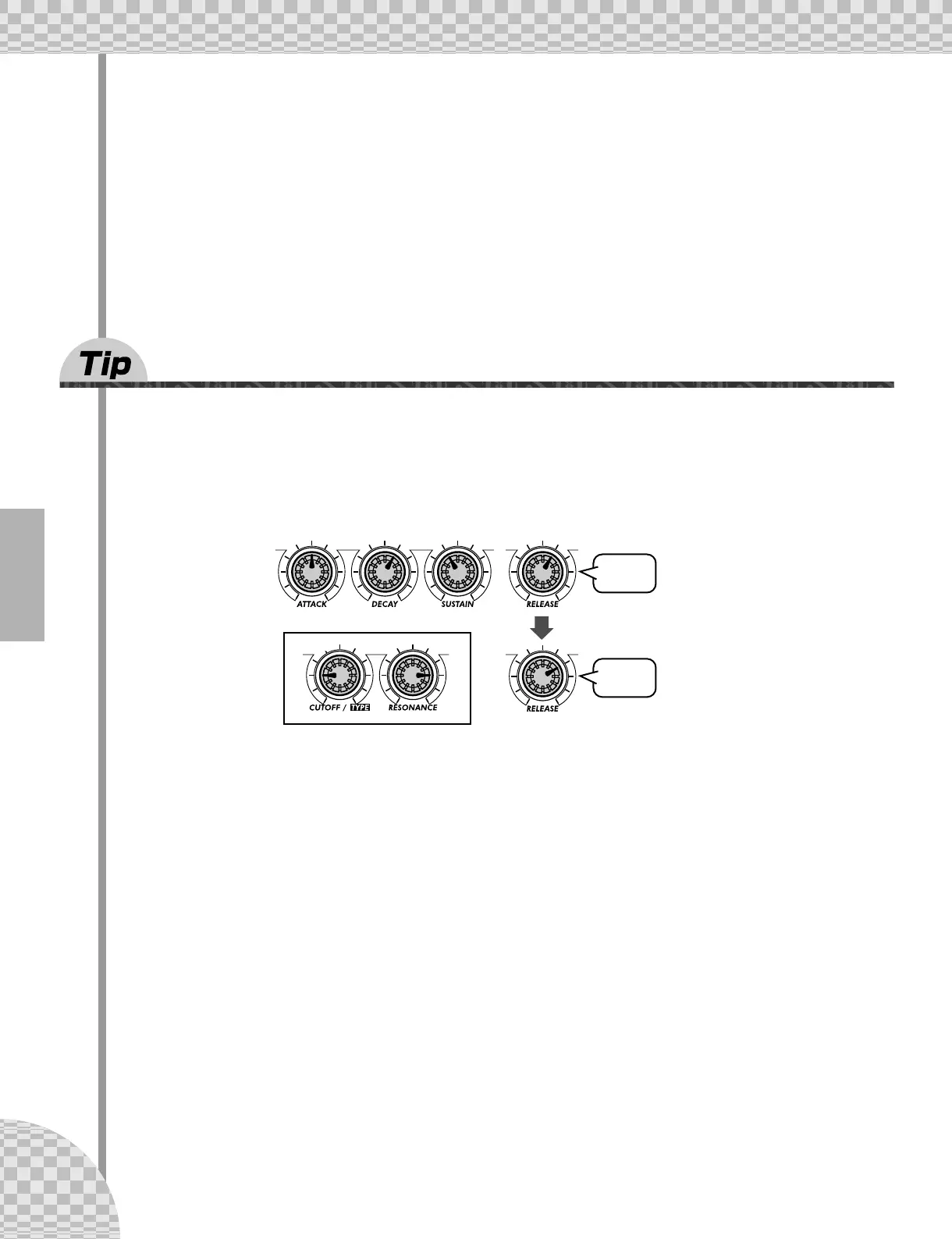
Select a Pattern, and tweak the controls to the basic settings shown below.
2 Now, play around with the [FEG DEPTH] knob.
First, set it to around 12:00 and slowly turn it clockwise while you play the keys. Listen for the sound
changes — some of them will probably be quite subtle.
Tweak the knob the other way, and hear how the sound drops out for the negative values (7:00 - 12:00).
Don’t worry about this — we’ll see in Tip 39 below how to effectively use the negative settings.
Finally, set the knob to about 2:00 (50). Experiment with the [RESONANCE] knob, too. Try out a variety
of settings — especially around 1:00 - 4:00 — and hear how they alter the tone.
FEG
AEG



 To Next Page