44 En
Setting the Timer
The sleep timer sets the receiver to the standby mode after
the specified time elapses.
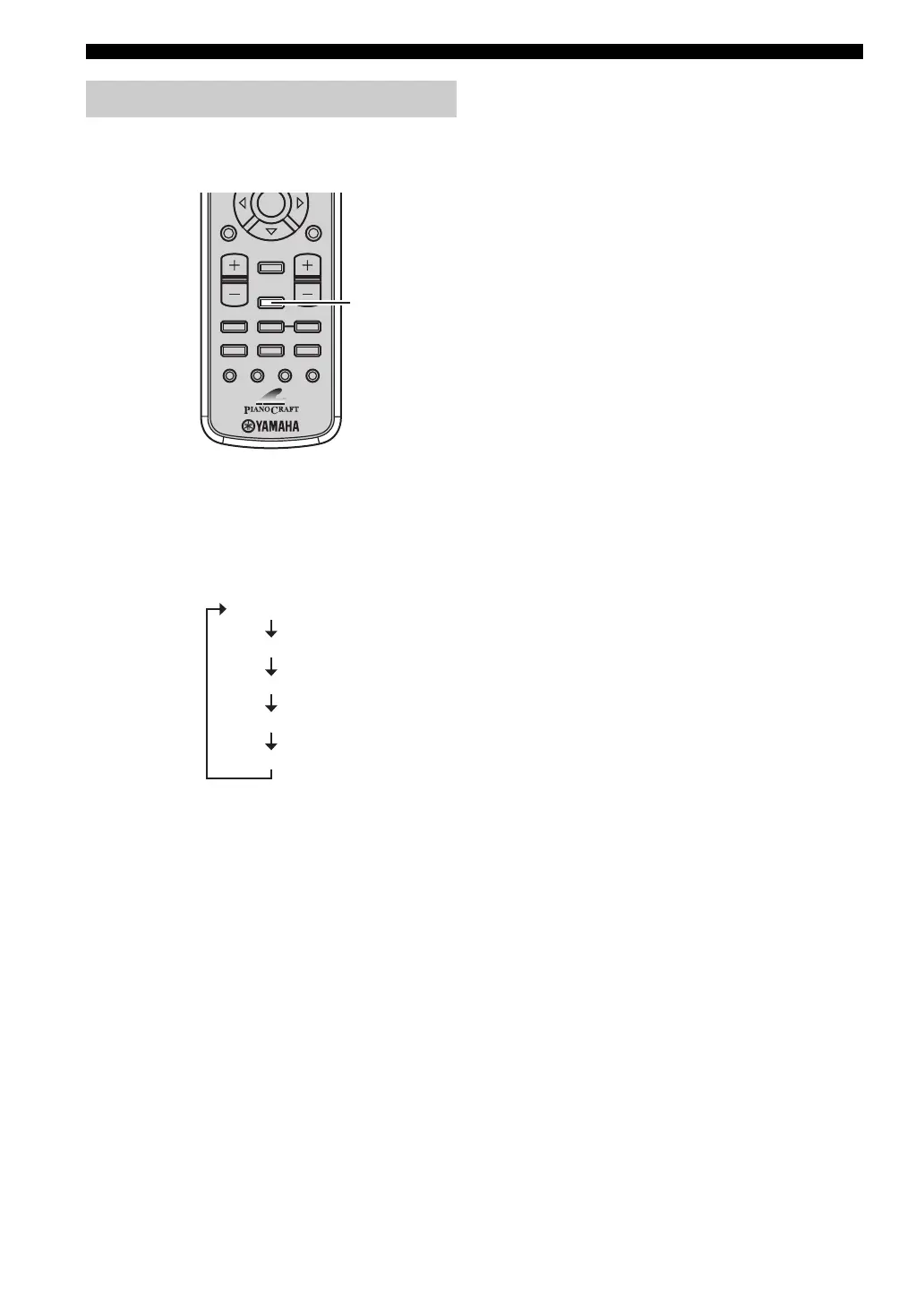
Press SLEEP repeatedly to select the desired
duration.
Each time you press the key, the duration changes as
follows.
The SLEEP indicator lights up in the front panel display.
y
• The sleep timer is canceled if you set the receiver to the standby
mode.
• If you press SLEEP once while the sleep timer is set, the
ongoing duration appears in the front panel display.
To cancel the sleep timer
Press SLEEP repeatedly to select “SLEEP OFF”.
Setting the sleep timer
ENTER
A-E
DISPLAY
SLEEP
DVD/CD TUNER BAND
TAPE/MD
SUBTITLE ANGLE ZOOM AUDIO
AUX/TV DOCK
A-E
SET UP
TV VOL VOLUME
TOP MENU
/RETURN
SLEEP
SLEEP 120 min.
SLEEP 90 min.
SLEEP 60 min.
SLEEP 30 min.
SLEEP OFF


 To Next Page